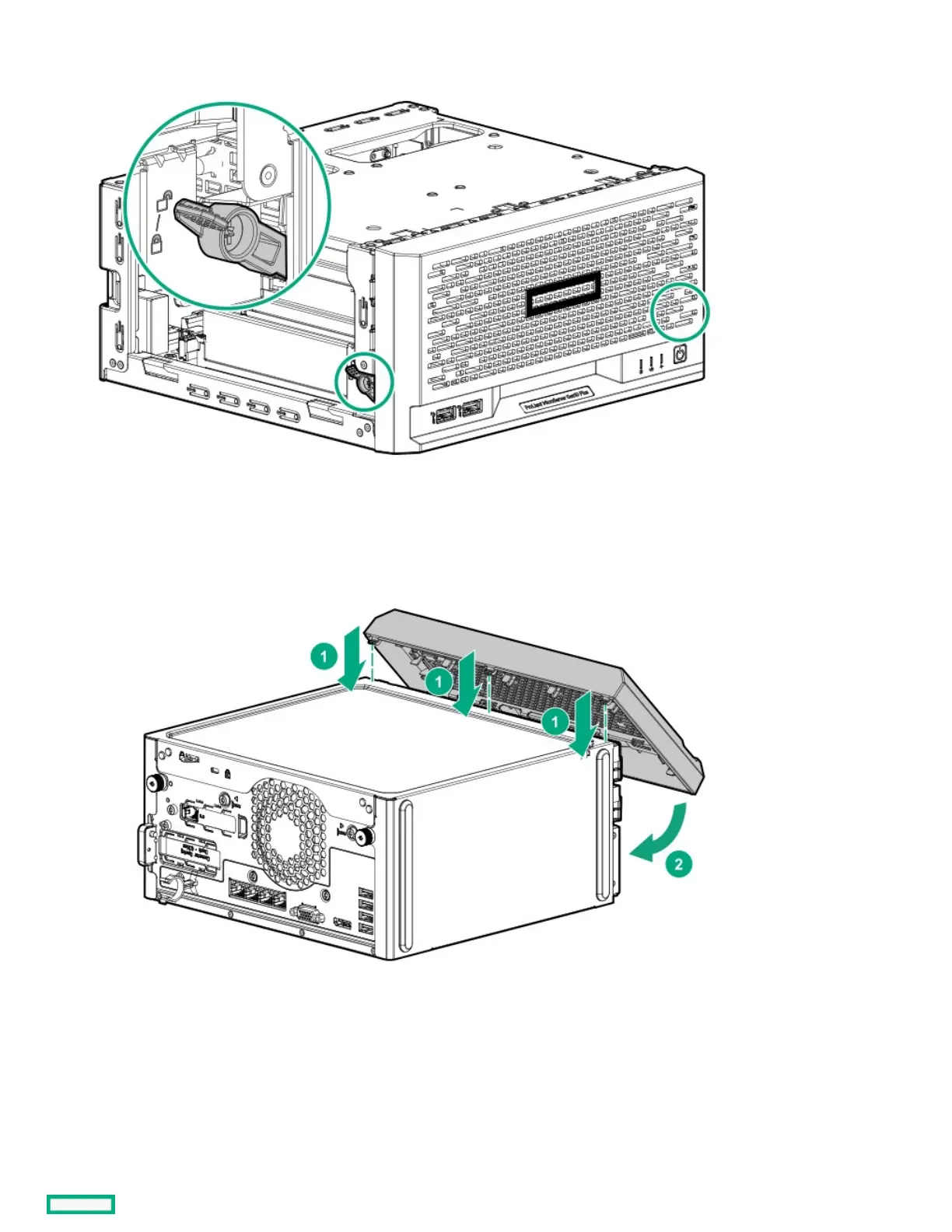
1. Make sure that the bezel locks are in the unlocked position.
2. Install the front bezel:
a. Insert the bezel tabs to their chassis openings (callout 1).
b. Pivot the bottom part of the bezel downward (callout 2).
3. If you prefer to secure the bezel to the chassis, switch the bezel locks downward.















 To Next Page