IMPORTANT:IMPORTANT:
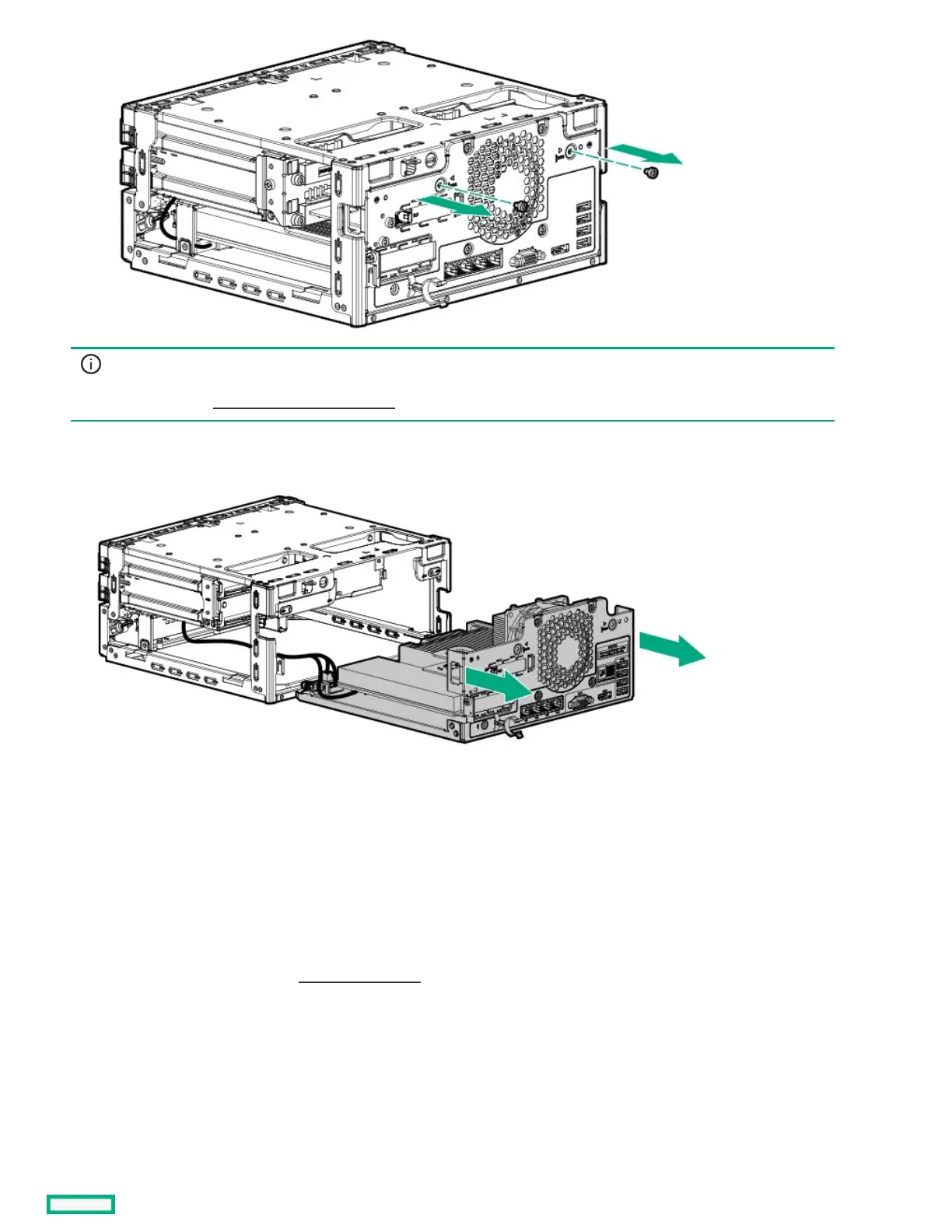
The storage cables connect the system board to the chassis. If you are completely separating the system board assemblyThe storage cables connect the system board to the chassis. If you are completely separating the system board assembly
from the chassis, from the chassis, disconnect the storage cablingdisconnect the storage cabling ..
9. Use the blue touchpoints on both sides of the tray to pull out the system board assembly from the chassis.
Installing the system board assemblyInstalling the system board assembly
PrerequisitesPrerequisites
Before you perform this procedure, make sure that you have a T-15 Torx screwdriver available.
ProcedureProcedure
1. If the storage cables were removed, reconnect the cables.
2. Install the system board assembly:
a. Slide the system board assembly into the chassis (callout 1).
b. Install the system board assembly screws (callout 2).















 To Next Page