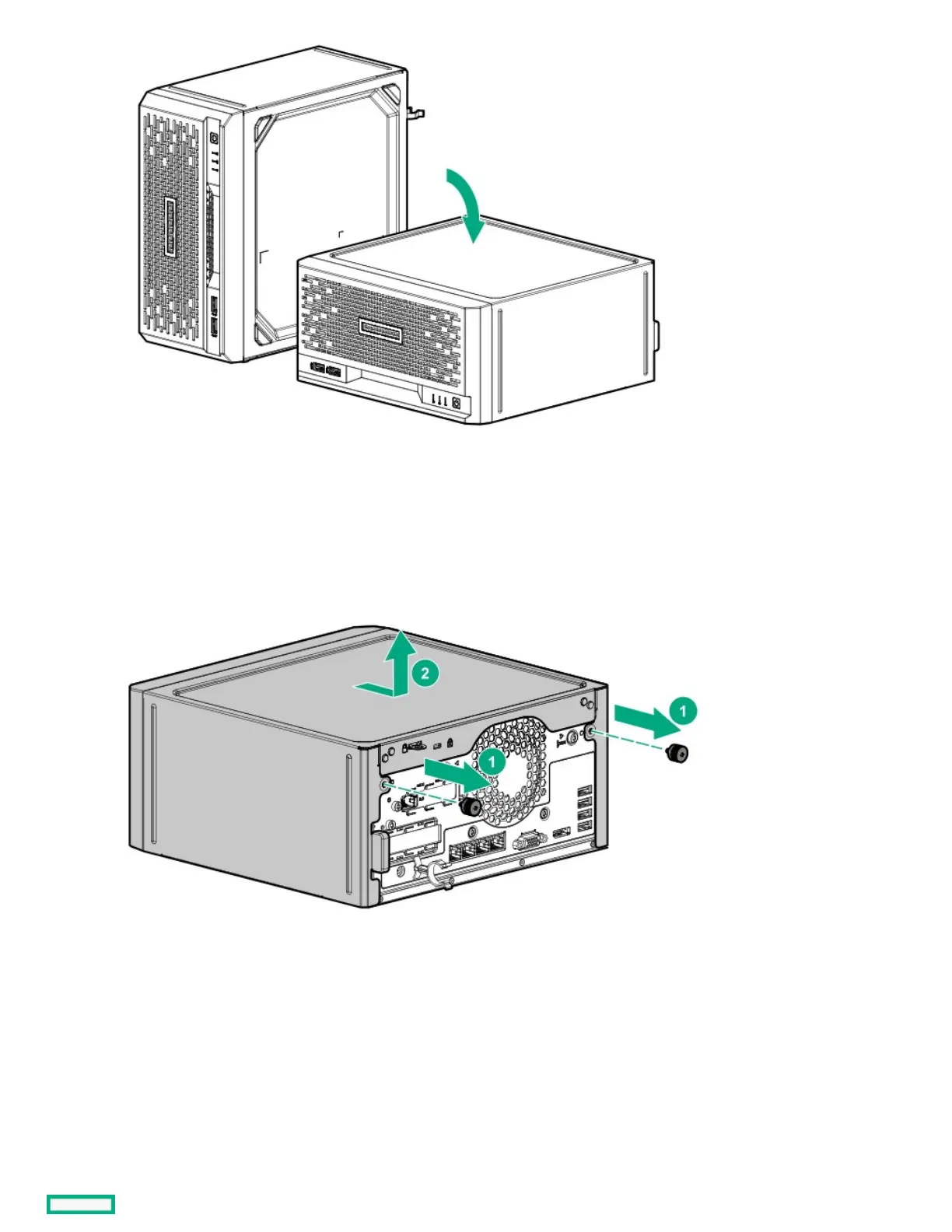
7. Remove the chassis cover:
a. Remove the cover thumbscrews.
If the thumbscrews are too tight, use a T-15 Torx screwdriver to remove them (callout 1).
b. Slide the cover about half an inch towards the rear panel until the arrowhead markers on the front edge of the chassis are exposed,
and then detach the cover from the server (callout 2).
Removing the system board assemblyRemoving the system board assembly
PrerequisitesPrerequisites
Before you perform this procedure, make sure that you have a T-15 Torx screwdriver available.
About this taskAbout this task
To access most internal components, remove the system board assembly.
ProcedureProcedure















 To Next Page