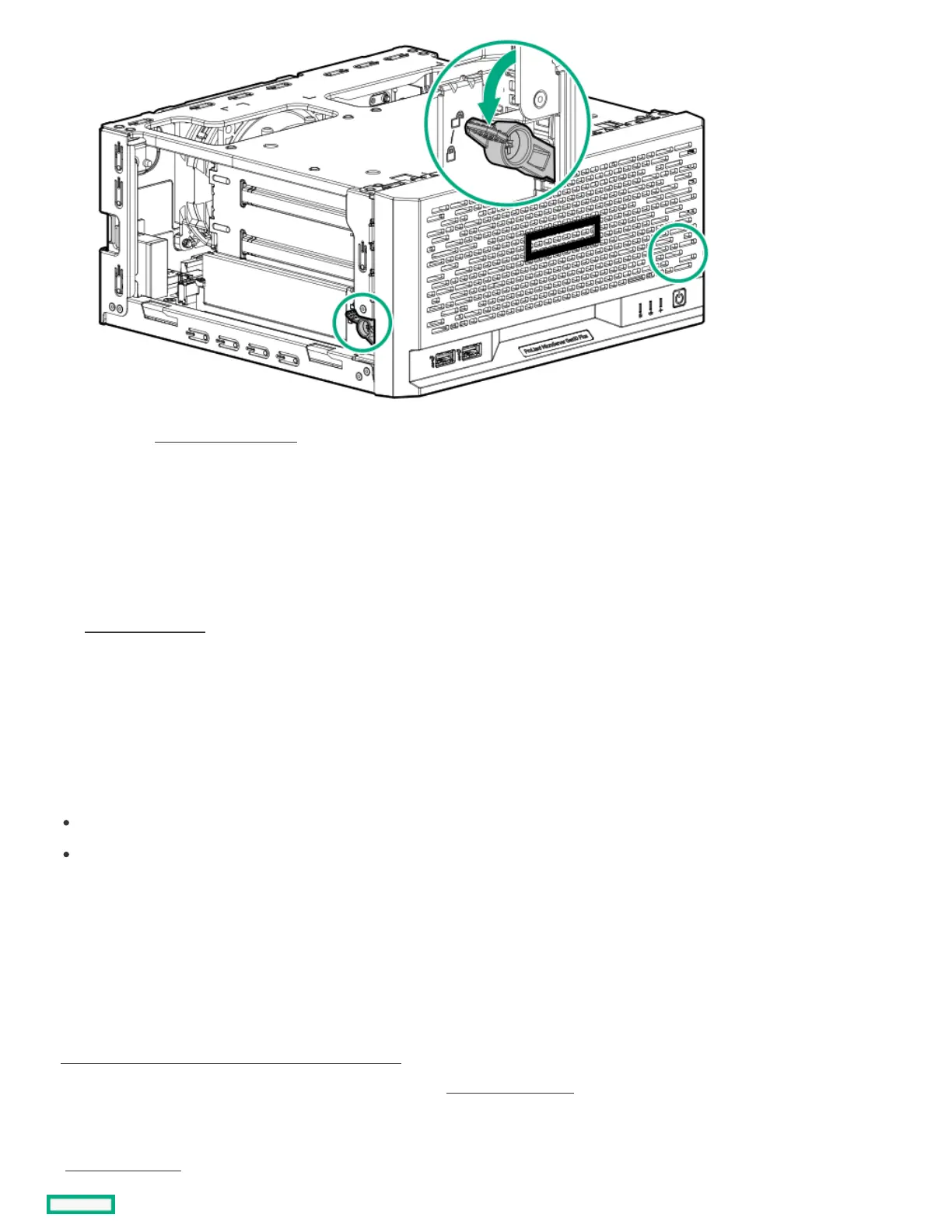
4. If removed, install the chassis cover .
5. If removed, install the security padlock and/or the Kensington security lock.
For more information, see the lock documentation.
6. Connect all peripheral cables to the server.
7. Connect the power adapter to the server, and then secure the power adapter cord in the power cord clamp.
8. Connect the power cord to the AC source.
9. Power up the server .
Power up the serverPower up the server
About this taskAbout this task
To power up the server, use one of the following methods:
Press the Power On/Standby button.
Use the virtual power button through iLO 5.
Hardware options installationHardware options installation
This chapter provides instructions for installing supported hardware options. To ensure proper server deployment and operation, Hewlett
Packard Enterprise recommends installing only HPE‑validated hardware options. To see the list of validated options for this server, see the
product QuickSpecs on the HPE ProLiant MicroServer Gen10 Plus v2 website:
https://www.hpe.com/servers/microserver-gen10-plus-v2https://www.hpe.com/servers/microserver-gen10-plus-v2
To view the warranty for your server and supported options, see Warranty information.
SubtopicsSubtopics
Server data backupServer data backup















 To Next Page