8 Replacing components
96
HSD S.p.A. © - 0108h02a.fm100713
8.1 Replacing the electric fan
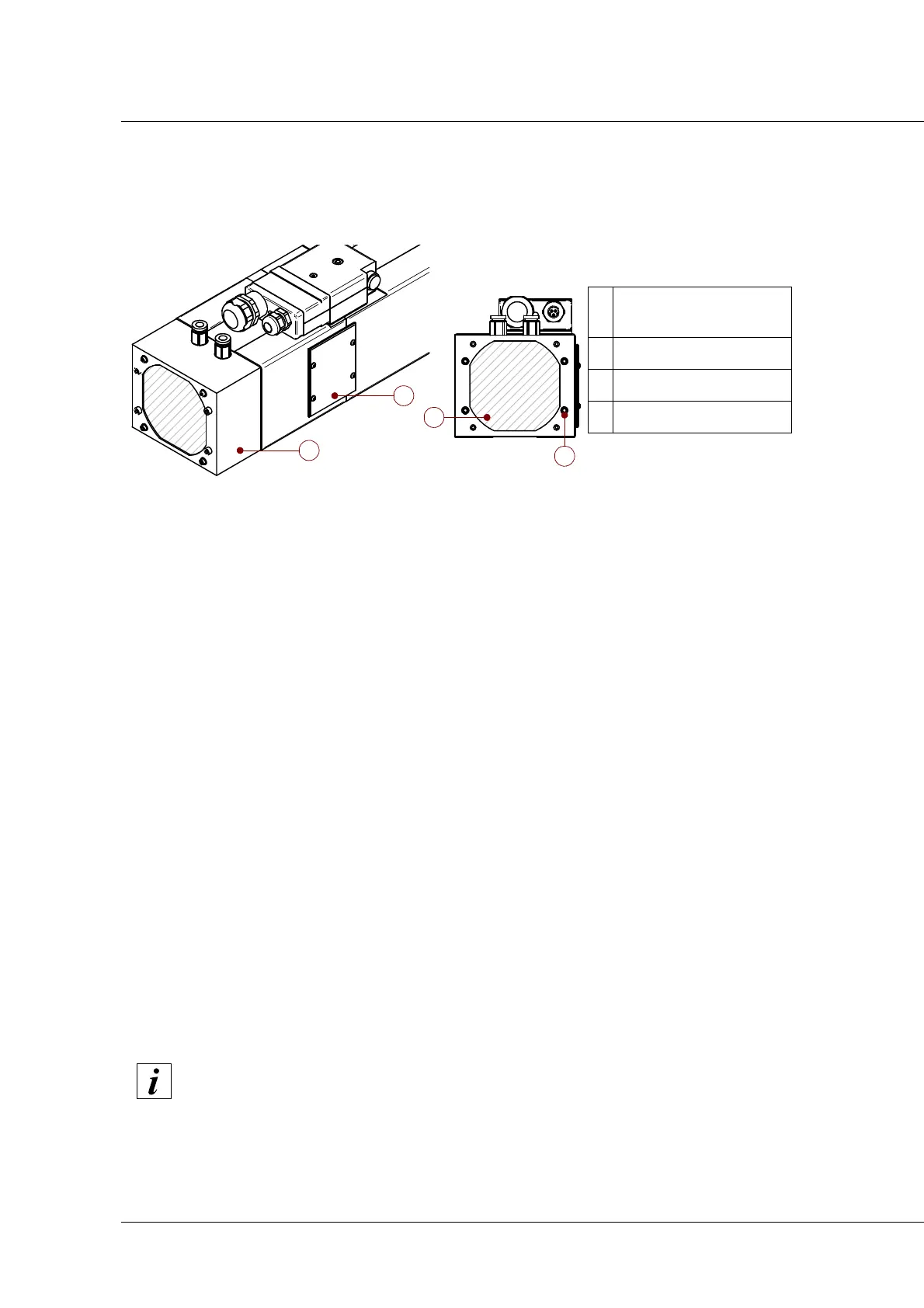
1. Open the cover “1” by unscrewing the 4 screws that lock it;
2. disconnect the electrical connector from the electric fan;
3. Unscrew the 4 screws “ “2””
4. remove the faulty electric fan unit;
5. connect the electric connector of the new electric fan unit
6. lock the electric fan unit to the spindle by means of the 4 screws “ “2”” without pulling on them
too much;
7. close the cover “1” and rescrew the 4 screws that lock it.
8. Check that the electrovalve is free to rotate by making it rotate by blowing some compressed
air.
8.2 Shaft kit replacement
Spare shaft kits are available for installation in the event of worn bearings. The shaft kits include a
shaft, already run-in bearings, rotor, screw dowel and coupling system.
To obtain the correct shaft kit for the model in question, inform the Manufacturer's sales office of
the spindle serial number.
The serial number is usually stamped on the front flange or on the front of the casing (see section
2 “Technical Specifications”).
Figure 11
1
Sensor compartment
cover
2 4 locking screws
3 protective mesh
4 Electric fan carter
The replacement of the shaft kit is only possible for the standard ES370 electrospindle;
for ES330 and ES370 electrospindles consult the manufacturer for assistance.


 To Next Page