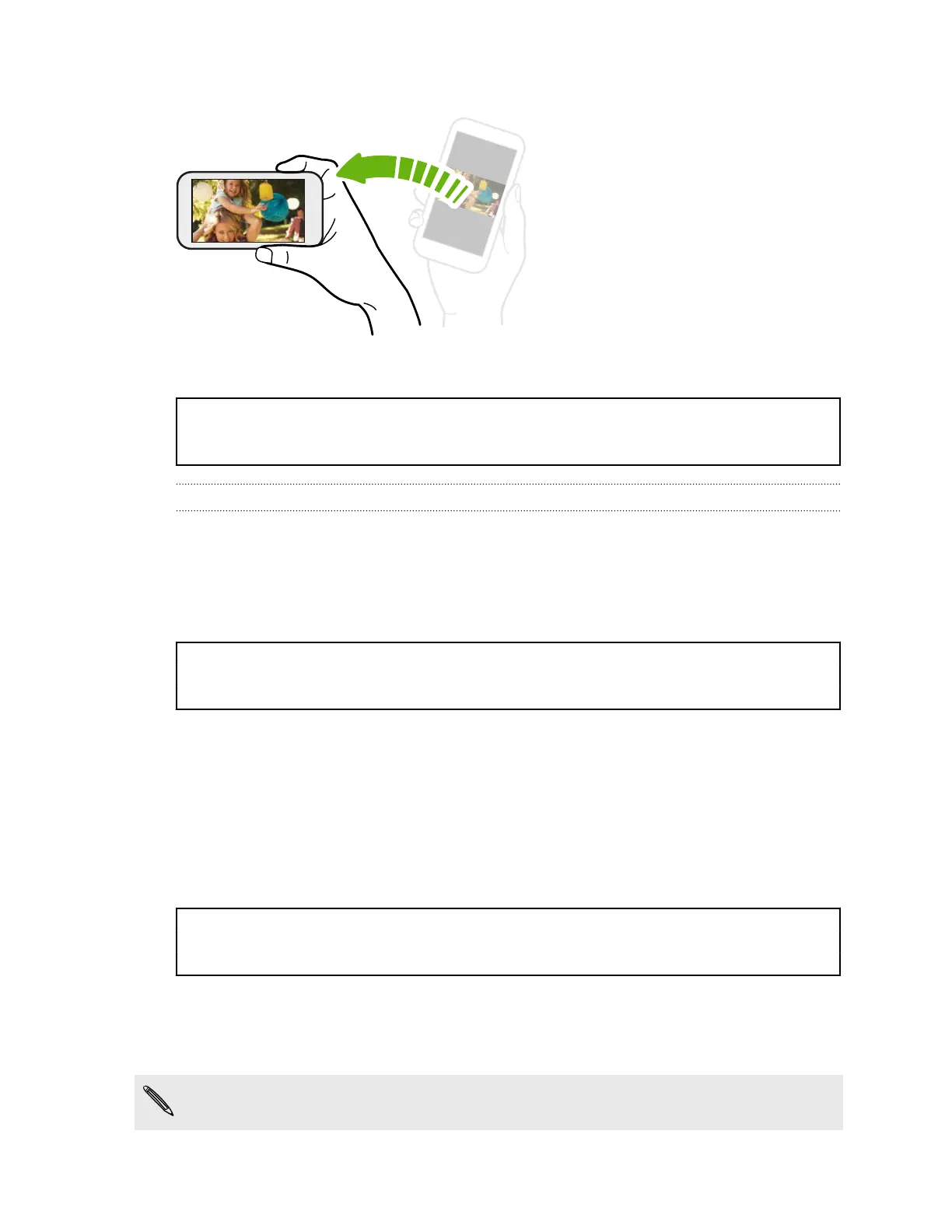
Rotate HTC One X for a better view
For many screens, you can
automatically change the screen
orientation from portrait to
landscape by turning HTC One X
sideways.
When entering text, you can turn
HTC One X sideways to bring up a
bigger keyboard.
Title power Sleep mode
Identifier GUID-A40BAB2C-11DB-430D-9304-00F73CD664D0
Version 6
Sleep mode
Sleep mode saves battery power by putting HTC One X into a low power state while
the display is off. It also stops accidental button presses when HTC One X is in your
bag.
Title power Switching to Sleep mode
Identifier GUID-5E4351D5-80D0-4C14-8911-276555A6FA55
Version 5
Switching to Sleep mode
Briefly press the POWER button to turn off the display and switch to Sleep mode.
HTC One X also automatically goes into Sleep mode when it’s left idle for a while.
You can change the time before HTC One X sleeps in the Display, gestures & buttons
(or Display & buttons) settings.
Title power Waking up from Sleep mode
Identifier GUID-0B16C272-A91C-4072-9232-5F348F970924
Version 6
Waking up from Sleep mode
To wake HTC One X up manually, press the POWER button. If you've set up a lock
screen, you need to unlock it.
HTC One X automatically wakes up when you have an incoming call.
32 Your first week with your new phone



 To Next Page