LED Status
Flashing white § The headset is starting up or turning off.
§ The headset is pairing with VIVE Manager.
§ The system software on the headset is being updated.
§ VIVE Business+ is identifying the headset.
Breathing white The headset display is off or in standby mode.
Breathing red Passthrough mode is on.
Green The headset's USB Type-C port is connected to an external power source
while the headset display is on.
Breathing green The headset's USB Type-C port is connected to an external power source
while the headset display is off or in standby mode.
Off The headset is off.
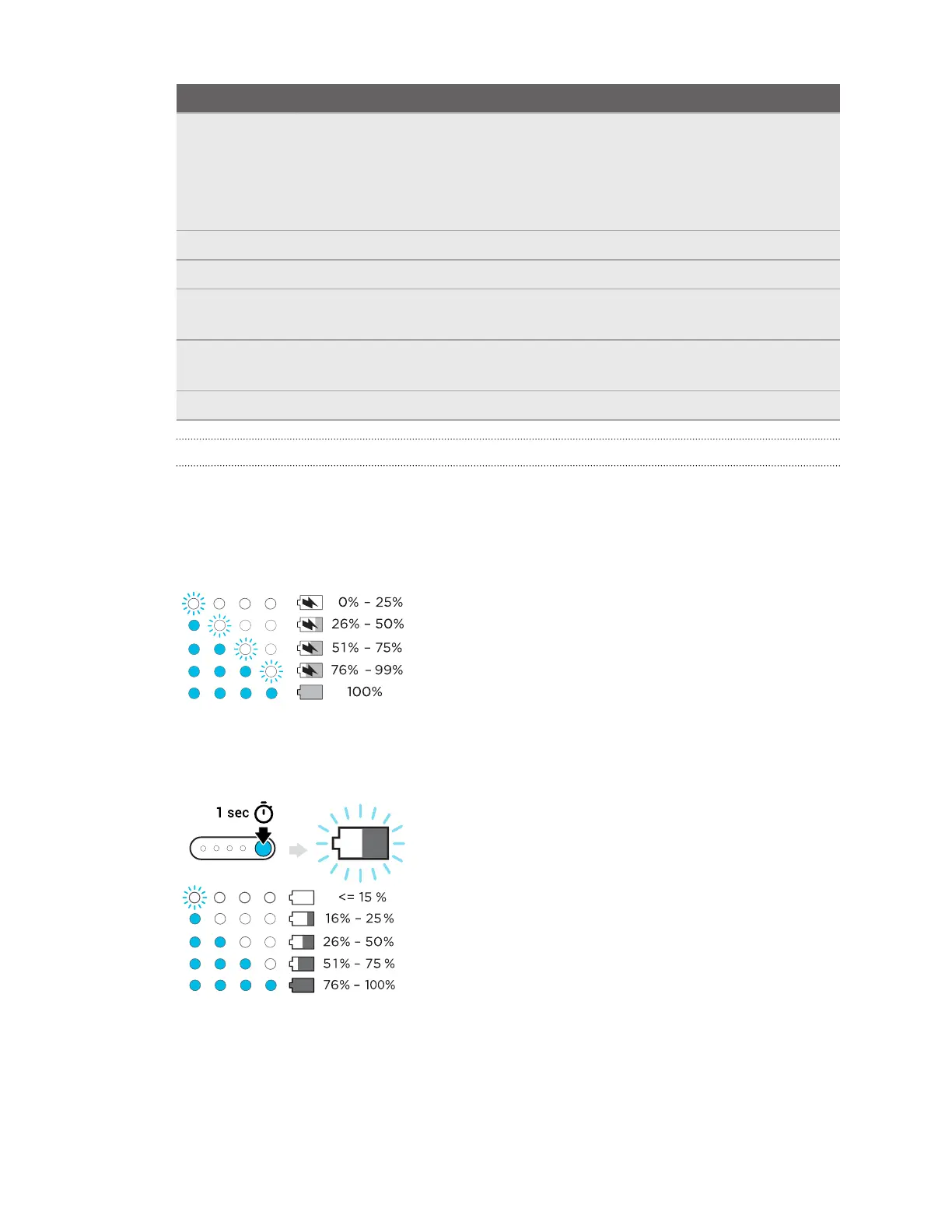
Battery LED
The power LED on top of the battery indicates the charging status.
When charging the battery
The battery LEDs will continuously display the current power level.
When using the headset
Press the power button to show the power level when the headset is idle.
12 Overview



 To Next Page