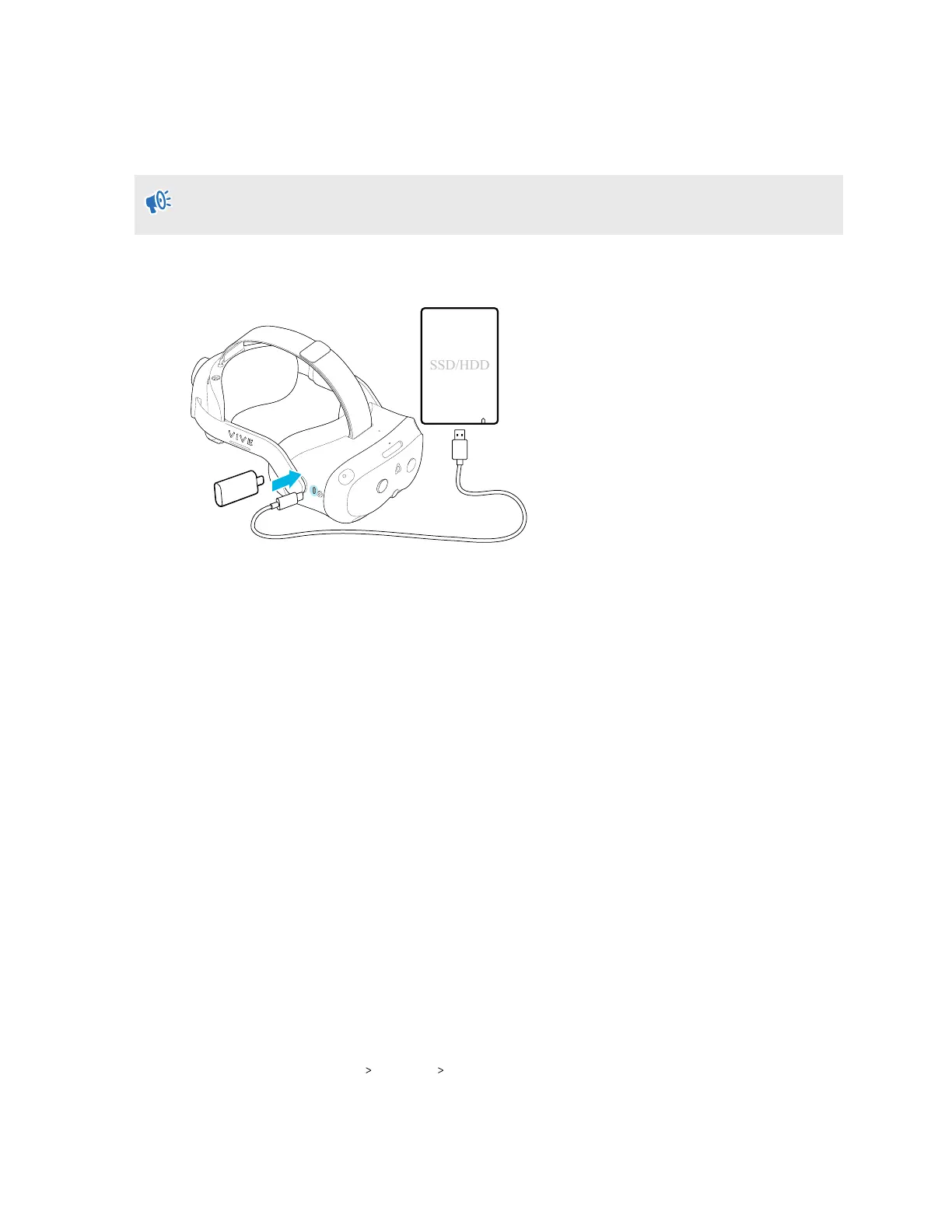
Connecting an external storage device to the headset
Connect an external storage device such as a USB flash drive or hard drive to your headset.
Before connecting an external storage device, make sure the device is formatted to FAT32,
ext4, or exFAT.
Connect the external storage device to the USB Type-C port on the right side of the headset.
After connecting the external storage device, you can do the following:
§ Browse files, view images, and play videos saved on the external storage device. See
Browsing and viewing files on page 45.
§ Install APK files from the storage device. See Installing APK files on the headset on page
48.
Copying files between the headset and external storage
You can copy files between VIVE Focus Vision and external storage such as a storage card or
USB storage device.
Here's how to copy screenshots and screen recordings from the headset to external storage:
1. Insert a storage card, USB storage device, or both.
§ To find out how to insert a storage card, see Inserting a storage card on page 20.
§ To find out how to connect a USB storage device such as a thumb drive to your
headset, see Connecting an external storage device to the headset on page 47.
2. Put on your headset.
3. Open the File browser:
§ Go to Settings Storage File browser.
§ If you connected a USB storage device, you'll see the Found a USB storage dialog
box. Select Open.
47 Managing screenshots, files, and apps



 To Next Page