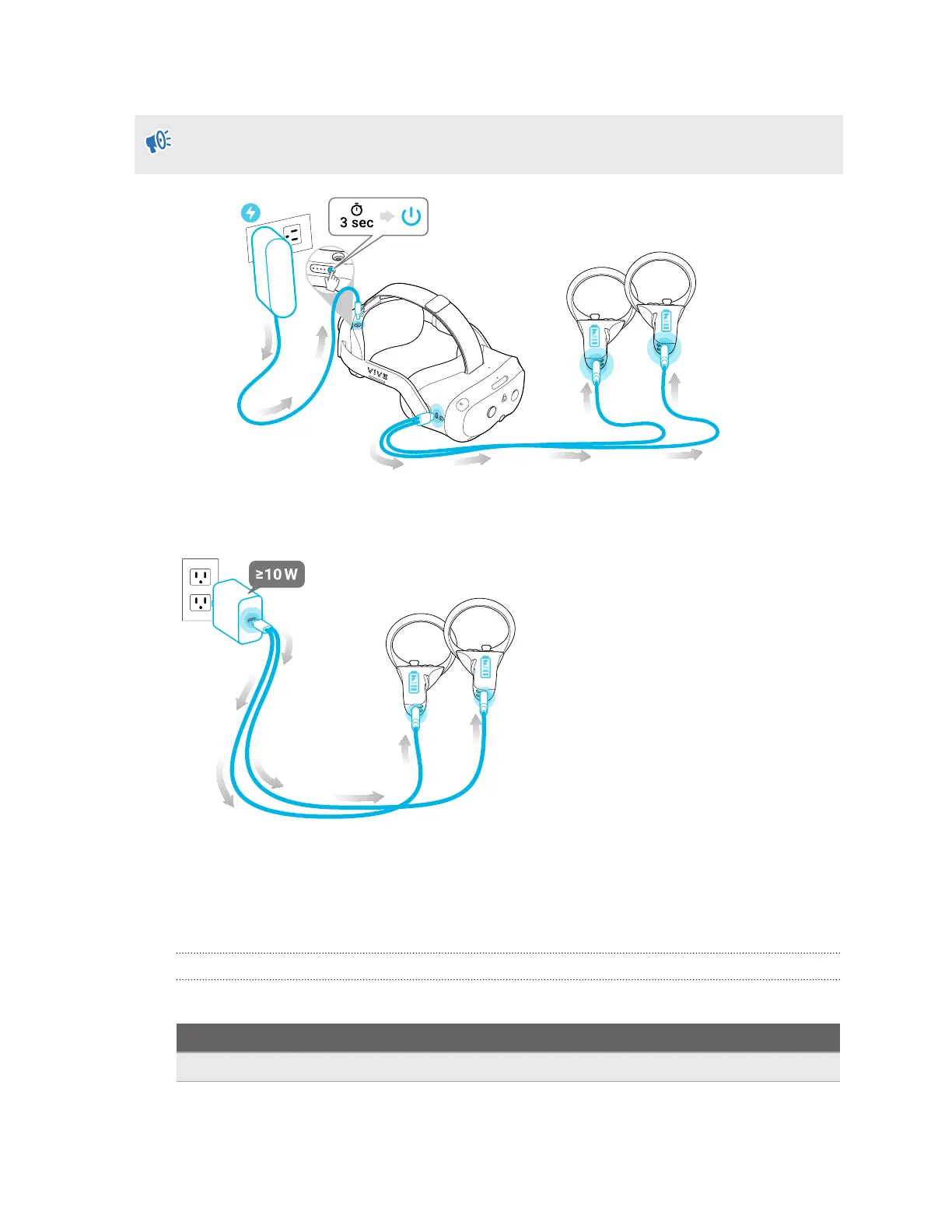
§ Charge the controllers by plugging them into the headset with the included splitter cable.
The headset must be turned on to charge the controllers. We also strongly recommend
connecting the headset to a power outlet when you're charging the controllers.
§ You can also charge the controllers using any USB charger with an output of at least 10
watts.
Headset, battery cradle, and controller LEDs
The headset, battery, and controllers have LEDs that indicate various statuses.
Headset LED
The LED on the front side of the headset indicates the current status.
LED
Status
White The headset display is on.
11 Overview



 To Next Page