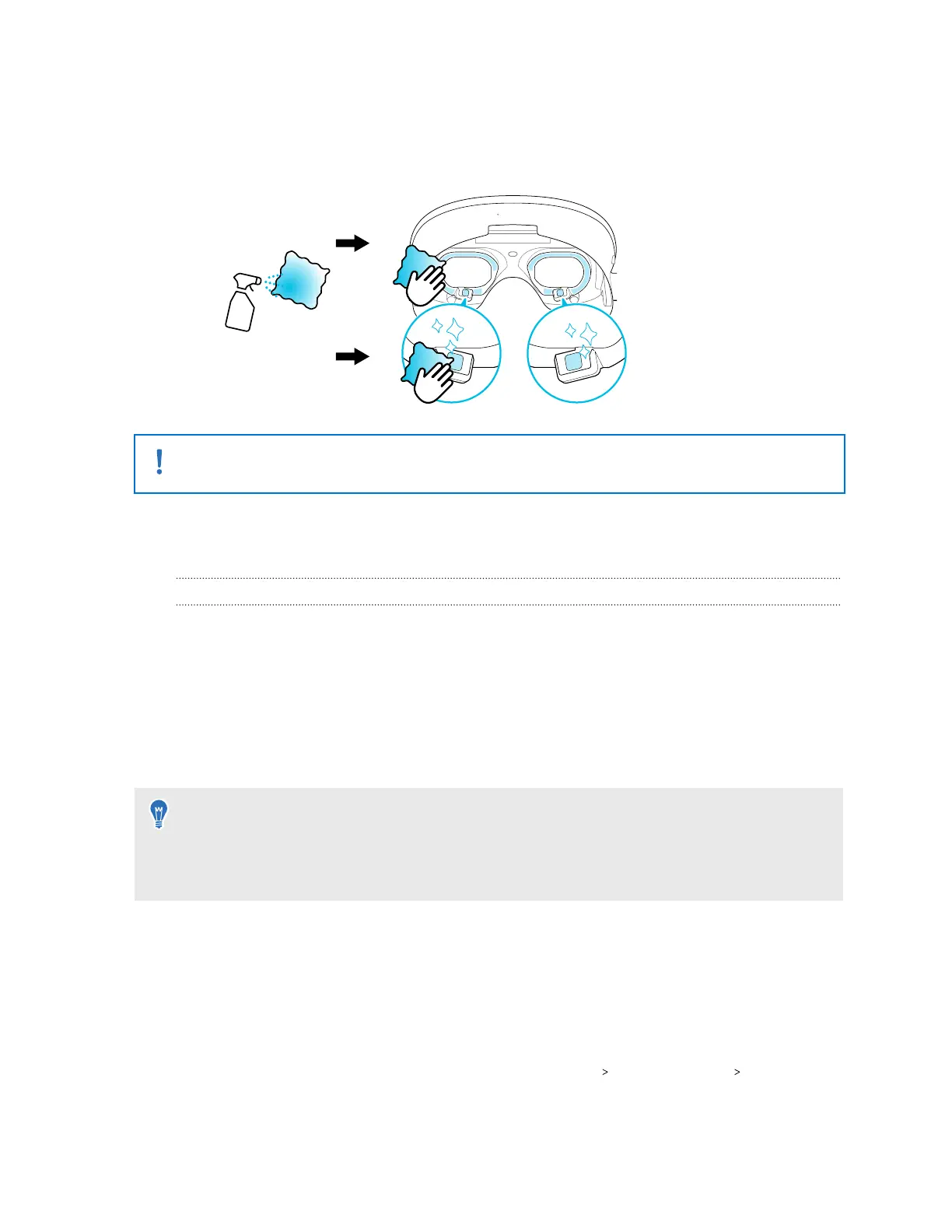
3. Dampen a clean, microfiber cloth with an alcohol-based cleaning solution containing
99.5%–99.9% alcohol.
4. Gently dab the eye tracking cameras and the delicate parts of the eye frames with the
cloth.
Do not rub, wipe, or scrub the eye frames or eye tracking cameras with the microfiber cloth.
Doing so could cause irreversible damage to the eye tracking cameras.
Additional accessories
Using tracker and PC VR streaming accessories with VIVE Focus Vision
You can use the following accessories on VIVE Focus Vision.
VIVE Wired Streaming Kit
Take advantage of the stability and bandwidth of a DisplayPort
™
connection when performing
a wired streaming session with VIVE Focus Vision. DisplayPort mode enhances the streaming
experience with visually lossless graphics and remarkably low-latency data transmission. See
Connecting VIVE Focus Vision to your computer using the VIVE Wired Streaming Kit for details.
You can purchase VIVE Wired Streaming Kit at the following links:
§ https://www.vive.com/accessory/
§ https://business.vive.com/accessory/
VIVE Ultimate Tracker
VIVE Ultimate Tracker is a motion tracker for tracking objects and full-body movements.
VIVE Ultimate Tracker requires the VIVE Wireless Dongle to be attached to your VIVE Focus
Vision. You can use the VIVE Wireless Dongle to connect up to 5 trackers and bring real-world
movements into virtual or mixed reality.
To set up VIVE Ultimate Tracker, go to Settings select Inputs Motion trackers Pair, and pair
your trackers one at a time.
42 Getting started



 To Next Page