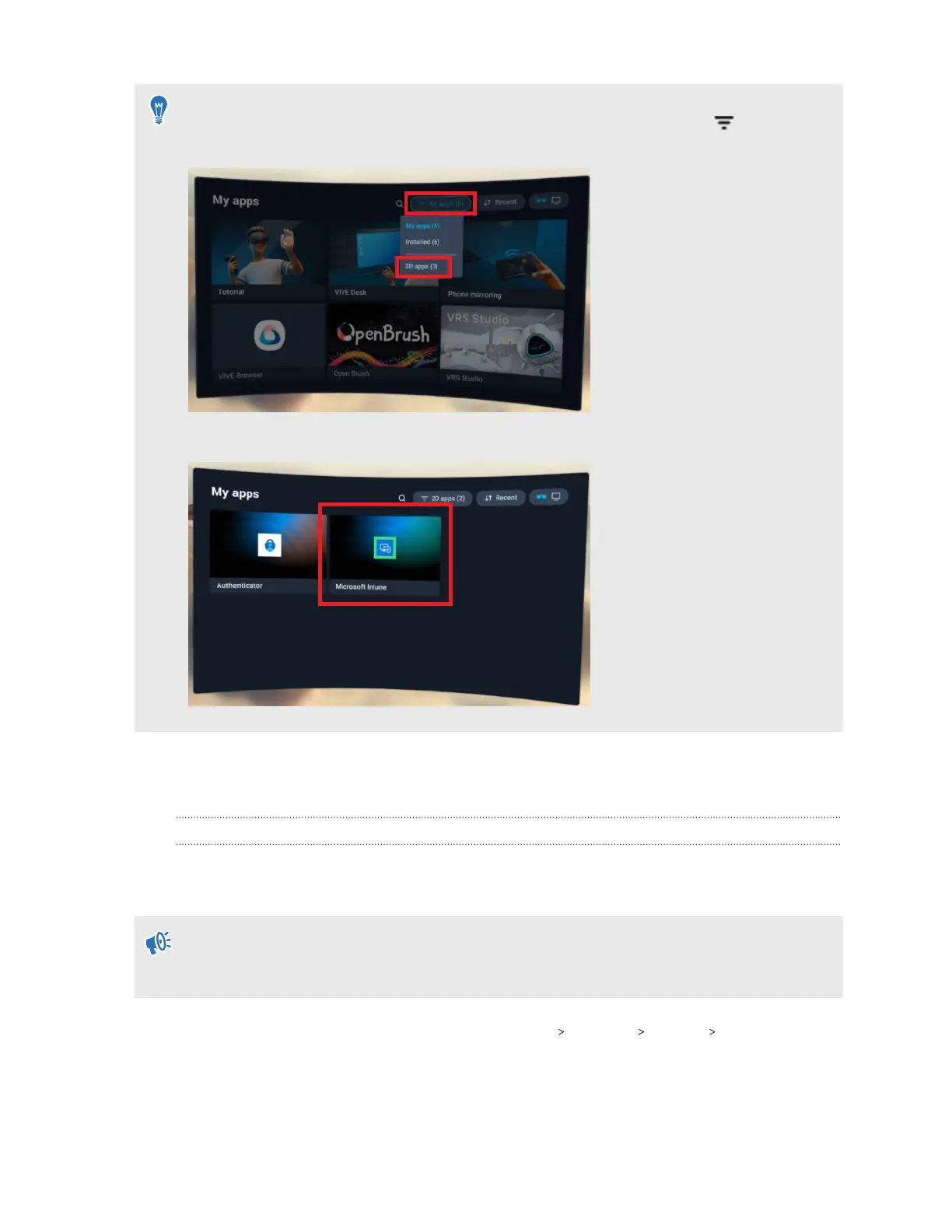
If the headset restarts during setup or setup is interrupted for some other reason, you can
resume setup from the Library. First, go to the Library, select the filter button , and then
select 2D apps.
Select Microsoft Intune to resume device setup.
VMware AirWatch
Setting up VMware AirWatch agent and enrolling VIVE Focus Vision using a QR code
You can create and use a QR code to automatically set up Wi-Fi, install the VMware AirWatch
®
agent from a specified URL, and enroll VIVE Focus Vision.
If the headset is currently enrolled or was enrolled to an MDM solution before, perform a
factory reset first. Then set up the headset. See Resetting the headset (factory reset) on page
71 and Setting up your headset for the first time on page 23.
1. Open Workspace ONE UEM, then go to Devices Lifecycle Staging List View.
2. Click CONFIGURE ENROLLMENT. The Enrollment Configuration Wizard will appear.
3. Under Platform, click Android.
4. Under Enrollment, click QR Code, then click Configure at the bottom of the screen.
80 VIVE Focus Vision for Business



 To Next Page