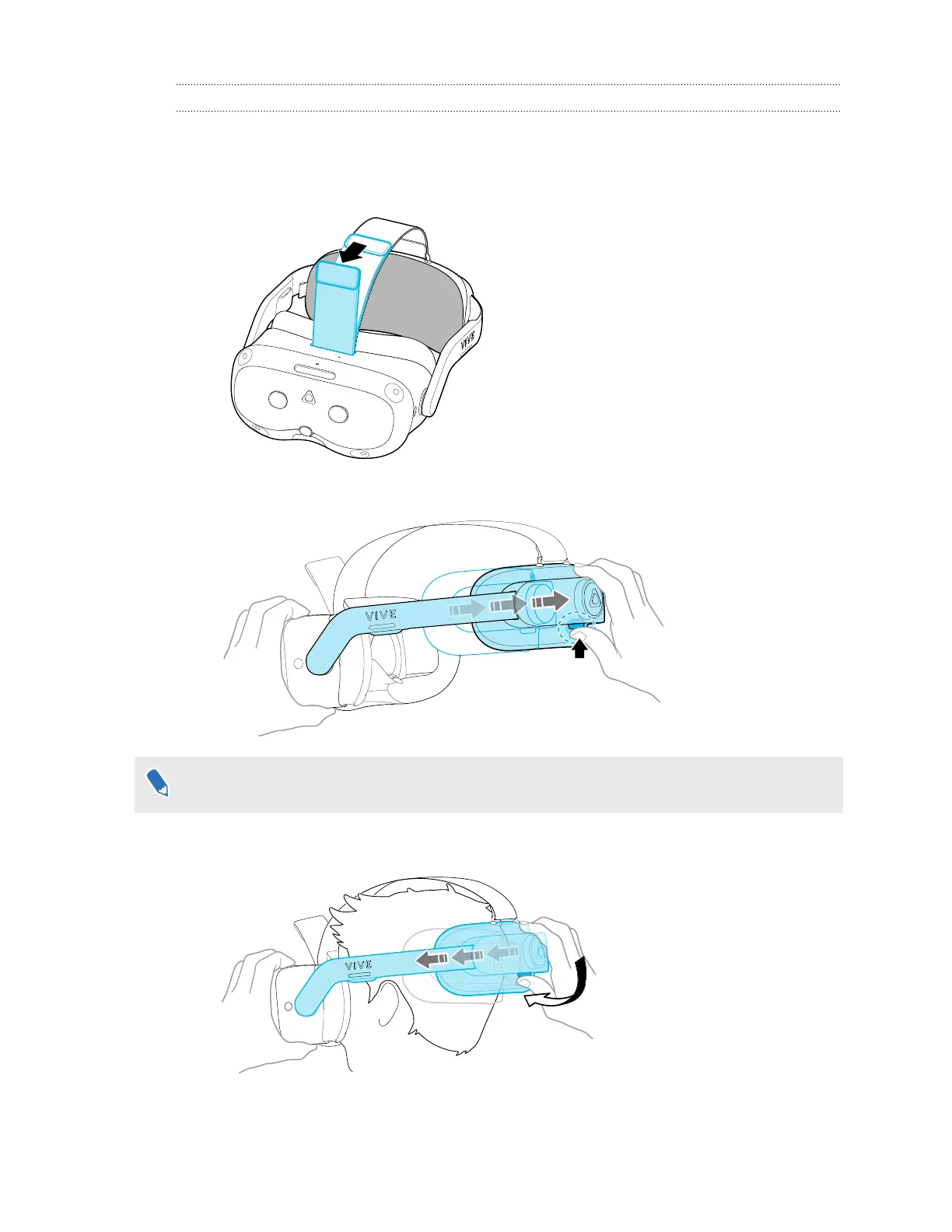
Putting on the headset
Adjust your headset for the perfect fit. A good fit is important for both visual clarity and comfort.
Here's how:
1. Undo the velcro fastener on the top strap.
2. Press and hold the Quick-Release Button, and then gently pull until fully extended.
If you feel resistance when pulling, turn the adjustment dial counterclockwise a bit first.
3.
Position the headset over your eyes. While holding the Quick-Release Button, slide the
headset band until snug with the back of your head.
17 Getting started



 To Next Page