7 Audio Source
The audio source is the one you use to have audio conversations with others on your phone after
you tap Answer, Call, or a line button on your phone screen.
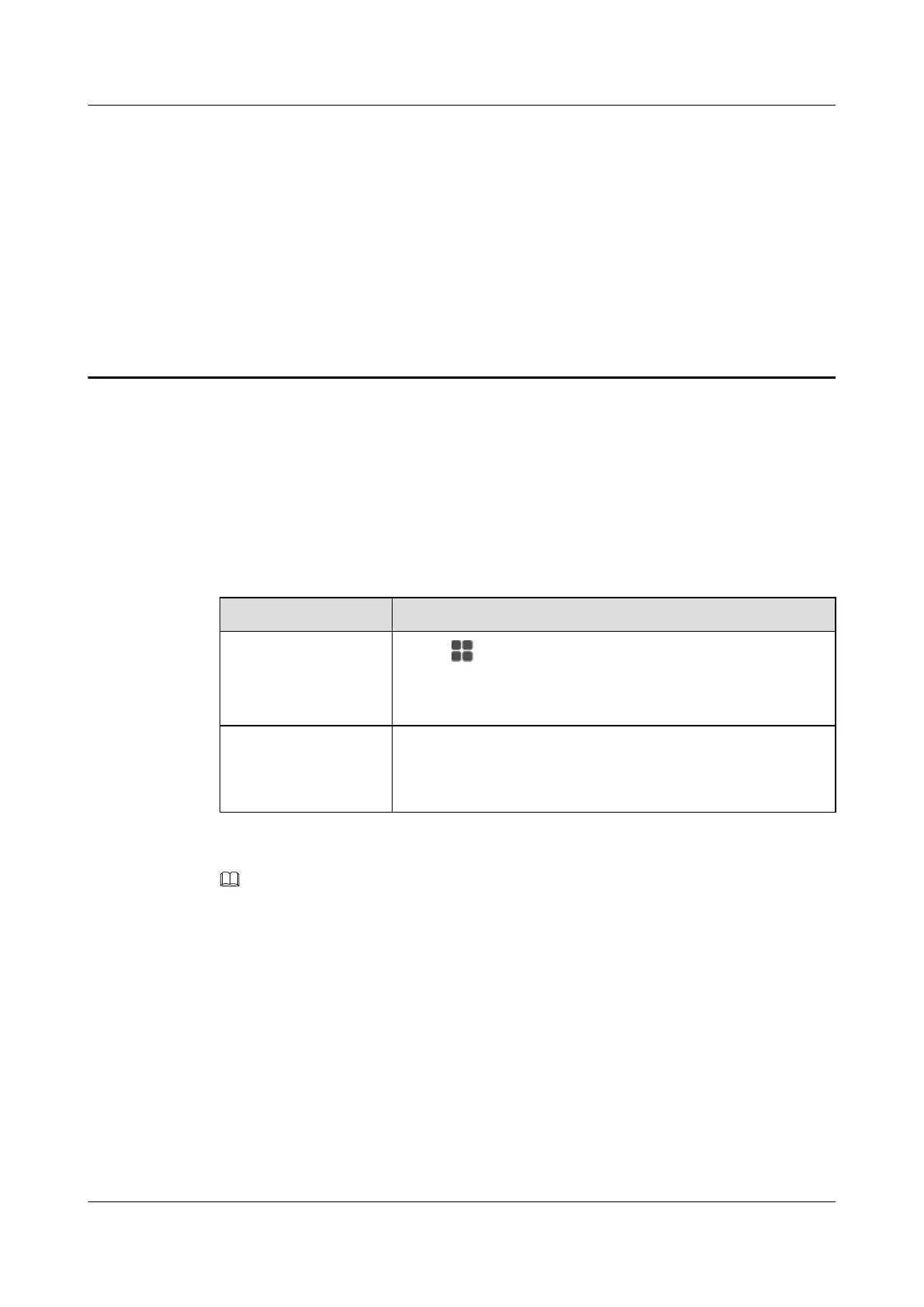
You can set the audio source on your phone LCD screen or web page. For detailed operations,
see Table 7-1.
Table 7-1 Audio source settings
If You Want to... Then...
Set the audio source on
the phone LCD screen
1. Tap . On the APPLICATION tab, tap Settings.
2. In the Call Settings area, tap Audio Source.
3. Tap to select the desired audio source.
Set the audio source on
the phone web page
1. Choose Call Settings > Audio Source.
2. Click to select the desired audio source.
3. Click Save.
NOTE
eSpace 8950 supports multiple headsets, including Bluetooth headset, USB headset, and 3.5 mm headset. The
Bluetooth headset has the highest priority and the 3.5 mm headset has the lowest priority.
eSpace 8950 IP Phone
User Guide 7 Audio Source
Issue 03 (2014-10-16) Huawei Proprietary and Confidential
Copyright © Huawei Technologies Co., Ltd.
33



 To Next Page