23 Call History
23.1 Viewing Call Records
eSpace 8950 records all received, missed, and placed calls.
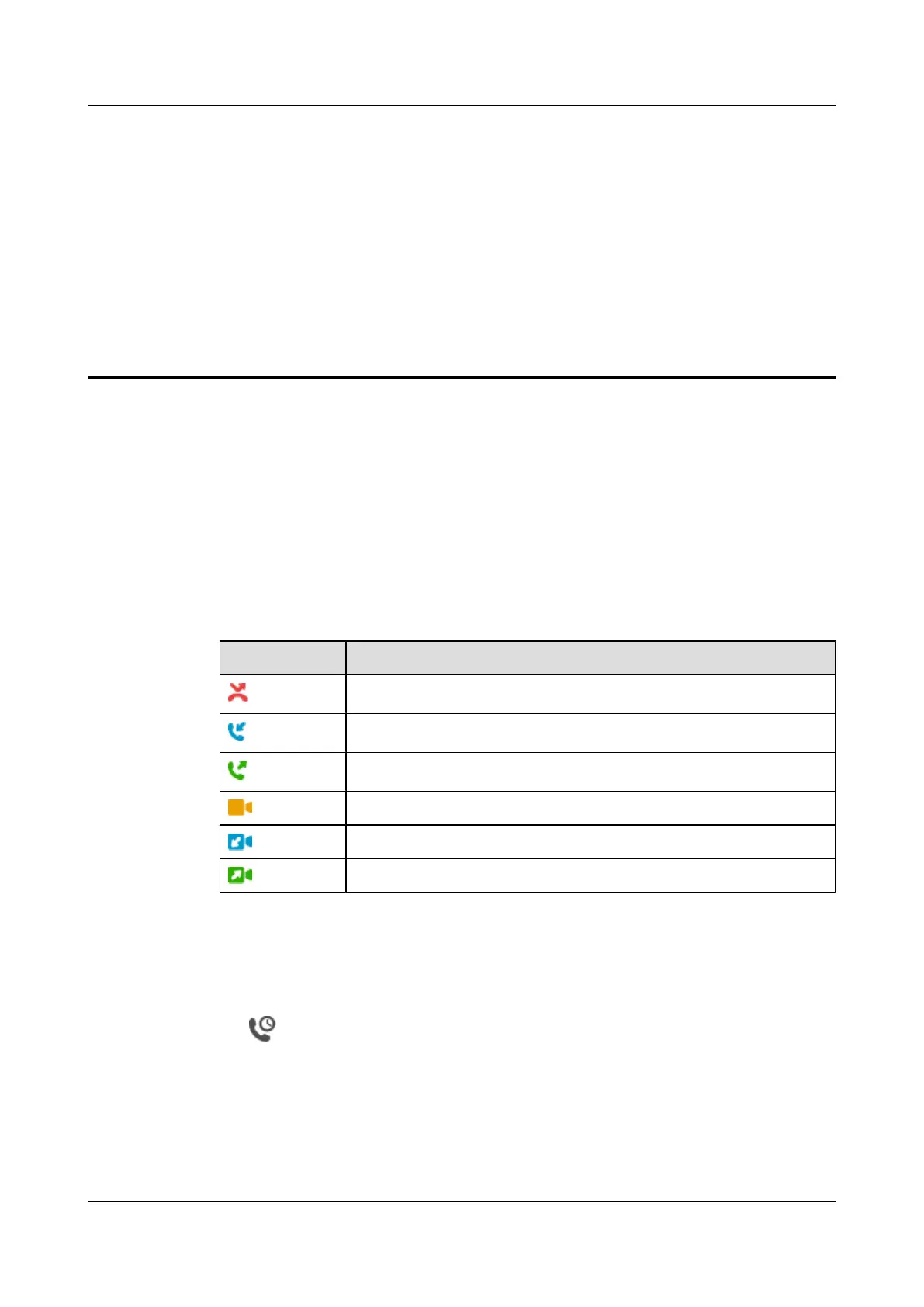
Table 23-1 describes different call record icons.
Table 23-1 Call record icons
Icon Description
Indicates a missed audio call record.
Indicates a received audio call record.
Indicates a placed audio call record.
Indicates a missed video call record.
Indicates a received video call record.
Indicates a placed video call record.
23.2 Viewing Call Details
Step 1 Tap .
Step 2 On the All or Missed tab, tap a desired call record.
l The IP phone combines consecutive call records for the same number into one, and only
displays the call type of the latest record on the call history screen.
l Received and placed call records are merged together, and missed call records are merged
together.
eSpace 8950 IP Phone
User Guide
23 Call History
Issue 03 (2014-10-16) Huawei Proprietary and Confidential
Copyright © Huawei Technologies Co., Ltd.
66



 To Next Page