eSpace IAD
Troubleshooting
3 Common Troubleshooting Methods
Huawei Proprietary and Confidential
Copyright © Huawei Technologies Co., Ltd.
Examples for Analyzing Packets
Assume that the SIP and RTP packets need to be analyzed.
Analyzing SIP packets
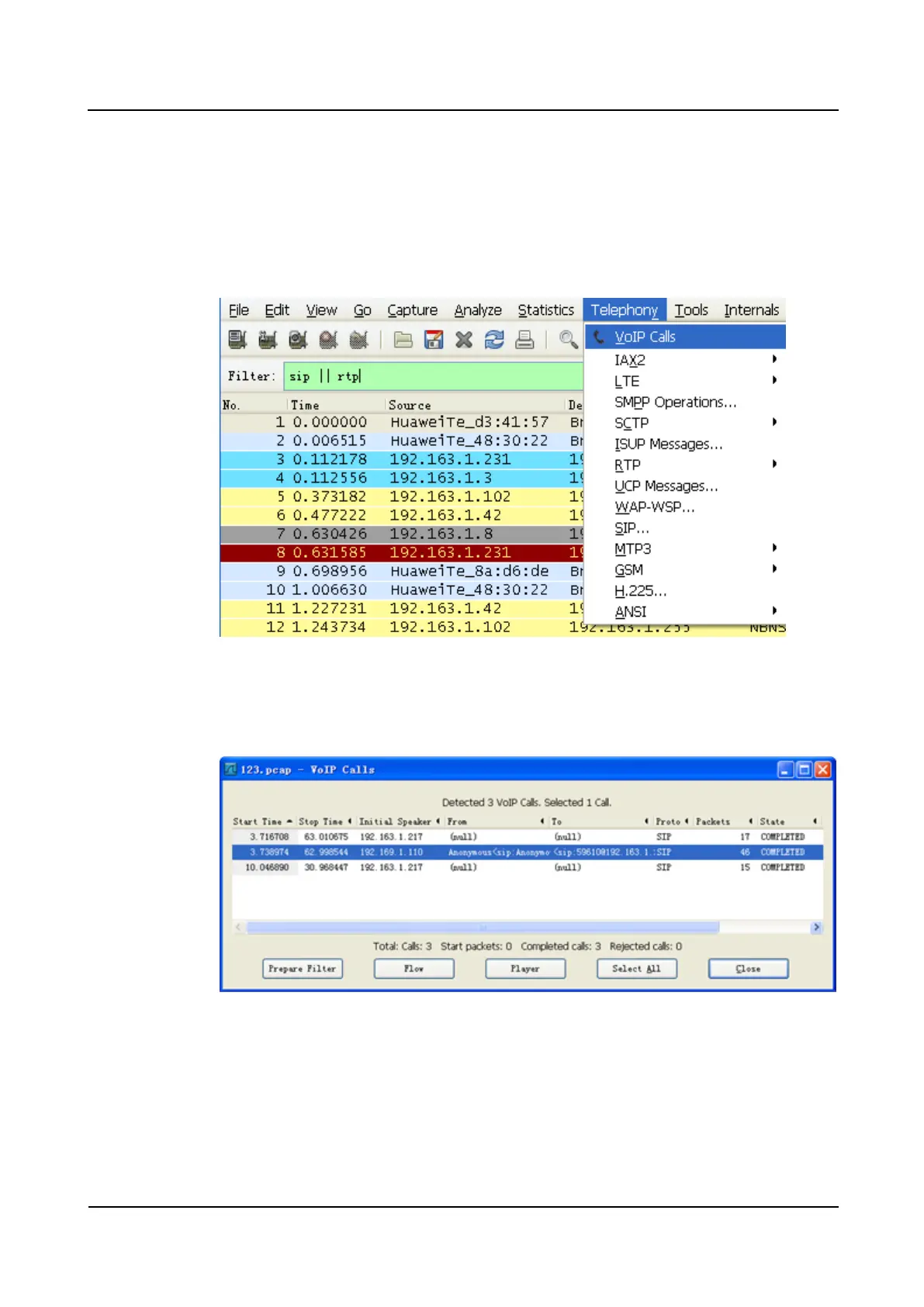
1. Choose Telephony > VoIP Calls, as shown inFigure 3-15.
Figure 3-15 Selecting call-related packets
2. Select a call based on the calling number and called number, as shown in Figure 3-16.
Figure 3-16 Selecting the number of calls
3. Click Flow. The SIP signaling flow for the call is displayed, as shown in Figure 3-17.








 To Next Page