eSpace IAD
Troubleshooting
3 Common Troubleshooting Methods
Huawei Proprietary and Confidential
Copyright © Huawei Technologies Co., Ltd.
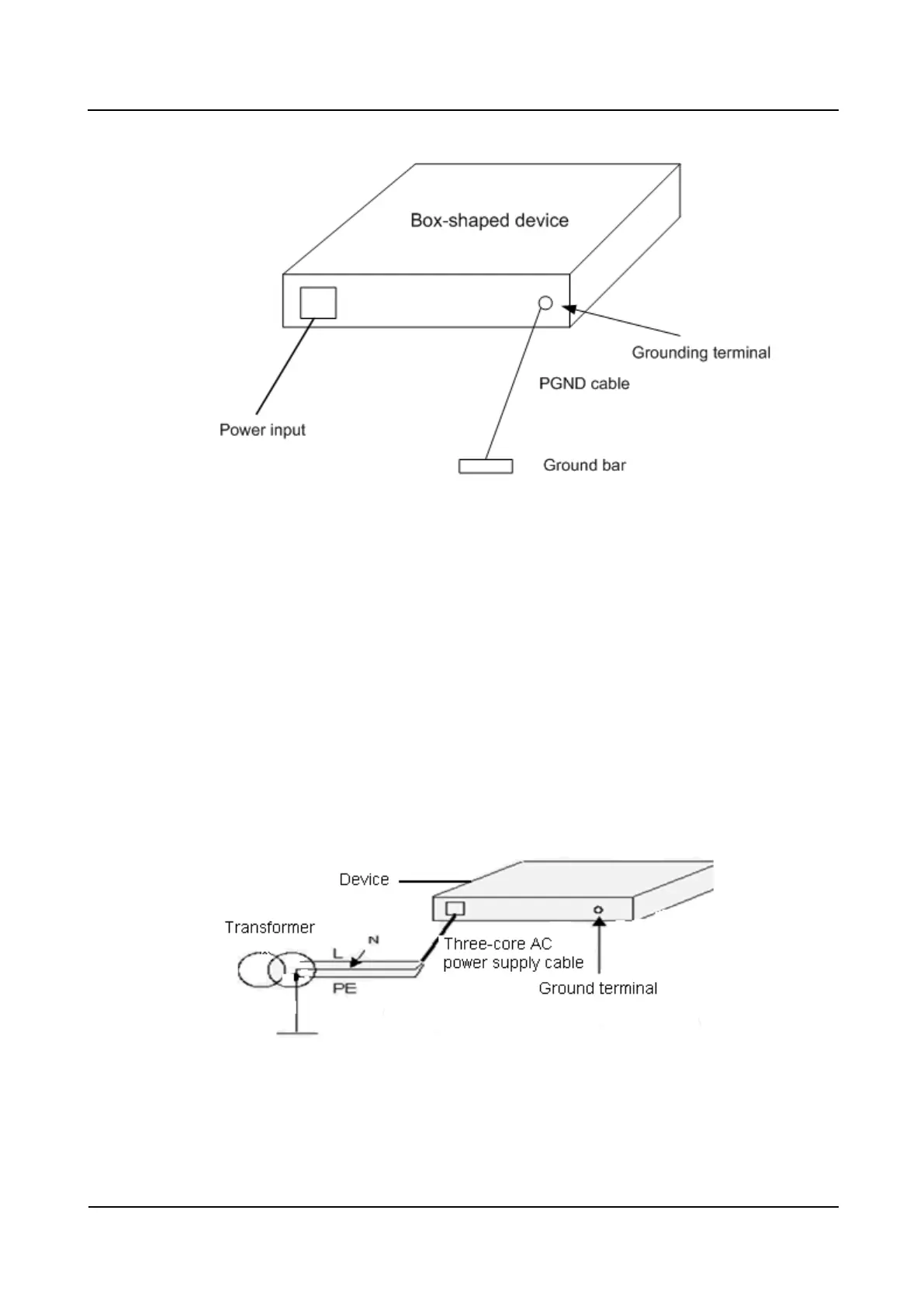
Figure 3-22 Grounding diagram when the ground bar is installed in the equipment room
If a device is installed on a 19-inch cabinet, connect the yellow-green PGND cable of the
device to the ground terminal on the 19-inch cabinet and connect the ground terminal to the
ground bar of the equipment room.
Ground Bar Is Not Installed in the Equipment Room, and the Ground Electrode
Cannot Be Buried Nearby
If a device uses 220 V AC power supply, the PE line of the AC power supply can be used as
the ground cable. Ensure that the PE line of the AC power supply is properly grounded inside
the power distribution room or beside the AC voltage transformer, as shown in Figure 3-23. In
addition, ensure that the PE terminal of the device is reliably connected to the PE line of the
AC power supply. Use the three-core cable with PGND cable as the power cable for the
device.
Figure 3-23 Grounding diagram when the PE line of the AC power supply is used as the ground
cable








 To Next Page