HUAWEI P6-U06 Smartphone FAQs
Huawei Proprietary and Confidential
Copyright © Huawei Technologies Co., Ltd
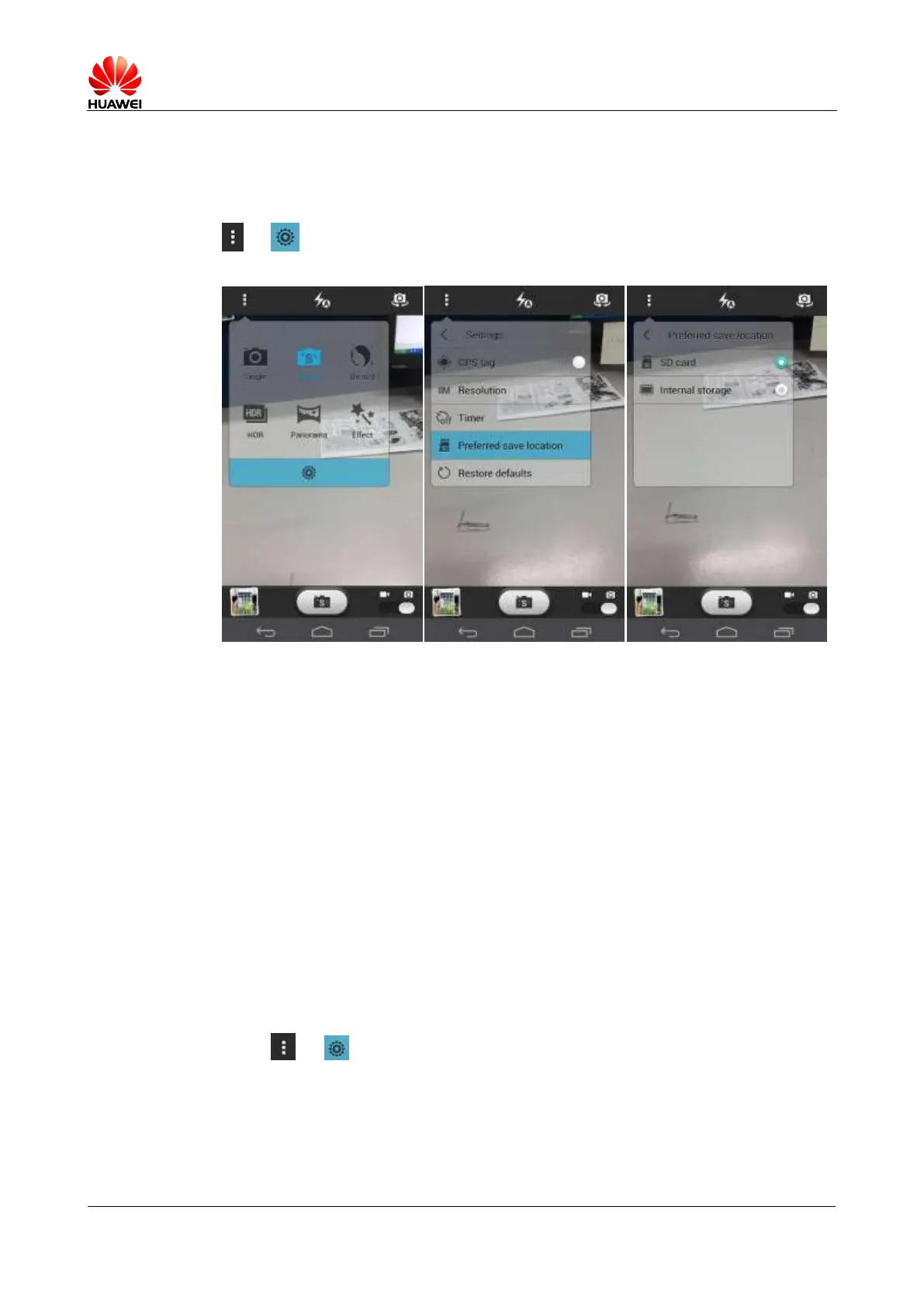
1.11.3 Where are my photos and videos saved? Can I change the
save path?
You can choose to store your photos and videos to the phone or microSD card from Camera >
> > Preferred save location. The save path DCIM\Camera on the phone or
microSD card cannot be changed.
When the save location is the phone, go to File manager > Internal\DCIM\Camera to view
the saved pictures or videos.
When the save location is the microSD card, go to File Manager > SD card\DCIM\Camera
to view the saved pictures and videos.
1.11.4 How do I edit photos or videos or add frames to photos?
To edit a photo, touch the menu key and then choose to rotate, crop, or edit it.
Videos cannot be edited.
You cannot add frames to photos.
1.11.5 Does my phone support HD videos?
Yes. Your phone supports 1080p HD videos at 30 fps.
1.11.6 Can I turn off the shutter sound?
Touch > . Select Mute.



 To Next Page