HUAWEI P6-U06 Smartphone FAQs
Huawei Proprietary and Confidential
Copyright © Huawei Technologies Co., Ltd
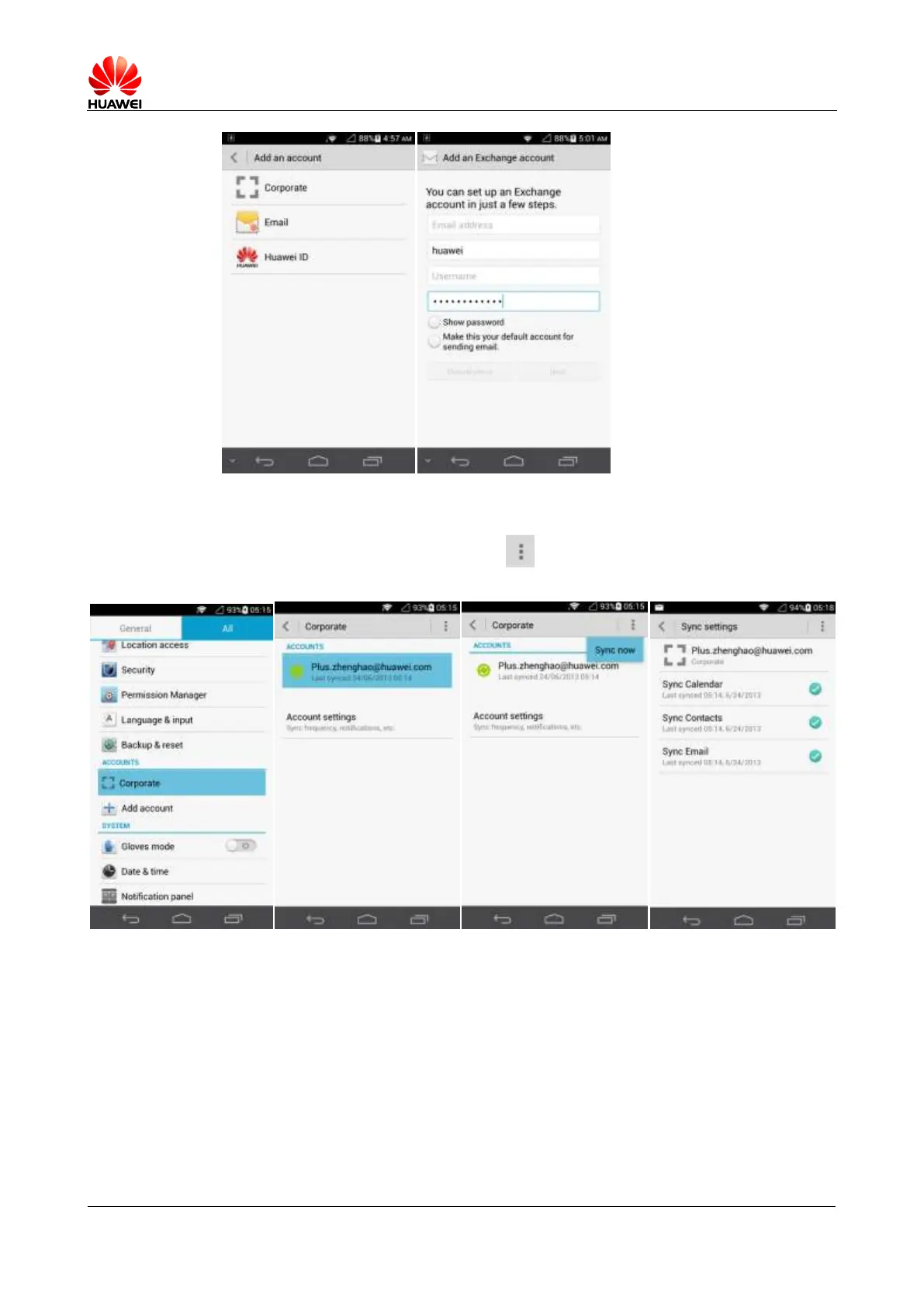
On the home screen, touch Settings > Corporate, select the Exchange account and
information to be synchronized, and touch > Sync now to synchronize the data to your
phone.
If the synchronization fails, check that your phone's data services are enabled and that the
account server supports synchronization.
2.2 Wi-Fi
2.2.1 How do I use Wi-Fi to access the Internet?
Touch Settings. Under WIRELESS & NETWORKS, turn on WLAN.



 To Next Page