HUAWEI P6-U06 Smartphone FAQs
Huawei Proprietary and Confidential
Copyright © Huawei Technologies Co., Ltd
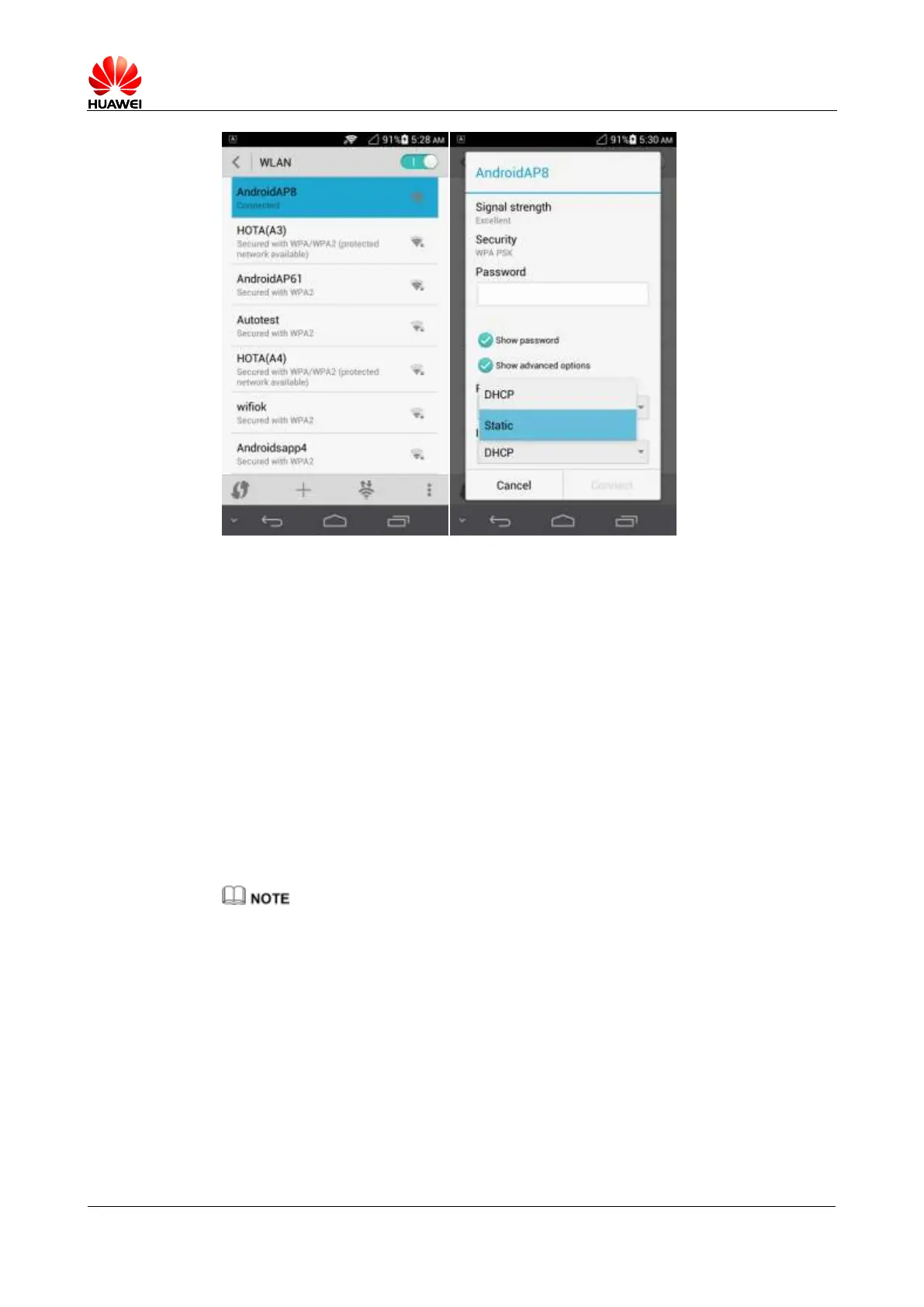
When your phone uses DHCP to access the Internet through Wi-Fi, it must wait for the router
to assign it a dynamic IP address first, which takes time. By specifying a static IP address for
your phone, this issue is solved.
2.5 Can my phone work as a modem to provide Internet
access for computers?
Step 1 Touch Settings > More... > Tethering & portable hotspot and turn on USB tethering.
Step 2 Connect your phone to a computer. On the computer, install a USB driver, which can be
obtained from HiSuite. Right-click My Computer and choose Manage.
Your phone is displayed as a network adapter and can work as a modem to provide
Internet access for the computer.
When using USB tethering, your phone's data connection must be turned on. Otherwise, the phone
cannot provide Internet access for computers.
If a computer provides a wireless network adapter, you can turn on Portable Wi-Fi hotspot under
Settings > More... > Tethering & portable hotspot. Then the computer can connect to your phone
through Wi-Fi to access the Internet. Currently, this function is available to computers running
Windows.
----End



 To Next Page