HUAWEI P6-U06 Smartphone FAQs
Huawei Proprietary and Confidential
Copyright © Huawei Technologies Co., Ltd
3.4 My customized wallpaper automatically stretches. Can
I set it to not stretch?
No. You can install a third-party application to implement this function.
3.5 How do I enter recovery mode and restore my phone to
its factory settings?
When an upgrade package is available on your microSD card or the download for an online
upgrade is complete, with the phone off, press the power and volume down keys to enter
recovery mode. In recovery mode, you can press the volume keys to select the desired option.
To restore your phone to its factory settings, touch Settings > Backup & reset > Factory
data reset and touch Reset phone.
3.6 Can I scan a 2-dimensional barcode with my phone?
Yes, but you need to download a 2-dimensional barcode application first.
3.7 Does my phone support 3D acceleration?
Yes. To enable 3D acceleration, touch Settings > Developer options and select Force GPU
rendering.
Enabling 3D acceleration improves the gaming experience, but consumes the phone memory
as well. If you are playing a game only, great memory consumption does not affect your
phone's running. If you are playing a game and multiple applications are running on your
phone, the phone may run slowly.
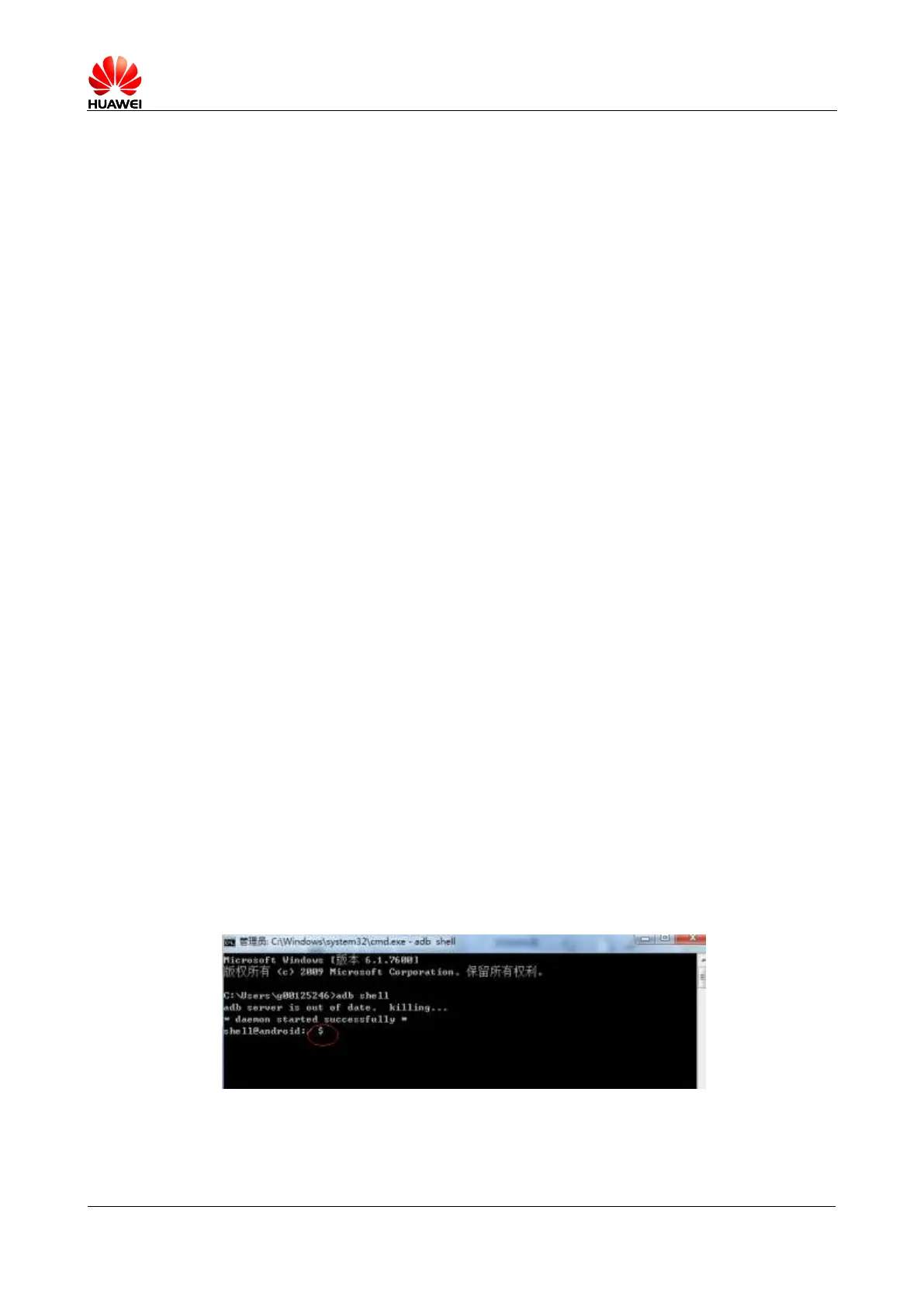
3.8 How do I know whether my phone has been rooted?
Connect your phone to a computer that has the USB drive installed. Then run adb shell. If
$ is displayed, the phone has not been rooted. If # is displayed, the phone has been rooted.



 To Next Page