HUAWEI P6-U06 Smartphone FAQs
Huawei Proprietary and Confidential
Copyright © Huawei Technologies Co., Ltd
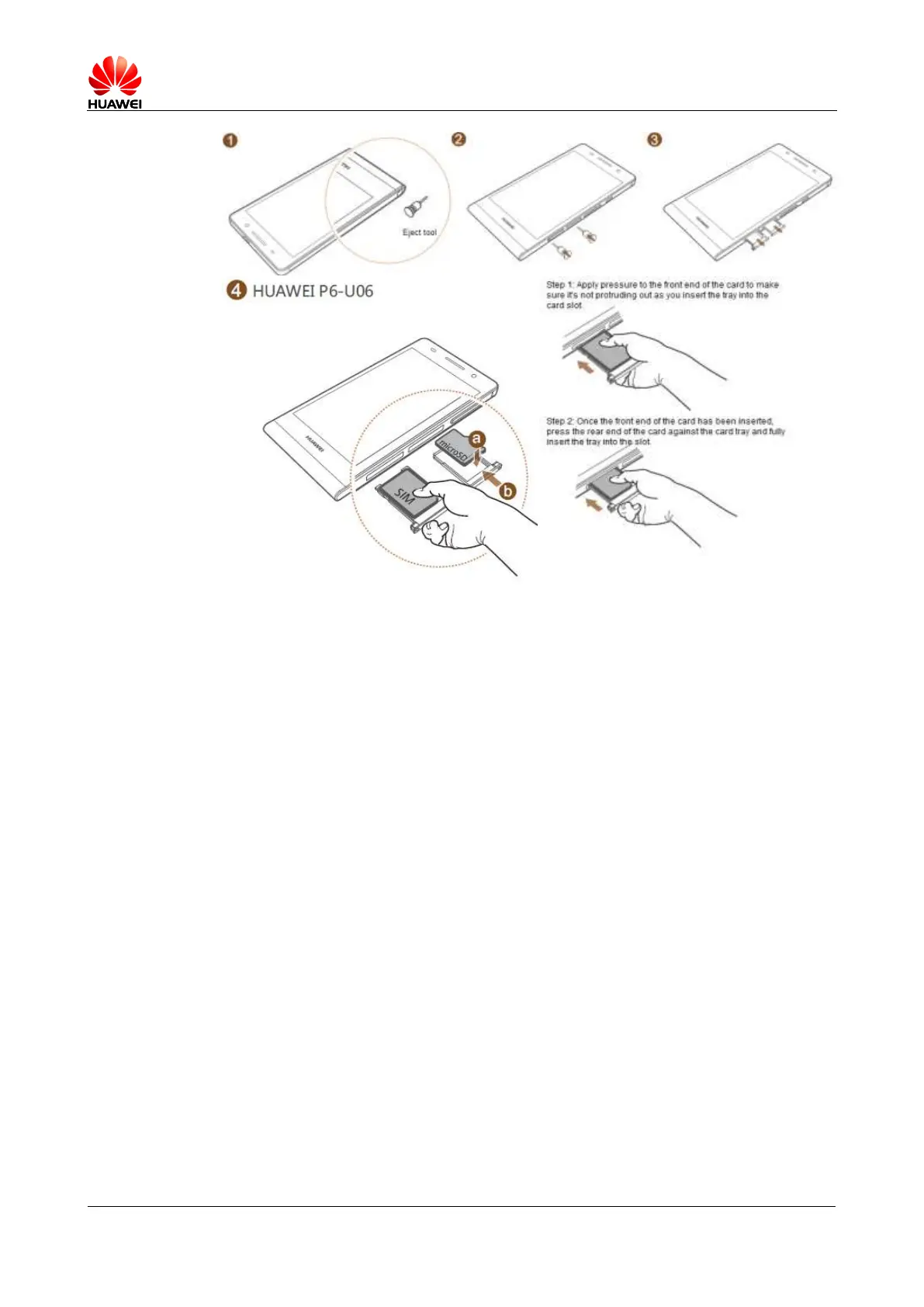
Do not misplace the micro-SIM or microSD card to avoid network registration failures.
Be careful when using the eject tool to avoid hurting yourself or damaging the phone. Keep
the eject tool away from children.
1.5 Home screen
The P6 employs Huawei Emotion UI. The home screen contains four screens by default. You
touch an application or widget to open it.
The home screen contains four areas from the top bottom.
Status bar
MeWidget
Applications
Dock
Applications in this area do not change when you switch between screens.
To create a folder on the home screen, drag an application icon onto another. A folder
containing both applications is then created.



 To Next Page