HUAWEI P6-U06 Smartphone FAQs
Huawei Proprietary and Confidential
Copyright © Huawei Technologies Co., Ltd
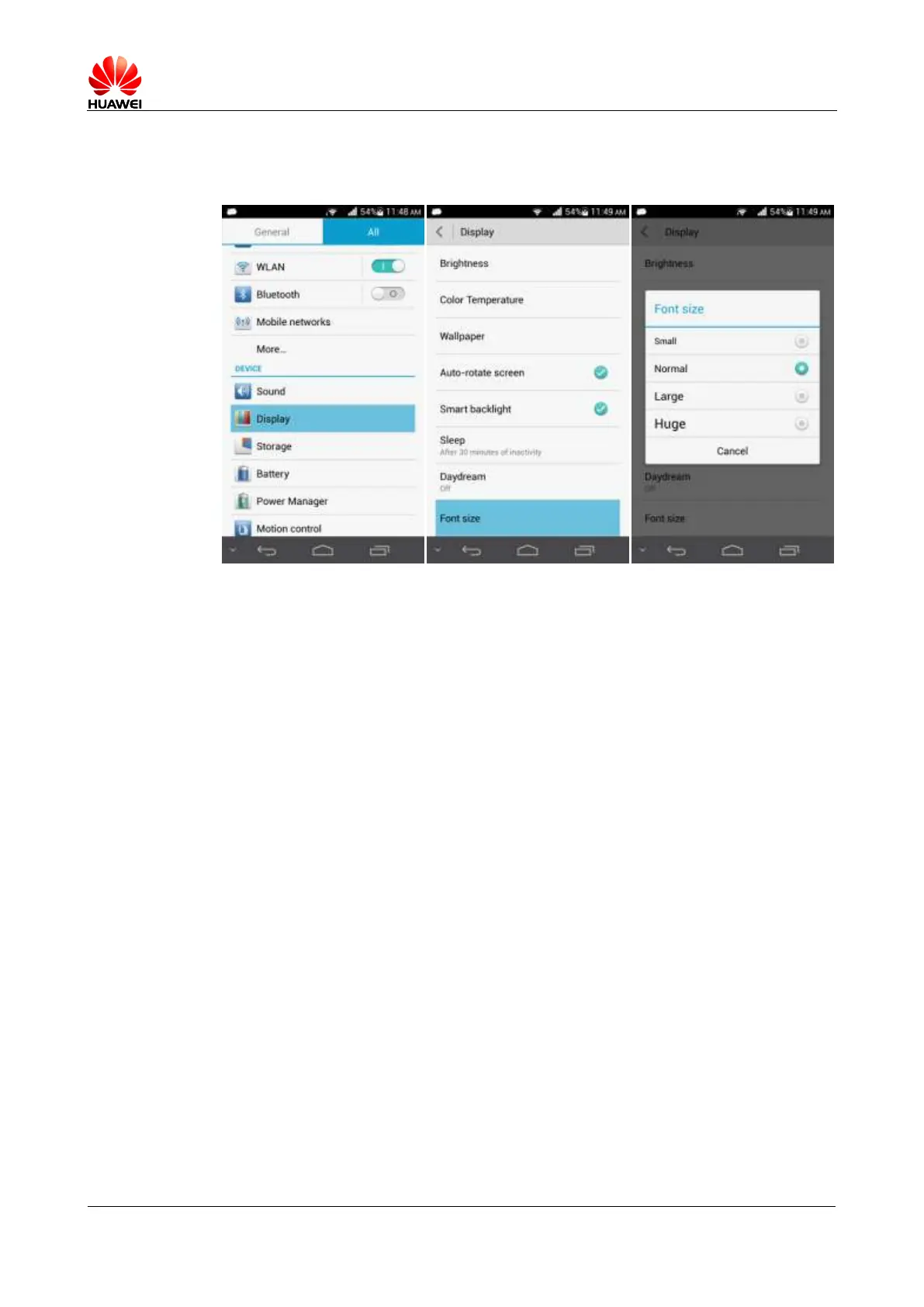
2.7.3 Can I change the font size on my phone's screen?
Touch Settings > Display > Font size and select a font size.
2.7.4 What text input methods does my phone support?
Your phone supports the Android keyboard and Huawei input method.
2.7.5 Does my phone support the stroke input method?
No. This method is not supported.
2.7.6 How can I turn off the key press vibration?
You can turn on or off the key press vibration in the settings of a text input method. The
settings take effect only for the text input method. In the following example, the Huawei text
input method is used.
Touch Settings > Language & input > Huawei Input Method > Keyboard settings and
turn off Vibrate on keypress.



 To Next Page