● In the Smart Dongle networking scenario, the SmartLogger1000A cannot be
connected.
● The Smart Power Sensor is necessary for export limitation. Only the DTSU666-H
Smart Power Sensor (provided by Huawei) can be used.
● The Smart Power Sensor and Smart Dongle need to be connected to the same
inverter.
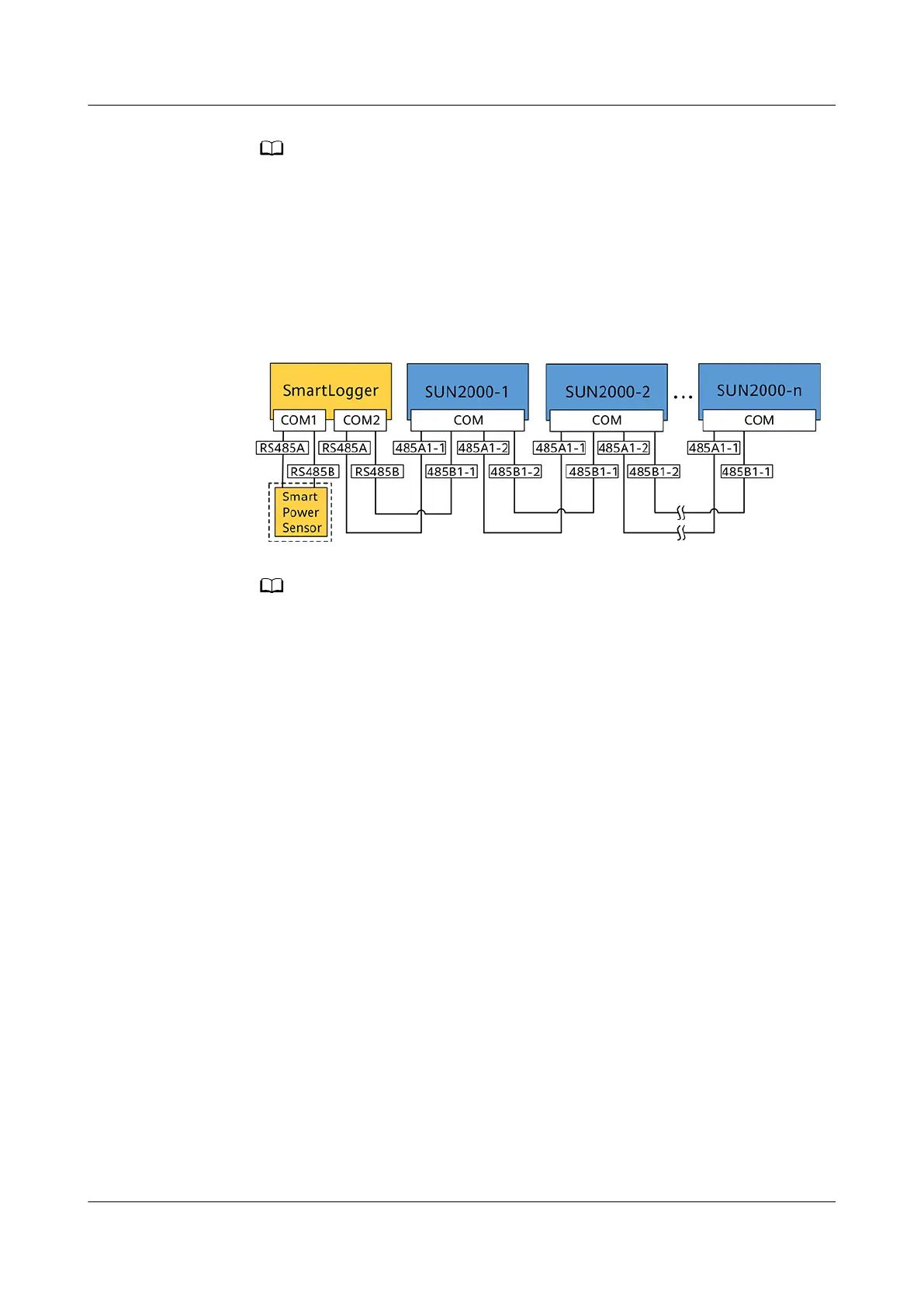
● SmartLogger1000A Networking Scenario
Figure 5-21 SmartLogger1000A networking
● In the SmartLogger1000A networking scenario, the Smart Dongle cannot be
connected.
● A maximum of 80 devices can connect to a single SmartLogger1000A, such as
inverters, Smart Power sensor, and EMI. You are advised to connect fewer than 30
devices to each RS485 route.
● The Smart Power Sensor is necessary for export limitation. Select the Smart Power
Sensor according to the actual project.
● To ensure the system response speed, the Smart Power Sensor is recommended to
be connected to a COM port separately from inverter COM port.
5.6.1 Connecting the RS485 Communications Cable (Inverter
Cascading)
Procedure
Step 1 Connect the signal cable to the signal cable connector.
SUN2000-(3KTL-10KTL)-M0
User Manual 5 Electrical Connections
Issue 06 (2020-10-23) Copyright © Huawei Technologies Co., Ltd. 47


 To Next Page
 Loading...