SUN2000L-(2KTL-5KTL)
User Manual
Huawei Proprietary and Confidential
Copyright © Huawei Technologies Co., Ltd.
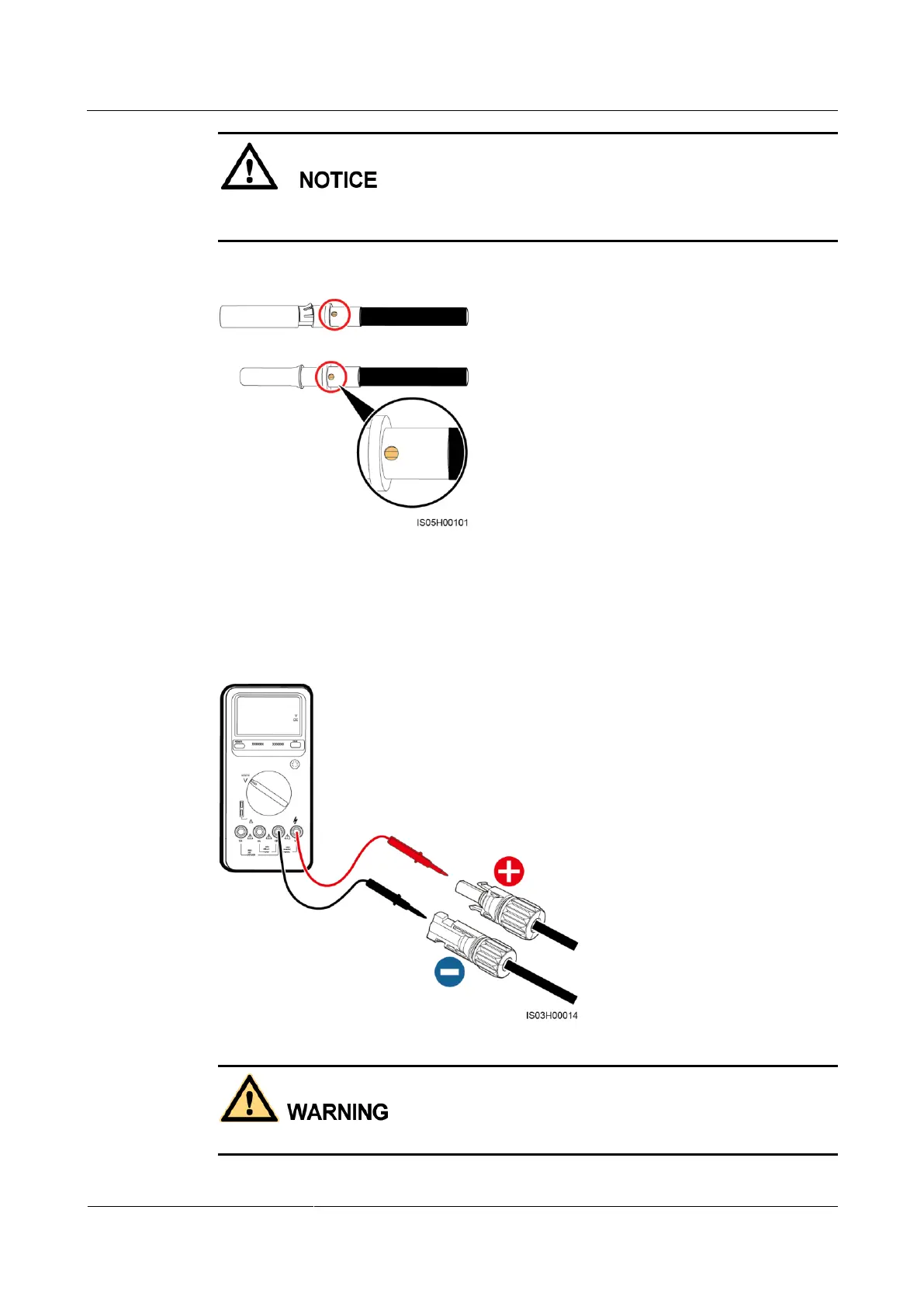
Ensure that the core wires can be seen through the hole on the terminal both before and after
the positive and negative metal terminals are crimped.
Figure 5-13 Observing core wires through the hole on the terminal
Step 2 Ensure that the DC input voltage of each PV string is within the specified range of the
SUN2000L using a multimeter and check that the polarities of DC input power cables are
correct.
Figure 5-14 Measuring the DC input voltage
Before performing Step 3, ensure that the DC switch is OFF.











 To Next Page