PSP8620311
Rev. E
22
6 — Control Programming
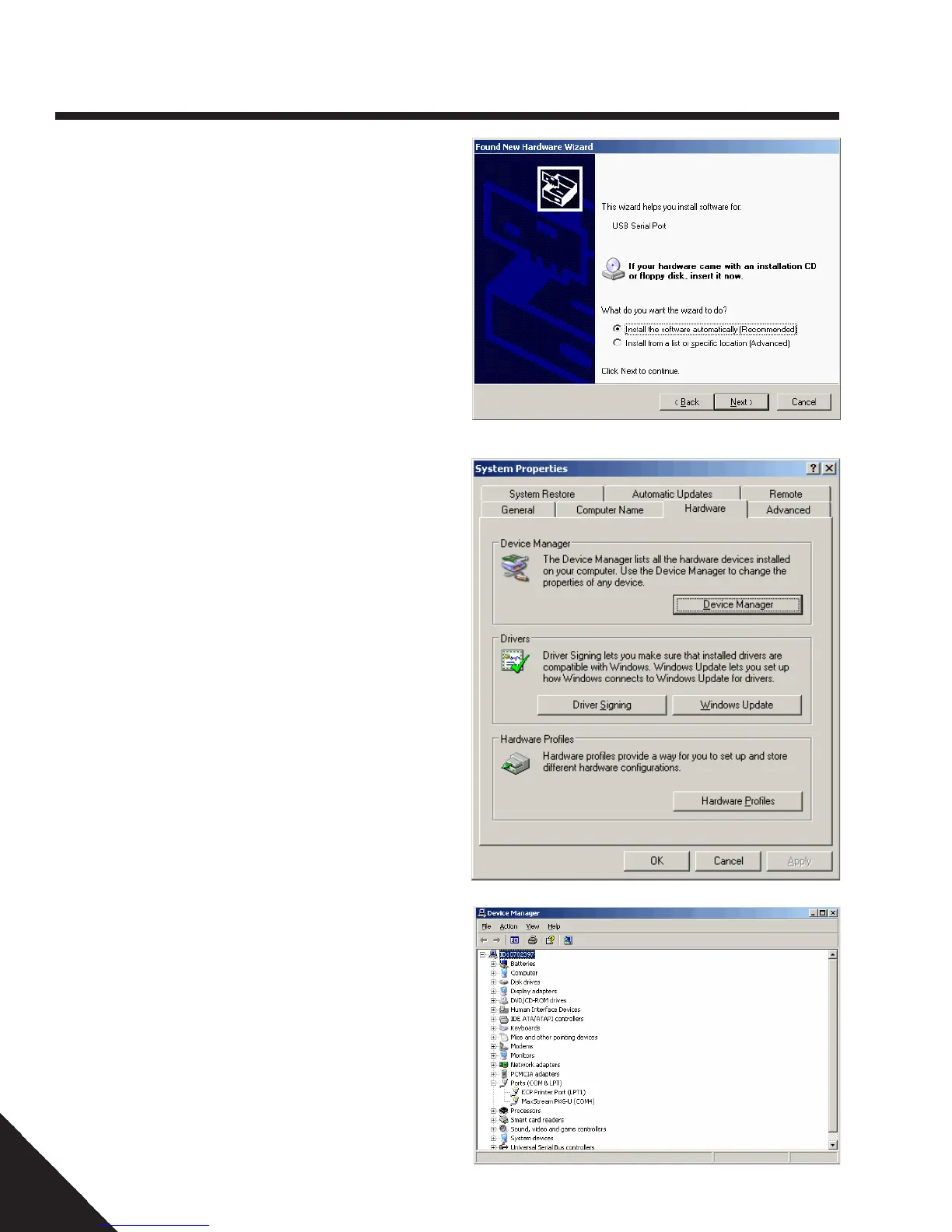
10. Click NEXT.
11. Click FINISH.
12. Computer should state “New
hardware is installed and ready to use.”
To determine which COM port the local
radio is using, as assigned by your com-
puter, perform these steps:
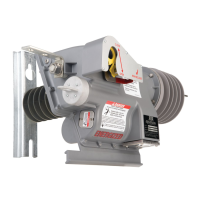
1. Right click on “My Computer.”
2. Select “Properties.”
3. Select the “Hardware” Tab.
4. Click the “Device Manager” Button.
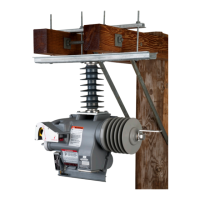
5. Click the “+” icon next to Ports.
6. In the Ports section it will state “HPS Local
Radio "(COM XX) for the Siflex Local Ra-
dio and "Digi PKG-U Serial Port Adapter
"(COMXX) for the Digi Local Radio”. The
“X” is the port number it is using. This
number will be used during programming.
NOTE: Refer to the "VTI Communication
Troubleshooting Guide VT1-APR0013" which
is available on the Hubbell Power Systems
website for more detailed instructions on
installing the local radio drivers.
Before attempting to communicate with
the recloser radios each time, be sure to:
1. Attach antenna to radio unit.
2. Know or determine the COM port the local
radio is using as outlined above.
3. See Recloser Installation, Operationand
Maintenance Manual for programming
software setup and communication with
reclosers through remote radios.


 To Next Page