108
AutoChart LIVE
3. STOP RECORDING
Use the instructions in this section to stop recording. Your map is automatically saved to the control head (internal) or to the
ZeroLine Map Card if it is installed.
1. With a Chart View displayed on-screen, tap Chart in the status bar, or press the MENU key once.
2. Select AutoChart LIVE.
3. Select Record. Tap the on/off button, or press the ENTER key, to turn it off.
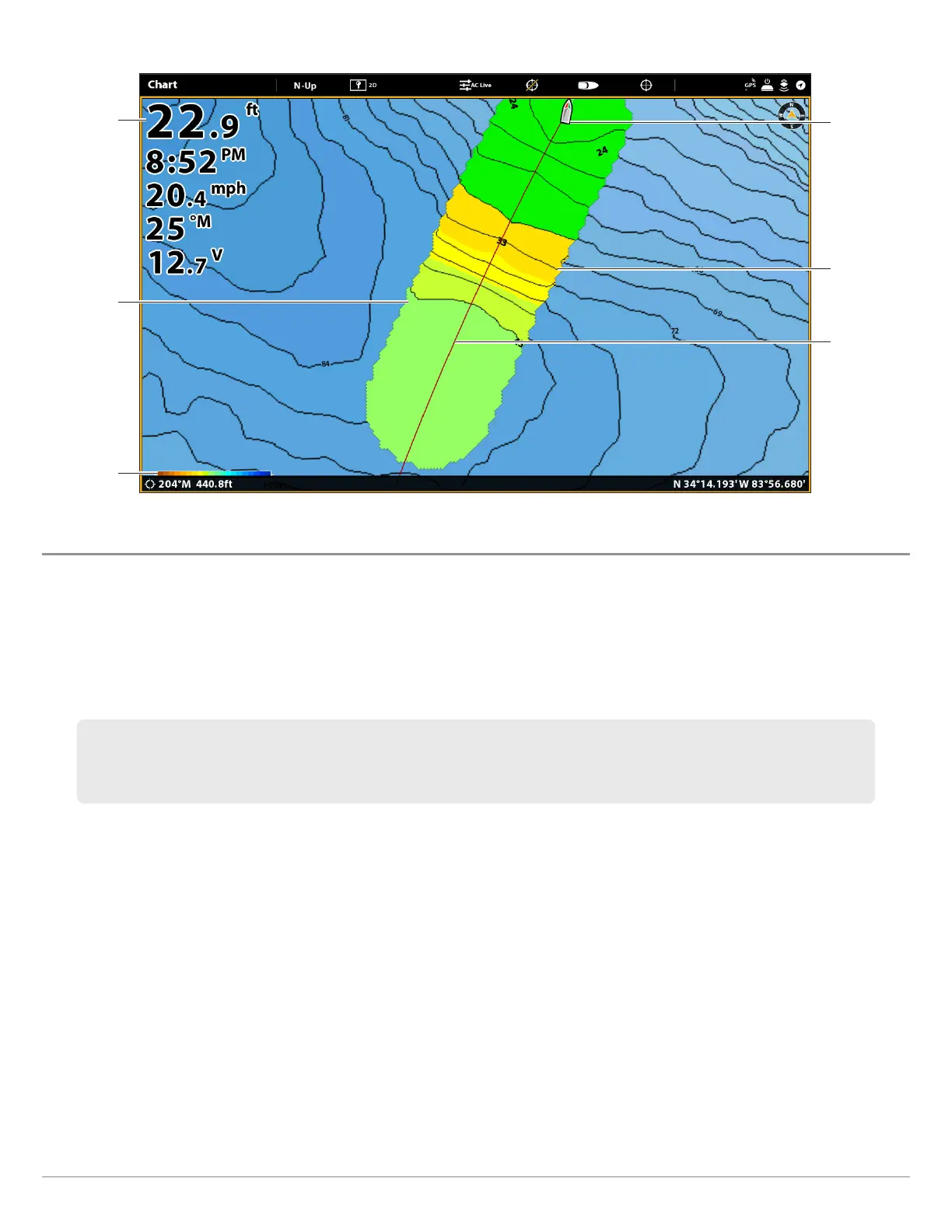
Collecting Data for your AutoChart LIVE Map
depth
boat icon
current track
(red line)
depth map
in progress
depth map
scale
contour lines
(black lines)
If you do not have a ZeroLine Map Card installed, and the control head storage (8 hours) is reached, the control head
will provide a dialog box to Confirm or Clear Data. To save your map and turn off recording, select Confirm. To erase
your map and start over, select Clear Data.



 To Next Page