68
Introduction to Navigation
INTRODUCTION TO NAVIGATION
Y
our Humminbird control head allows you to mark waypoints, create a route, and start navigating. Waypoints, routes, and tracks can
b
e managed on-screen so you can save your favorites, edit names, and easily return to your favorite destinations.
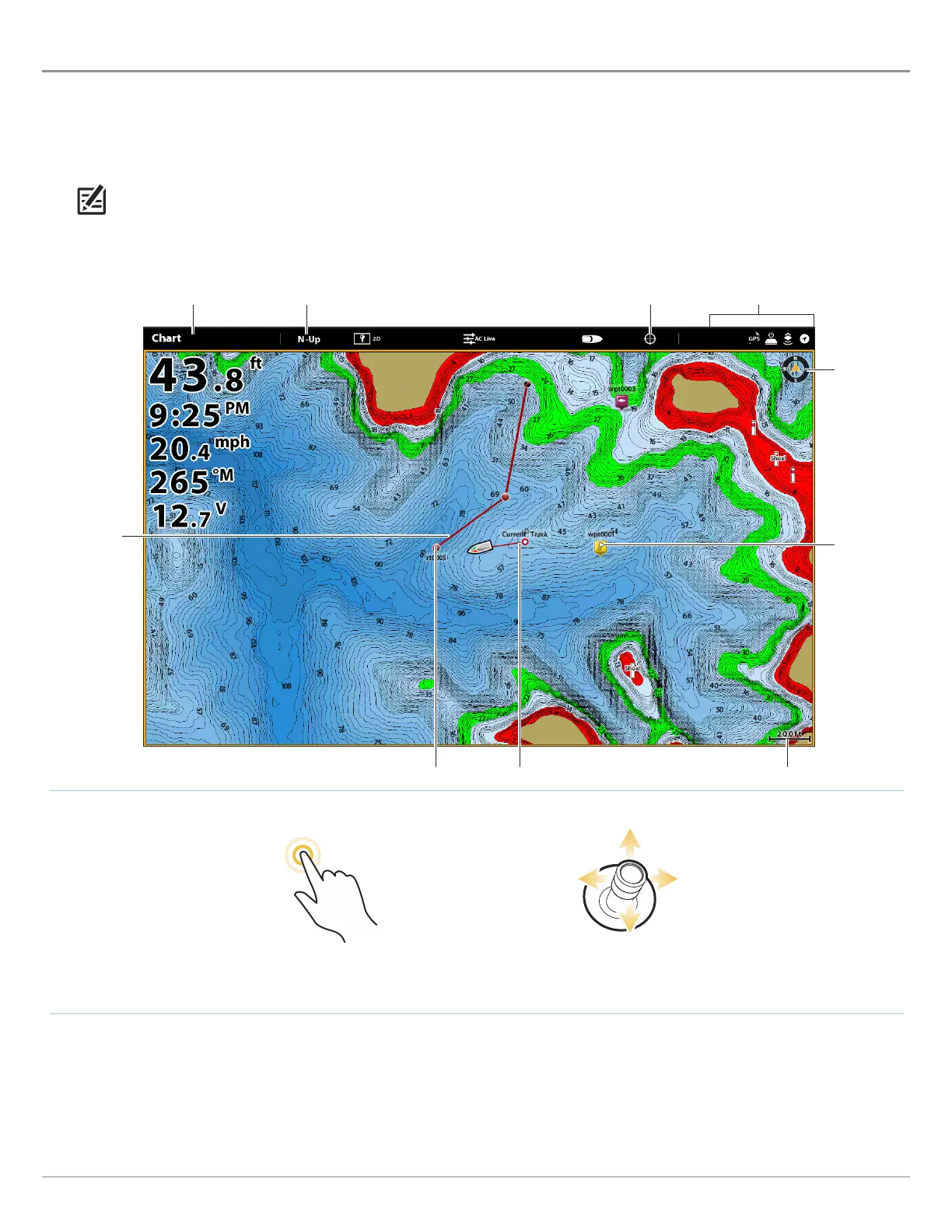
There are many ways to start navigation or edit navigation data with your Humminbird control head. The instructions in this section
review navigation features on the Chart View. To use navigation features from the Nav Data tool, see Manage your Navigation Data.
NOTE: To start navigation from your control head to your autopilot, see the autopilot section of this manual.
map scale
track
saved route
north
indicator
waypoint
route point
Tap to Activate the Cursor
Move the Joystick to
Activate the Cursor
OR
Chart View with Waypoints, Routes, Tracks
chart orientation show cursor
status bar
X-Press Menu



 To Next Page