144
EBL/VRM
EBL/VRM
U
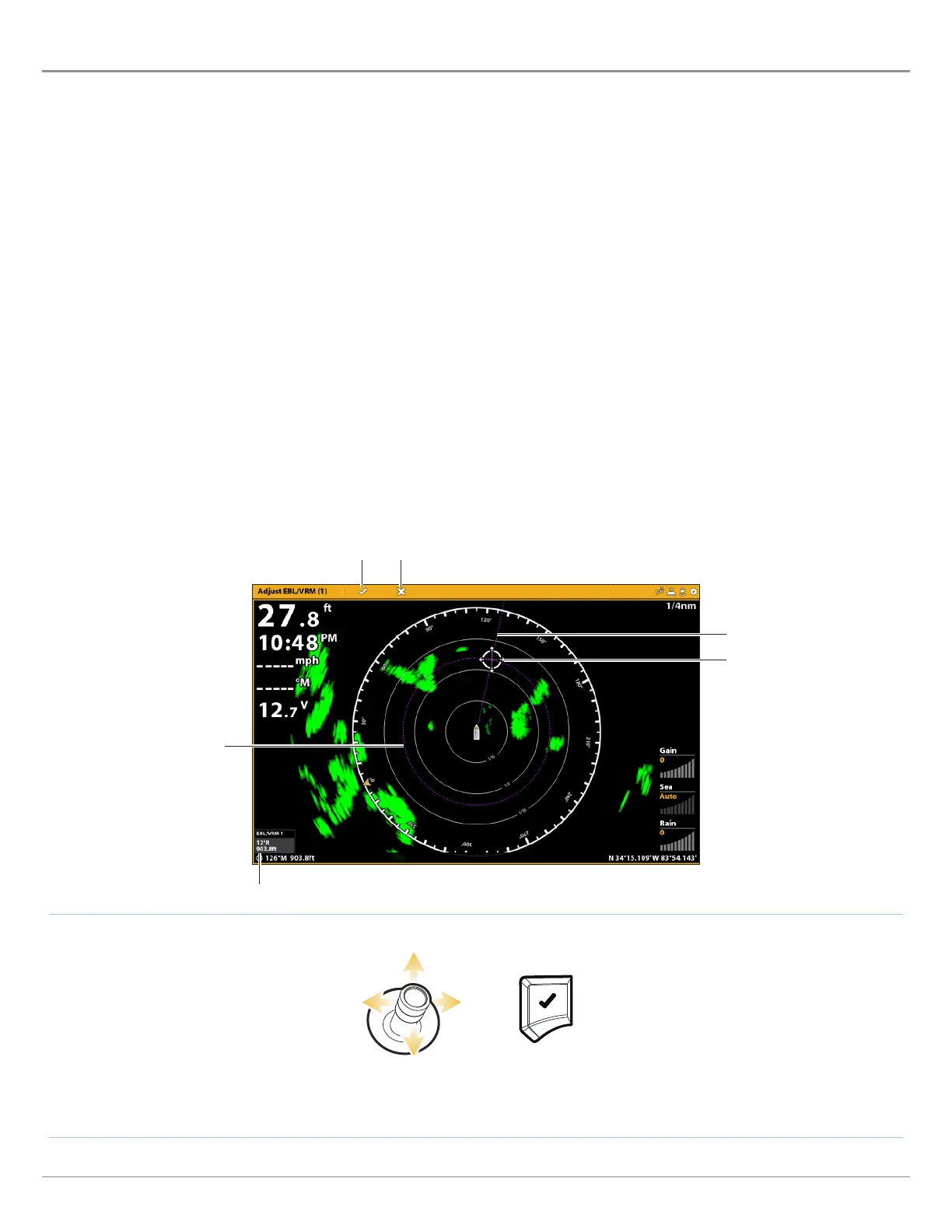
se EBL (Electronic Bearing Range) and VRM (Variable Range Ring) to measure the distance and bearing between any two targets
o
n the Radar View.
The EBL and VRM can be set as a pair, and you can set two pairs. The marker is tied to the center of the vessel. As the vessel’s
position and heading move, the EBL/VRM also moves.
This menu is available in Custom Mode (see The Menu System: Change the User Mode).
Create an EBL/VRM
1. With a Radar View displayed on-screen, tap Radar in the status bar.
OR
Press the MENU key.
2. Select EBL/VRM.
3. Select EBL/VRM, and turn it on.
4. Select Adjust.
5. Use the Joystick to move the cursor until it is positioned over the chosen EBL/VRM intersection.
6. Press the ENTER key.
Select a Position Enter
Setting the EBL/VRM
VRM
EBL
cursor positioned
over EBL/VRM
intersection
EBL/VRM digital readout overlay turned on
closeenter



 To Next Page