47
Instrument View
SET UP AN INSTRUMENT VIEW
T
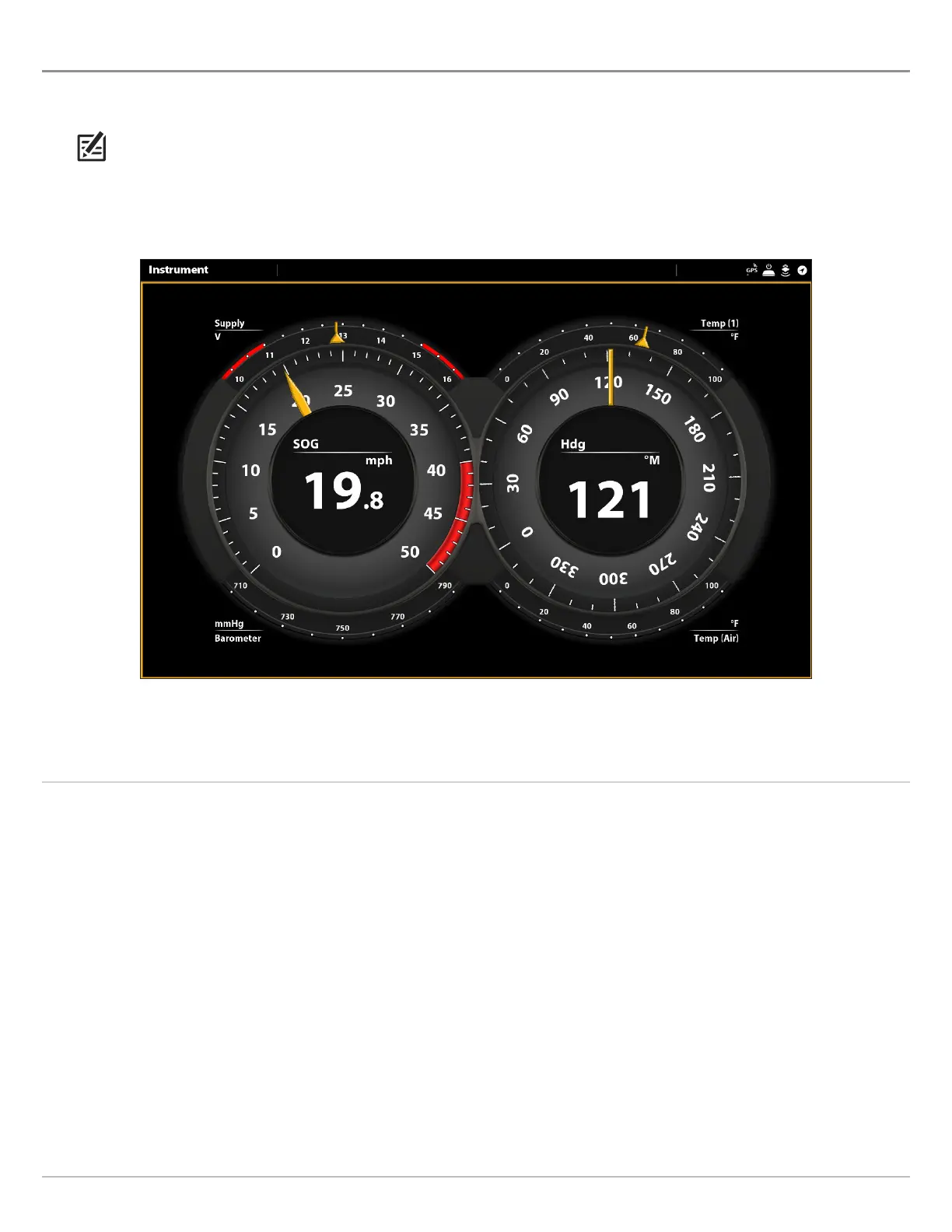
he SOLIX control heads provide Instrument Views in a variety of combinations to display on-screen. You can use the standard
D
ashboard Instrument View or Engine Instrument View. You can also customize the gauges, data boxes, and ranges.
NOTE: The data boxes and gauges must have input from connected and powered equipment. The Engine Instrument View must
have input from a NMEA 2000 network to provide source data. For more information about sources and networking, see
Installation Information, Set up your NMEA 2000 Network, and Set up your Humminbird Network.
Display an Instrument View
Instrument View: Dashboard
Touch Screen
1. Press the HOME key.
2. Select the Views tool.
3. Under Groups, select Instrument.
4. Tap an Instrument View.
5. Tap Instrument in the status bar.
6. Select Dashboard or Engine.
Keypad
1. Press the HOME key.
2. Select the Views tool.
3. Under Groups, select Instrument.
4. Use the Joystick to choose an Instrument View. Press the
Joystick.
5. Press the MENU key.
6. Select Dashboard or Engine.



 To Next Page