124
Mosaic
CUSTOMIZE THE MOSAIC LIVE DISPLAY
Y
ou can display or hide a Mosaic, and you can adjust the Mosaic Live display settings while it is being recorded or when it is loaded
o
n the Chart View.
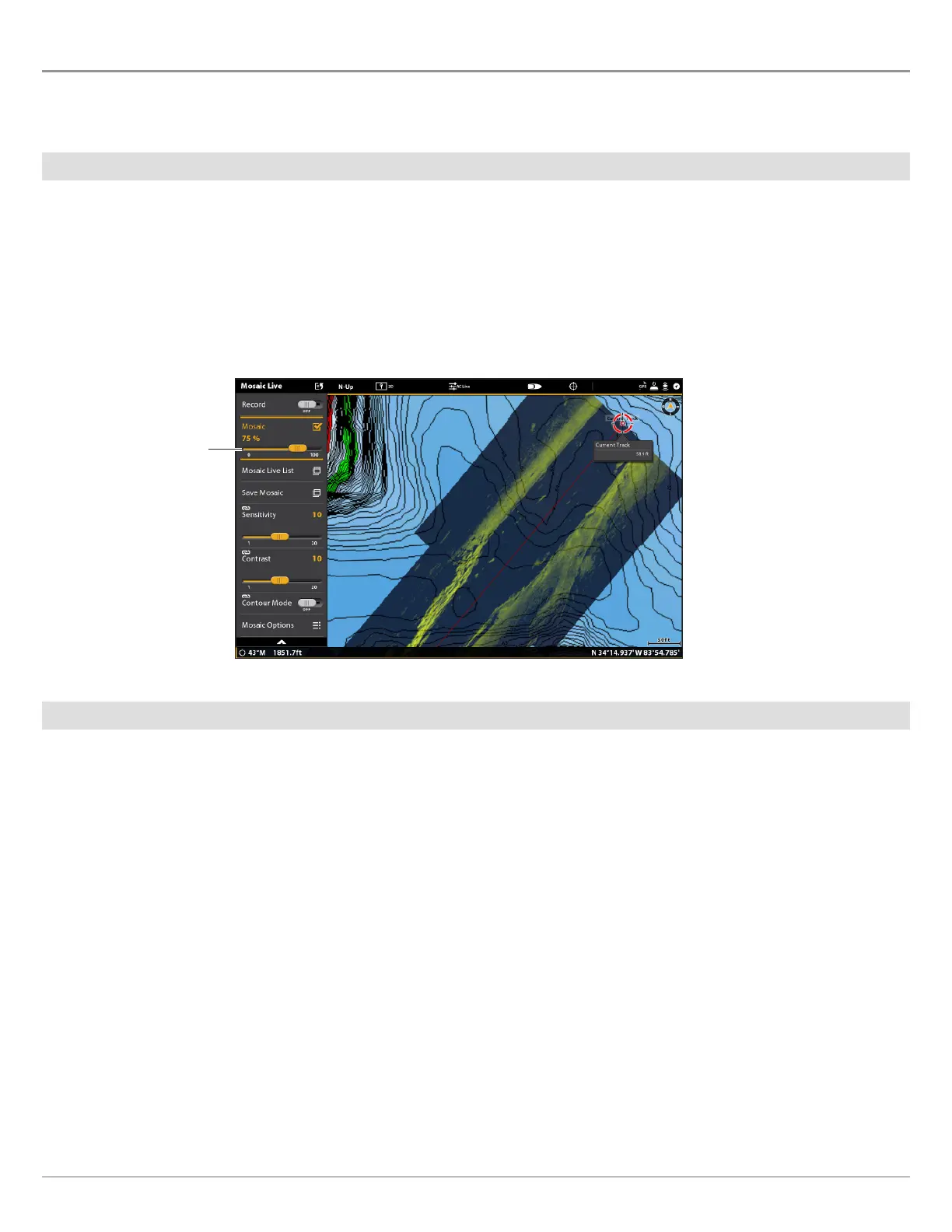
Display/Hide the Mosaic Live Overlay
Use the instructions in this section to display or hide the Mosaic overlay. You can also adjust the transparency.
1. From the Mosaic Live menu, select Mosaic.
2. Display: Tap the check box, or press the ENTER key, to add a check mark to it.
Hide: Tap the check box, or press the ENTER key, to remove the check mark.
3. Adjust the Overlay Transparency: Press and hold the slider, or press and hold the ENTER key.
Load a Saved Mosaic
Use the instructions in this section to display a saved Mosaic. Mosaics can be displayed from a SD Card.
1. From the Mosaic Live menu, select Mosaic Live List.
2. Select the location where the SD card is installed (SD Card 1 or SD Card 2).
3. Select the Mosaic file.
Adjusting the Mosaic Overlay Transparency
move the slider



 To Next Page