110
AutoChart LIVE
DISPLAY THE AUTOCHART LIVE MAP
Y
ou can make changes to the AutoChart Live map during recording or after you’ve saved your map. You can also view bottom
h
ardness or vegetation data, and you can customize how the data is displayed.
Display/Hide your Custom Map
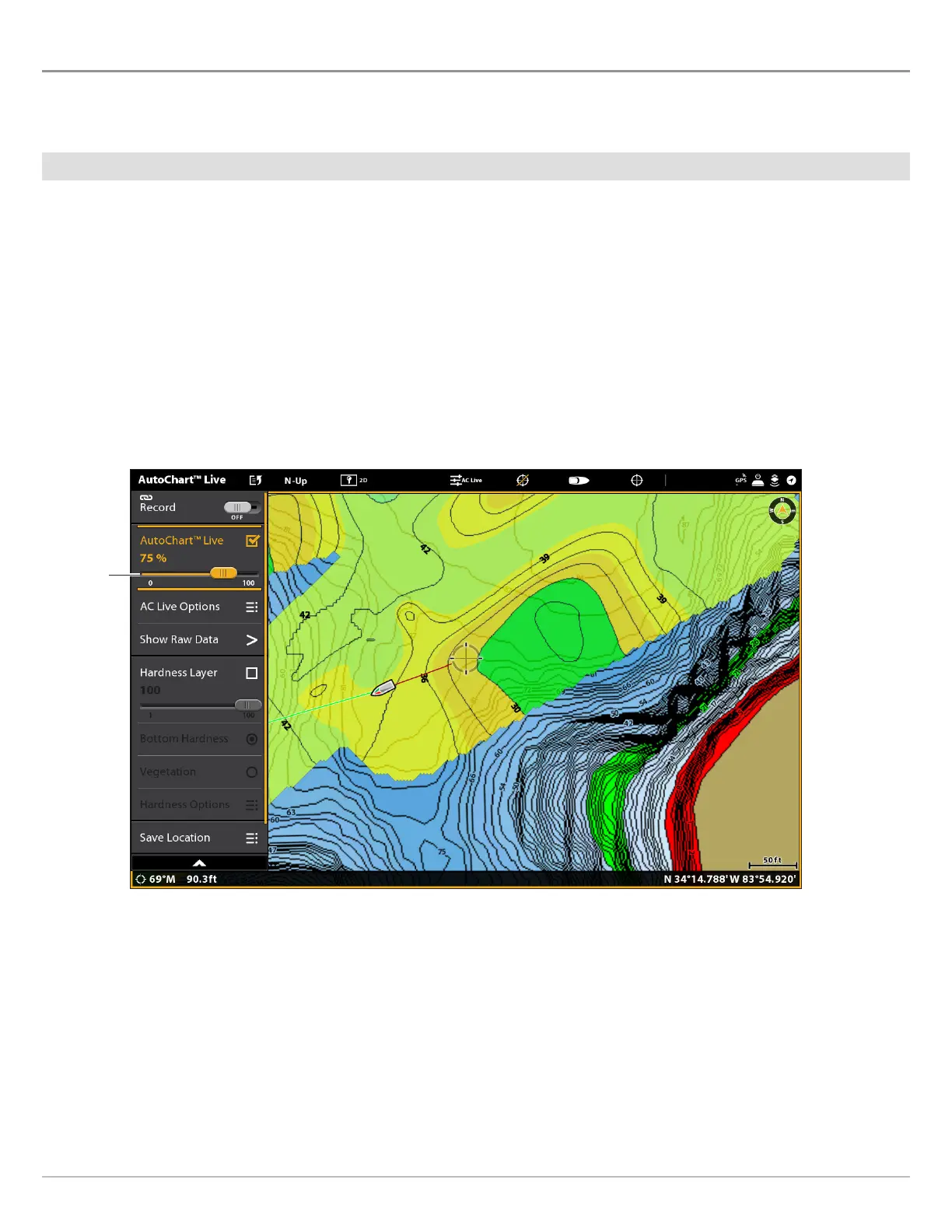
The custom map can be displayed or hidden while you are recording or after the map is saved. You can also adjust the transparency.
Display the Map
1. With a Chart View displayed on-screen, tap Chart in the status bar, or press the MENU key once.
2. Select AutoChart LIVE.
3. Select AutoChart LIVE. Tap the check box, or press the ENTER key, to add a check mark to it.
Adjust the Transparency
1. Press and hold the AutoChart LIVE slider, or turn the Rotary dial, to adjust the transparency.
Hide the Map
1. With a Chart View displayed on-screen, tap Chart in the status bar, or press the MENU key once.
2. Select AutoChart LIVE.
3. Select AutoChart LIVE. Tap the check box, or press the ENTER key, to remove the check mark.
Adjusting the Overlay Transparency
move the
slider



 To Next Page