141
Radar Options
Display the Data Overlay
Digital readout data can be displayed as an overlay, and it can be displayed in the data bar. To turn on the data bar, see Views:
Display a Data Bar. For more information about data overlays, see Views.
1. From the Overlays menu, select Data Overlay.
2. Select Show. Tap the on/off button, or press the ENTER key, to turn it on.
3. Tap the menu name, or use the Joystick, to select an item and add a check mark.
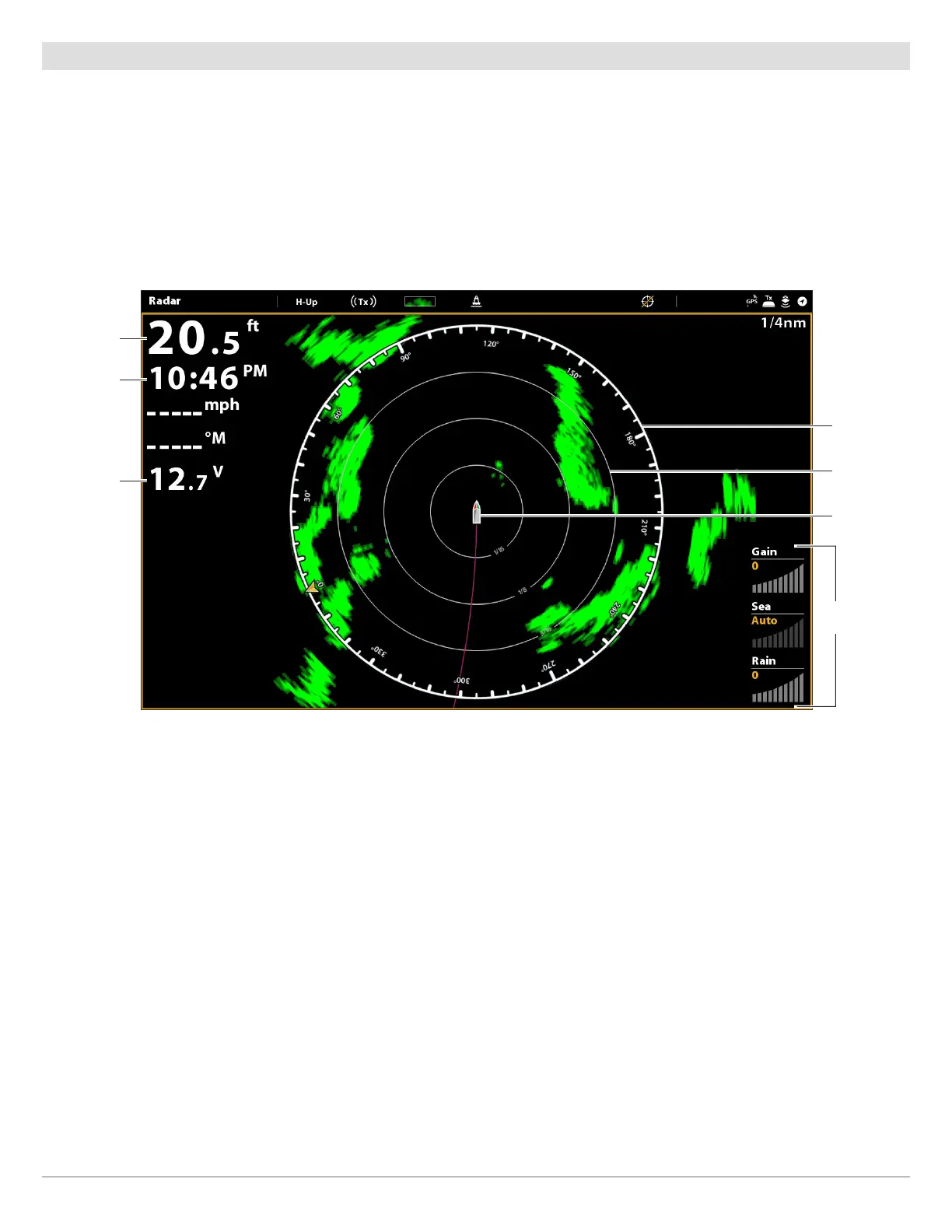
Radar View with Overlays Displayed
depth data
overlay
time data
overlay
compass
range ring
vessel icon
voltage data
overlay
gain
gauges



 To Next Page