190
Down Imaging
Set the Zoom Mode
The Zoom Mode sets the zoom commands to magnify the full pane or the cursor selection. See Use Cursor and Zoom in Sonar
Views to apply the zoom features.
1. From the Preferences menu, select Zoom Mode.
2. Select Pane Zoom or Cursor Zoom.
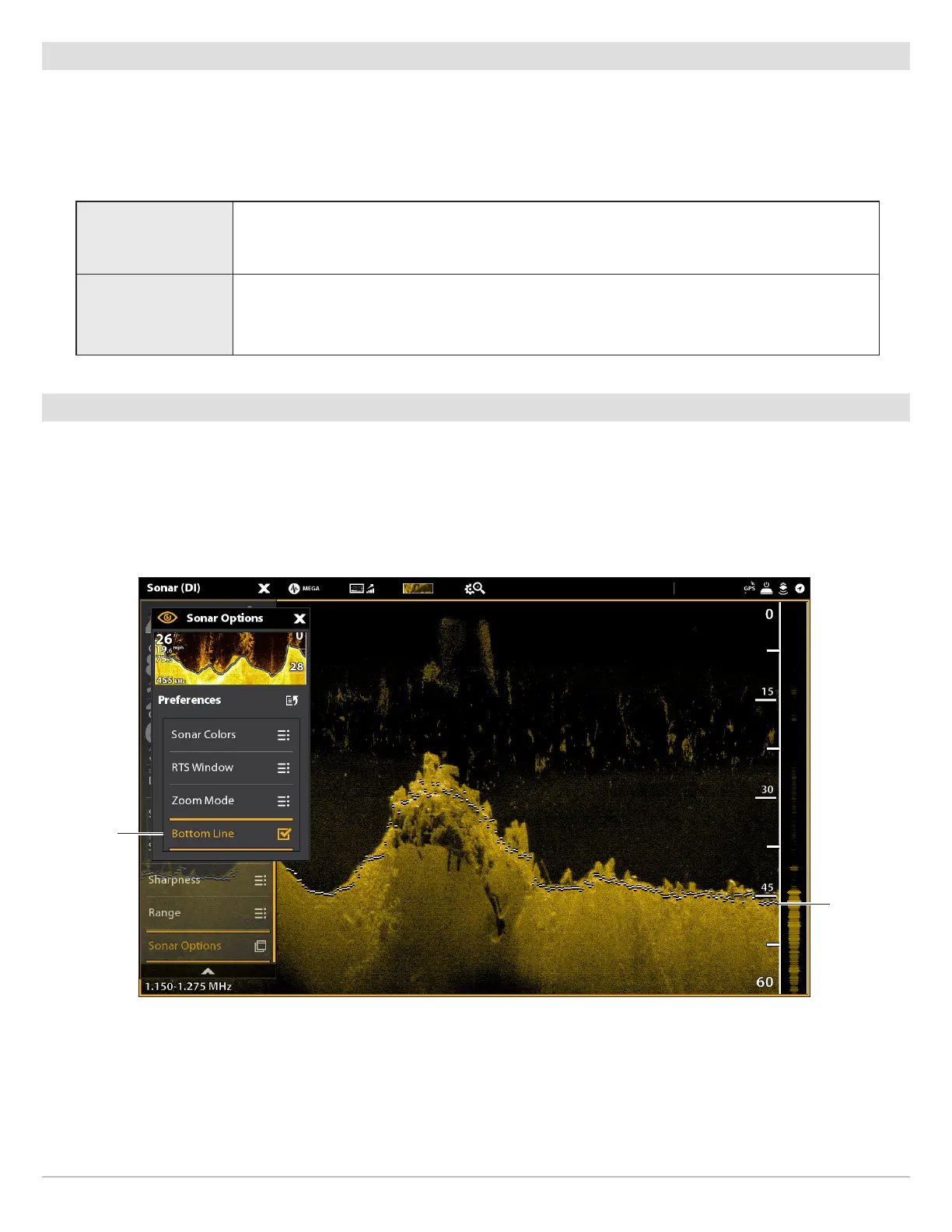
Display the Bottom Line
Add a check mark to Bottom Line to display the depth reading from the Depth Source as a line, either from the selected transducer
or another digital depth source. See Set up your Humminbird Network for details about selecting sources.
1. From the Preferences menu, tap Bottom Line or press the ENTER key.
Pane Zoom
When you use pinch out/in (touch screen) to zoom, or press the +/– ZOOM keys, the view will
be magnified.
Cursor Zoom
When you use pinch out/in (touch screen) to zoom, or press the +/– ZOOM keys, the cursor
selection will be magnified.
Down Imaging View with Bottom Line Displayed
bottom line
selected
bottom line



 To Next Page