30
The Menu System
Tips for Using the Status Bar
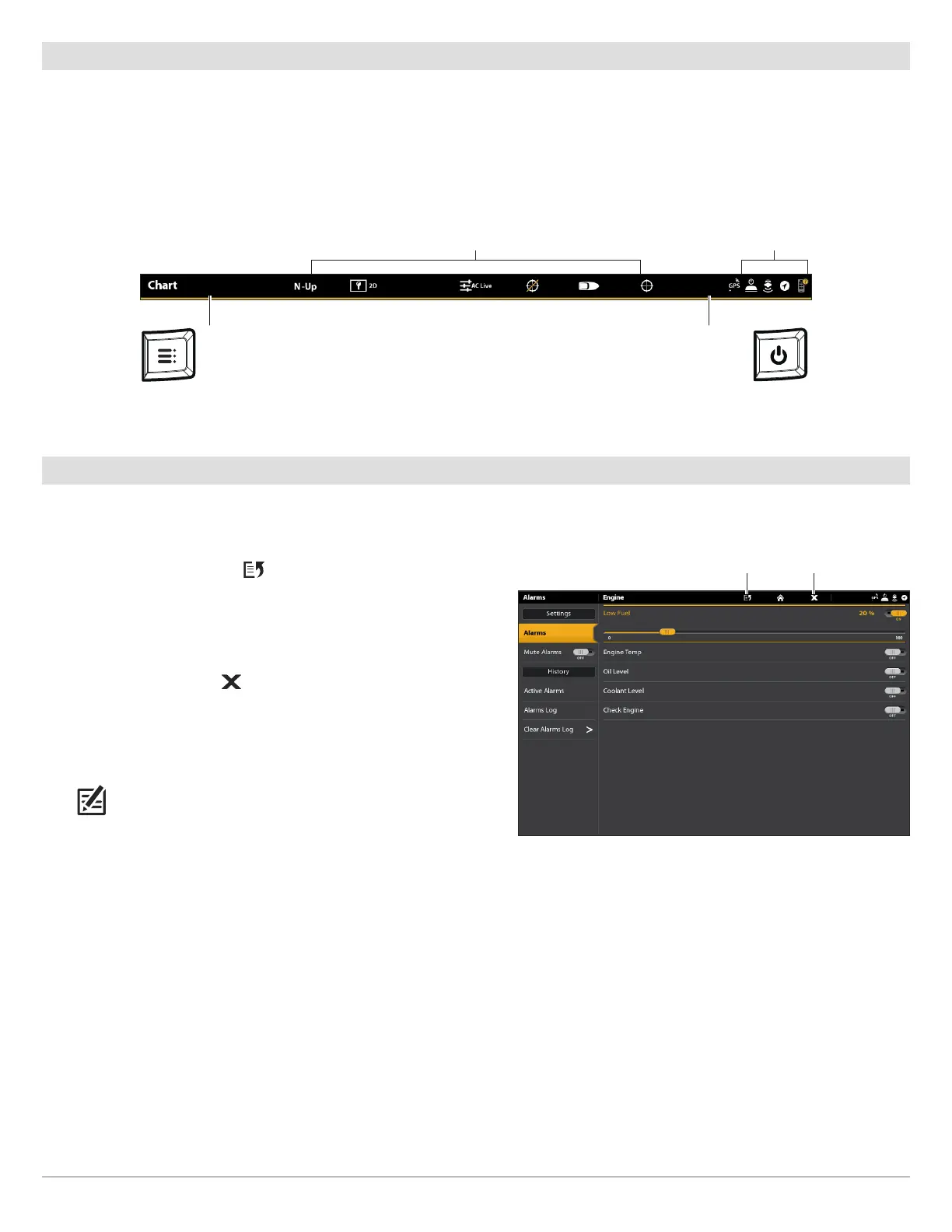
The status bar is located at the top of the screen. It changes to match the on-screen view and operation mode.
In the following illustration, the information in the status bar corresponds with the Chart View displayed on-screen. You can tap the
icon in the status bar to open a menu, return to the Home screen, close a menu, or make a selection. You can also use the
corresponding keys.
Close a Menu
When you close a menu, your settings are saved until you change them again or until the control head defaults are restored.
1. Back: Tap the Back icon to close the current menu and go
back one level in the menu system.
OR
Press the EXIT key.
2. Close: Tap the X icon .
OR
Press the EXIT key. To close several menus at once, press and
hold the EXIT key.
NOTE: The X icon is displayed in the status bar or at the top of a
menu. The location will vary with the item displayed on the
screen.
sensor status
Status Bar
Tap, or press the MENU key, to open the
X-Press Menu for the on-screen view.
Tap, or press the POWER key, to open the
Power X-Press Menu
touch menus change to match the on-screen view and status
closeback



 To Next Page