51
Chart Overview
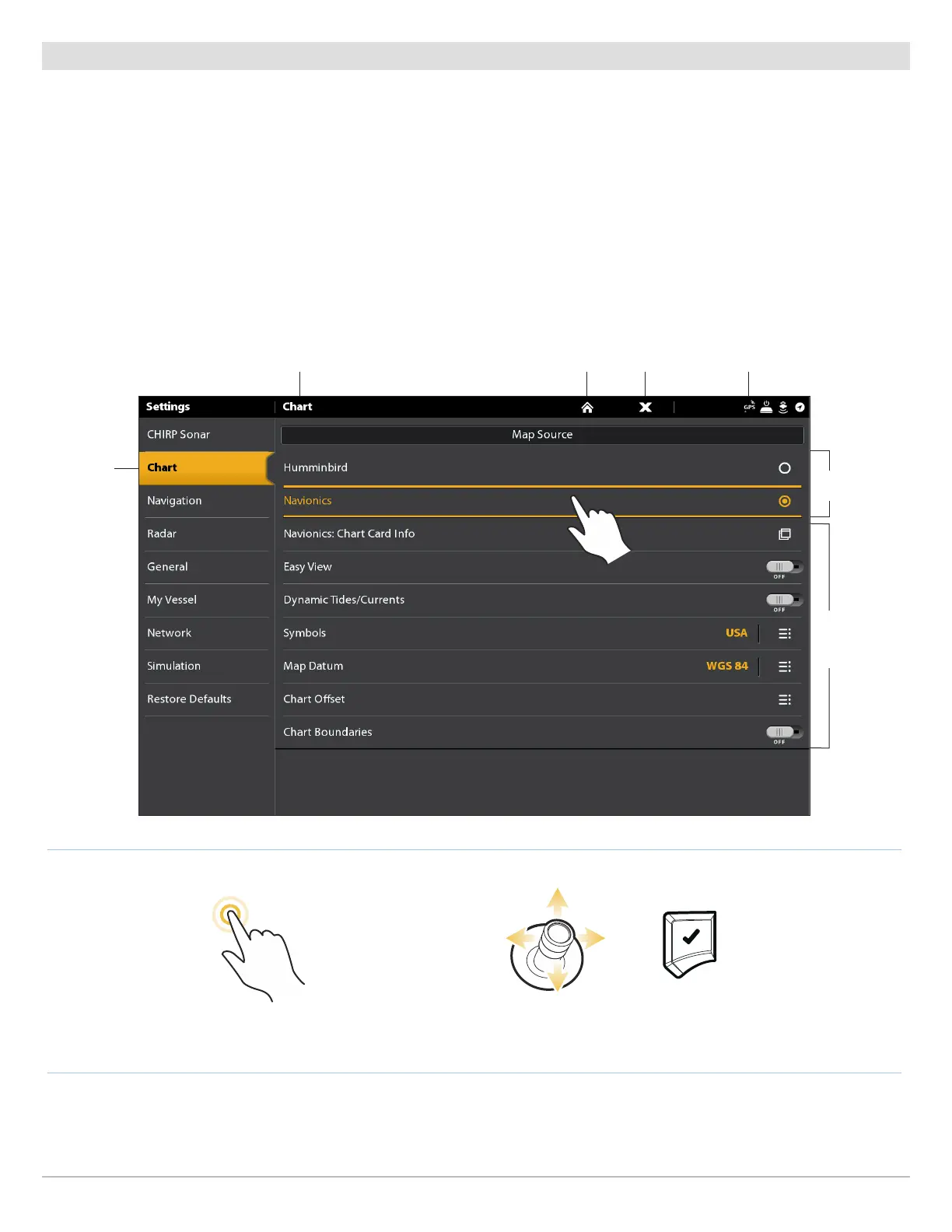
Change the Map Source
When you install an SD card, the map source is changed automatically to match the SD card map source. You can also change the
map source using the Settings tool.
When you change the map source, the menu options for the Chart Views also change, allowing you to add navigation data, shading,
alarms, and more. See each section for details.
1. Press the HOME key.
2. Select Settings.
3. Select Chart.
4. Select a Map Source.
select chart
selected category
Selecting a Map Source
OR
ConfirmSelectTap to Select
return to Home screen close
sensor status
map source
options
menu options
are determined
by the selected
map source


 To Next Page