AC Electric Systems
8.6
Turn off component breakers at the AC panel.
Turn off the “Generator” breaker switch at the AC
Panel.
If necessary, allow the generator to run to stabilize
its temperature (as per the manufacturer’s specifica-
tions on temperature and length of stabilization).
Press the “Panel Off” button on the generator remote
panel (Fig. 8.9). The “Panel On” LED should extin-
guish.
8.2.5.2 The Parallel Breaker and Optional Air
Conditioner Using Generator Power
The generator has sufficient amperage (50 amps) to
power both the optional air conditioner and the standard
AC system.
To power the optional air conditioner from the generator,
perform the following steps:
Switch off the “Air Conditioner” breaker switches at
the AC Panel.
Execute the Generator Start sequence discussed
previous.
Switch on the AC Panel’s “Parallel” toggle switch
breaker. The toggle switch is managed by a slide-bar
stopper. This stopper will only allow source power to
be paralleled from either 1 shore power line with 50
amps or from the generator.
Switch on the “Air Conditioner” breaker switches at
the AC Panel.
8.2.5.3 Charging the Batteries Using Generator
Power
Execute the Generator Start sequence discussed
previous.
Switch on the “Battery Charger” breaker switch at the
AC Panel (see Battery Charger discussion below).
NOTE: Consult the generator manufacturer’s OEM manual for
generator operation, care and maintenance.
8.2.6 Battery Charger
If you are docked for an extended period of time, operat-
ing the DC system and equipment will drain the power
1.
2.
3.
4.
1.
2.
3.
4.
1.
2.
from the batteries. Unless the batteries are kept charged,
they may not have enough power to start the engines
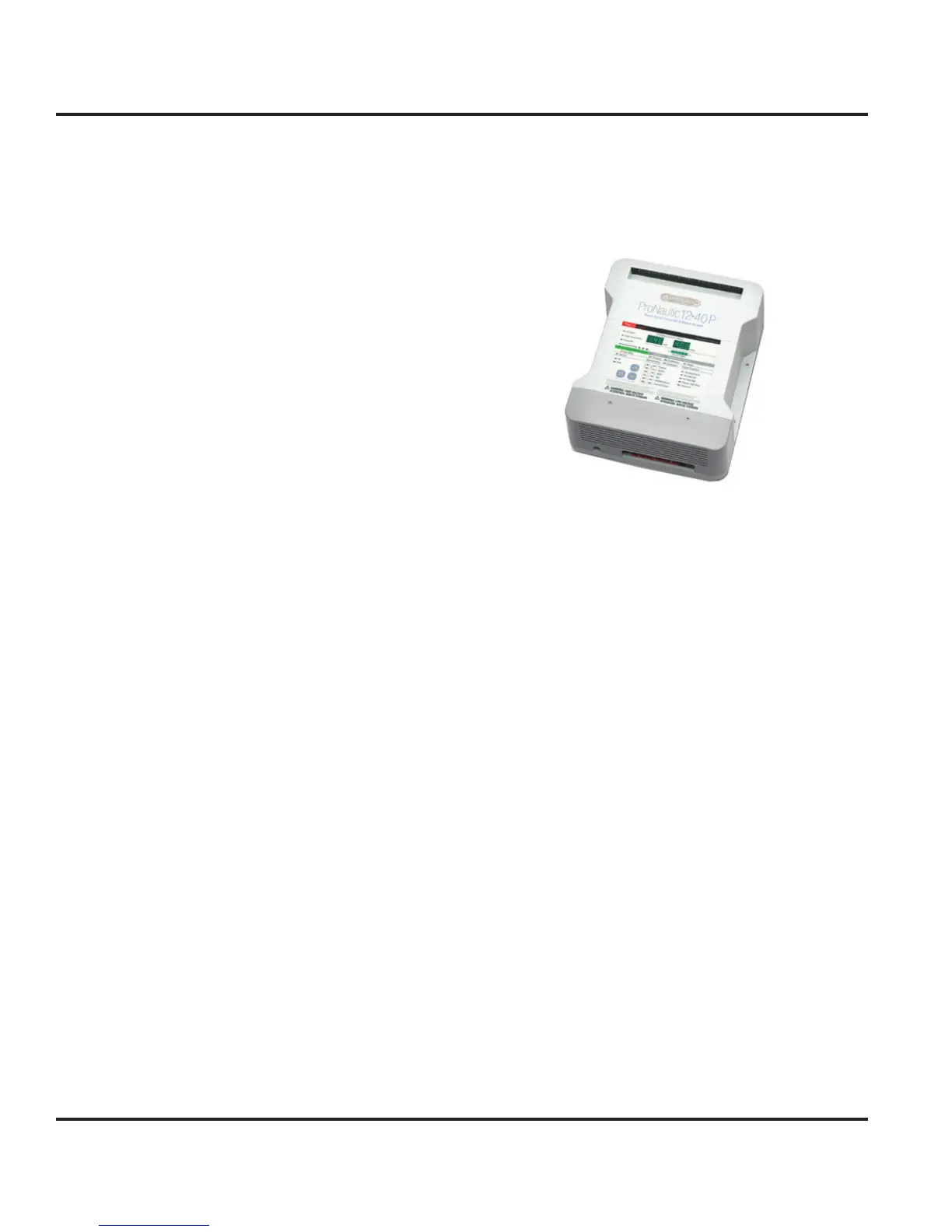
when needed. The optional battery charger (Fig. 8.10)
will automatically charge the battery banks when the AC
system is powered by shore power or the generator.
Figure 8.10
The charger is located in the main salon and can be
accessed through the port aft settee lid. A 50 amp pop-
out breaker exists on the Battery Switch Panel labeled
“Battery Charger” and protects the charging system from
a power fault following the AC Panel. A 15 amp toggle
switch breaker labeled “Battery Charger” exists for the
battery charger on the AC Panel which protects the bat-
tery charger from a power fault.
Leaving the battery charger switch breaker on whenever
AC power is energized from shore power or generator is
a good idea. It will keep the batteries fully charged. After
the batteries are recharged, it provides a maintenance or
trickle charge as needed.
8.2.6.1 Charging the Batteries
Set the toggle switch breakers to supply power to the
AC Panel from shore power or generator.
Switch on the “Battery Charger” breaker switch at the
AC Panel.
8.2.7 Inverter
A final source of power for the AC system is the optional
inverter. The inverter converts DC power to AC power.
The assembly consists of the inverter, wiring and a
remote panel. The inverter is located in the main salon
and can be accessed through the port aft settee lid (Fig.
8.11). The remote panel is located on the hull panel of
1.
2.



 To Next Page