Water Systems
9.4
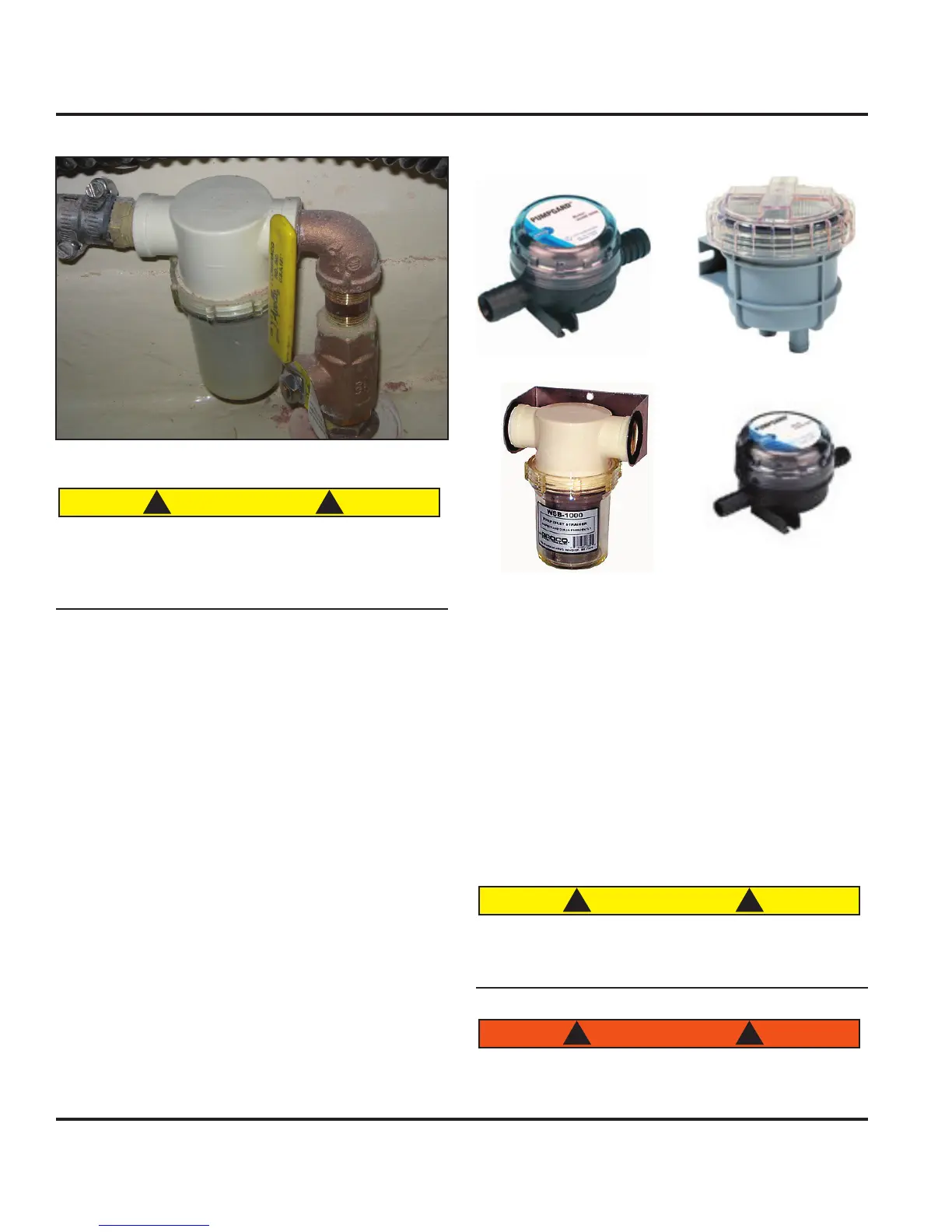
Figure 9.8
Figure 9.9
Figure 9.10
Figure 9.11
9.3.3 Engine Pickups and Strainers
For your engine to remain at a specific temperature when
operating, it will need the assistance of raw water. Heat
from the closed cooling system on the engines is trans
-
ferred to the cooler seawater through heat exchangers
inside the engine. The raw water is then discharged
through the exhaust.
With a saildrive configuration, the seawater pickup is
incorporated within the sail drive leg and screened
internally. Please refer the engine manufacturer’s OEM
manual for details on the pickup and strainer.
Before using any system that requires raw cooling
water, ensure that the intake valve is opened and the
strainers are not clogged.
Hot coolant under pressure may boil or explode
causing burns or other personal injury when the
pressure cap is removed. Allow the engine to cool,
fully clockwise.
Figure 9.7
It is very important to ensure the intake valve is
open before using a raw water supplied system.
Failure to do so could damage or break down the
system or component.
9.3.2 Strainers
Your boat is equipped with strainers (Fig. 9.8 - 9.11) that
strain the raw water taken in the pickups, or thru-hulls,
for objects that could damage the impeller or pump
equipment. They are equipped with a screen or filter that
collect these objects. They must be cleaned as part of
routine maintenance.
To clean a strainer:
Ensure the intake valve is in the off or closed posi
-
tion. Failure to close the intake valve could result in
a flooded boat.
Remove the “collector” or glass encasement that
houses the screen.
Remove any objects collected inside and wash the
screen.
If an ‘o’ ring is present in the seal on the cap, check
it for wear or leakage and replace if needed (contact
your dealer for replacement).
Return the screen and glass encasement.
1.
2.
3.
4.
5.



 To Next Page