7--8
91
Use and maintenance manual S20DSP
" Three potentiometers are mounted on the IUD/IUV card. Adjust the adjust-
ment screw of the potentiometer indicated by the arrow by a screw---driver at
a value of 275÷300; the obtained variation is displayed on the machine.
HEAD POSITION = 280
FCTI/FCTA LIMIT
" Press simultaneously and in sequence the keys SET---UP and ON to quit the
SETUP parameters:
" Test to make sure it is functioning correctly.
Software version and to t al use time of th e machine
" This parameter indicates the installed software version and the total working
time of the machine.
TT = 0000:00
M30 v01.01 00--05
Adjusting the display brightness
If external factors like changing ambient lighting conditions in the machine
installation site, affect visibility, adjust the brightness of the control and program-
ming console display. This is very important since the operator must be able to
clearly read the display messages at all times.
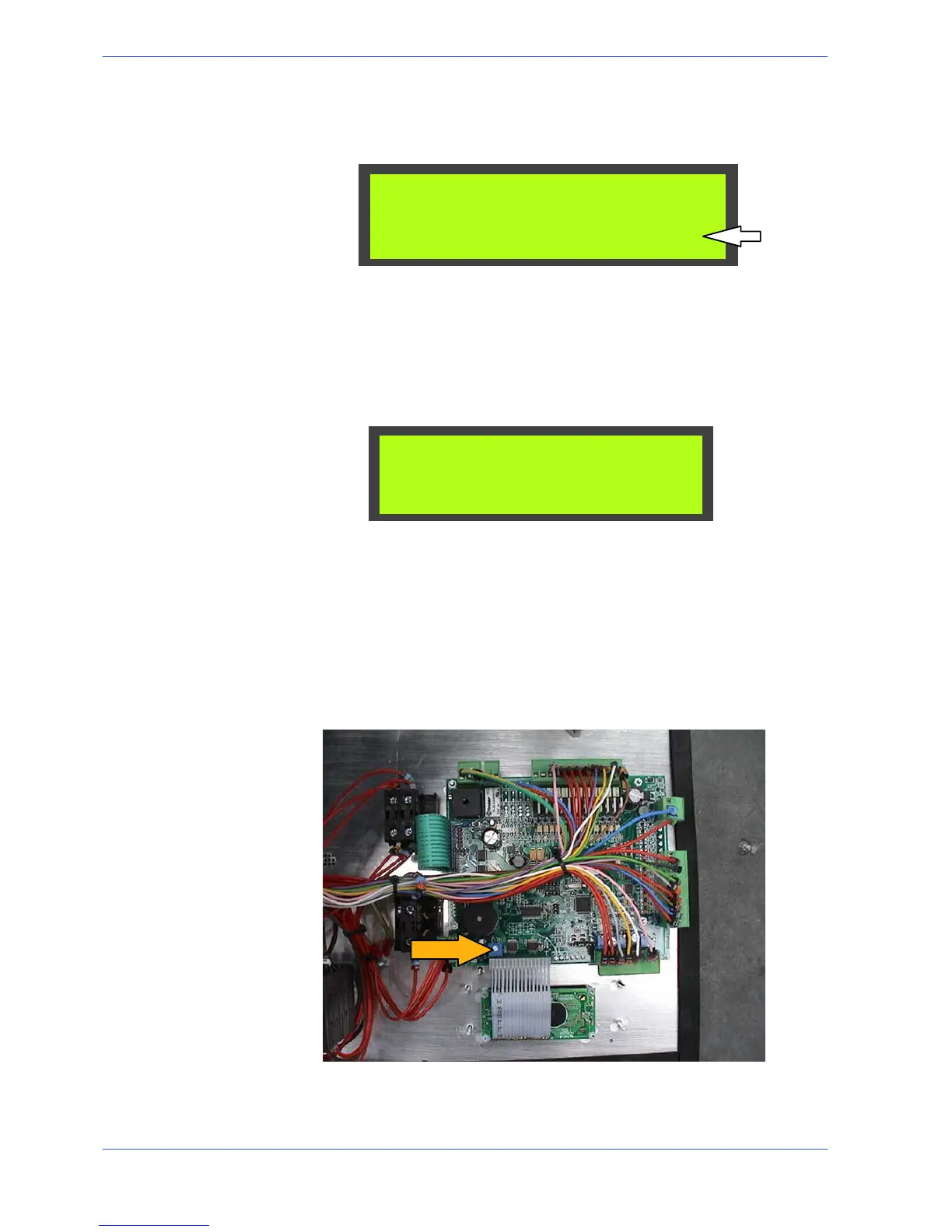
" To adjust the brightness, first remove the screws fixing the front console
panel. The photo below illustrates the M30 controller card on which the
brightness potentiometer is marked by an arrow.
" Using a screwdriver, rotate the potentiometer until the required display
brightness is obtained.



 To Next Page