16
2. Operation Panel
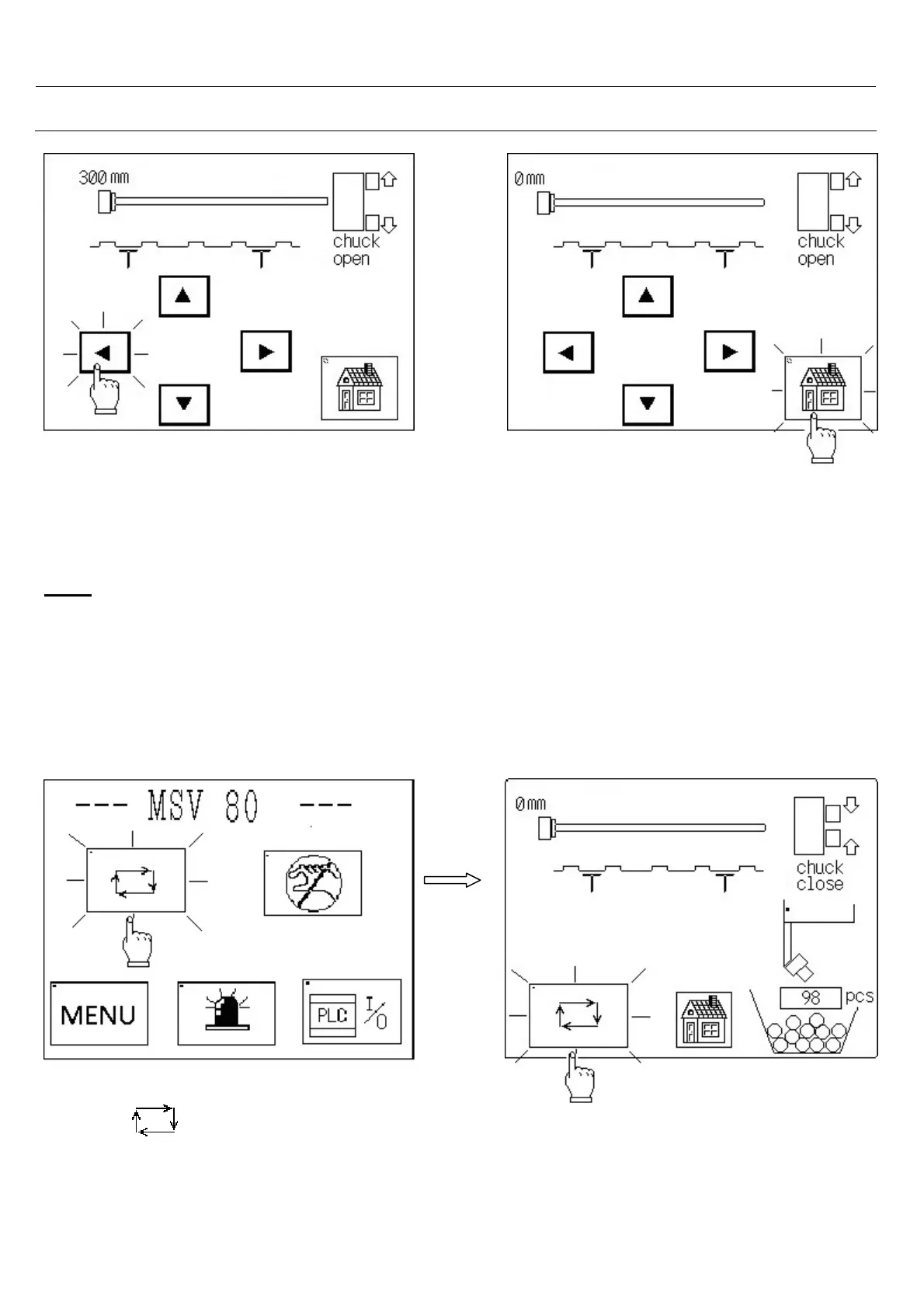
- Touch on back button. - Touch on home picture.
- If the loading mechanism is up flag moves, - Jump to main screen.
although pushrod moves until back limit.
Note:
If you want to move loading mechanism up or down, pushrod and flag must be at reference position.
And you also want to move pushrod or flag, loading mechanism must be at up position or down
position. And you can see all motions on the screen.
2.4 Auto cycle
-Bar feeder is running in auto mode.
-See the number of cut down pieces at bottom right.
-See the number of pieces that will be cut down
at centre.
-You can see all the motions on the screen.
-Touch on symbol and jump to auto
screen.



 To Next Page