25
3. User Setup
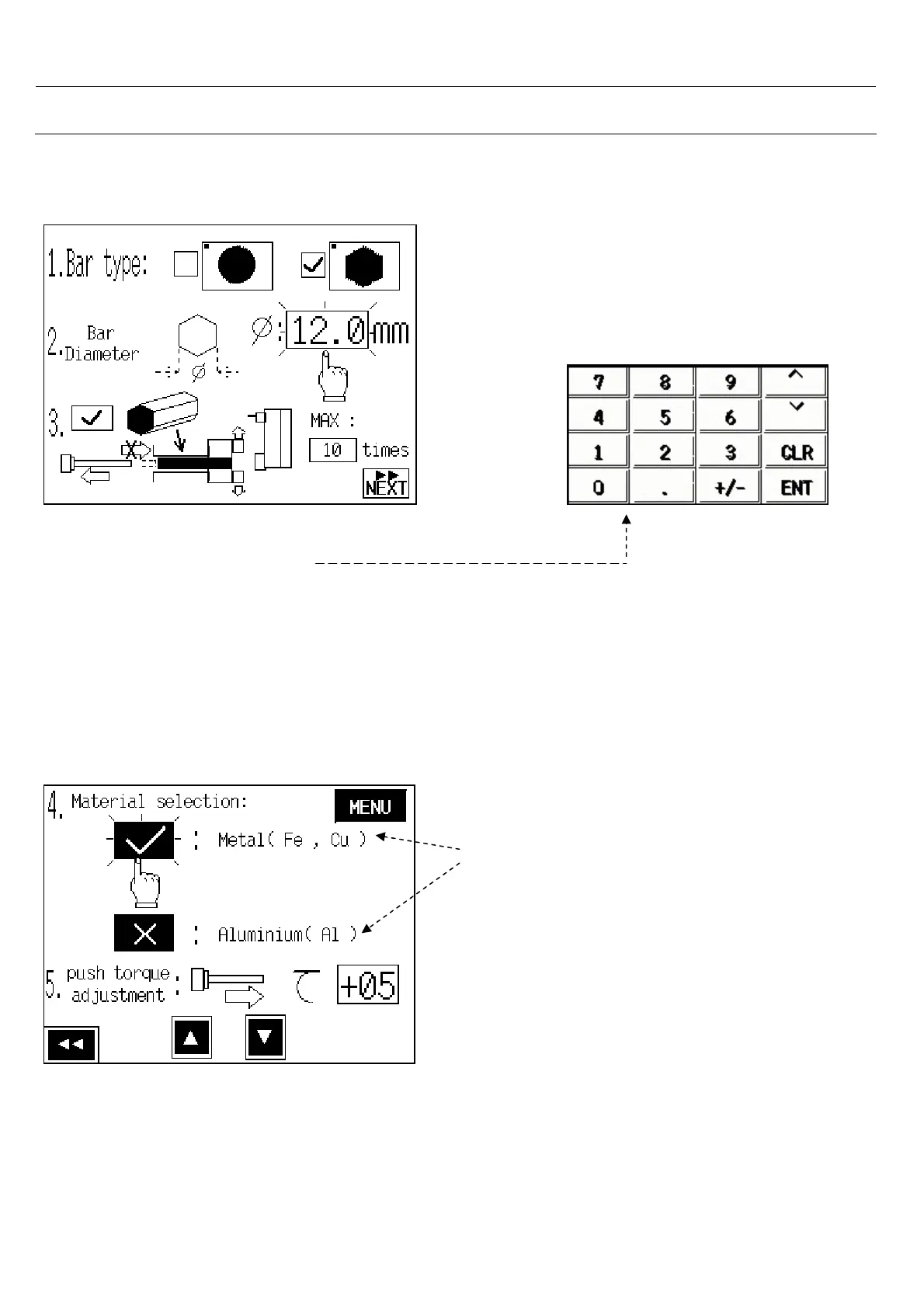
3.2.2 Bar diameter Setting
3.2.3 Material Selection
1.Touch onφ: numeric.
2.Seems a numerical display.
3.Write bar diameter and press <ENT>
NOTE : Setting rang: 5mm – 80mm
You can choose material type, torque varies
in different density of material .



 To Next Page