64
3. User Setup
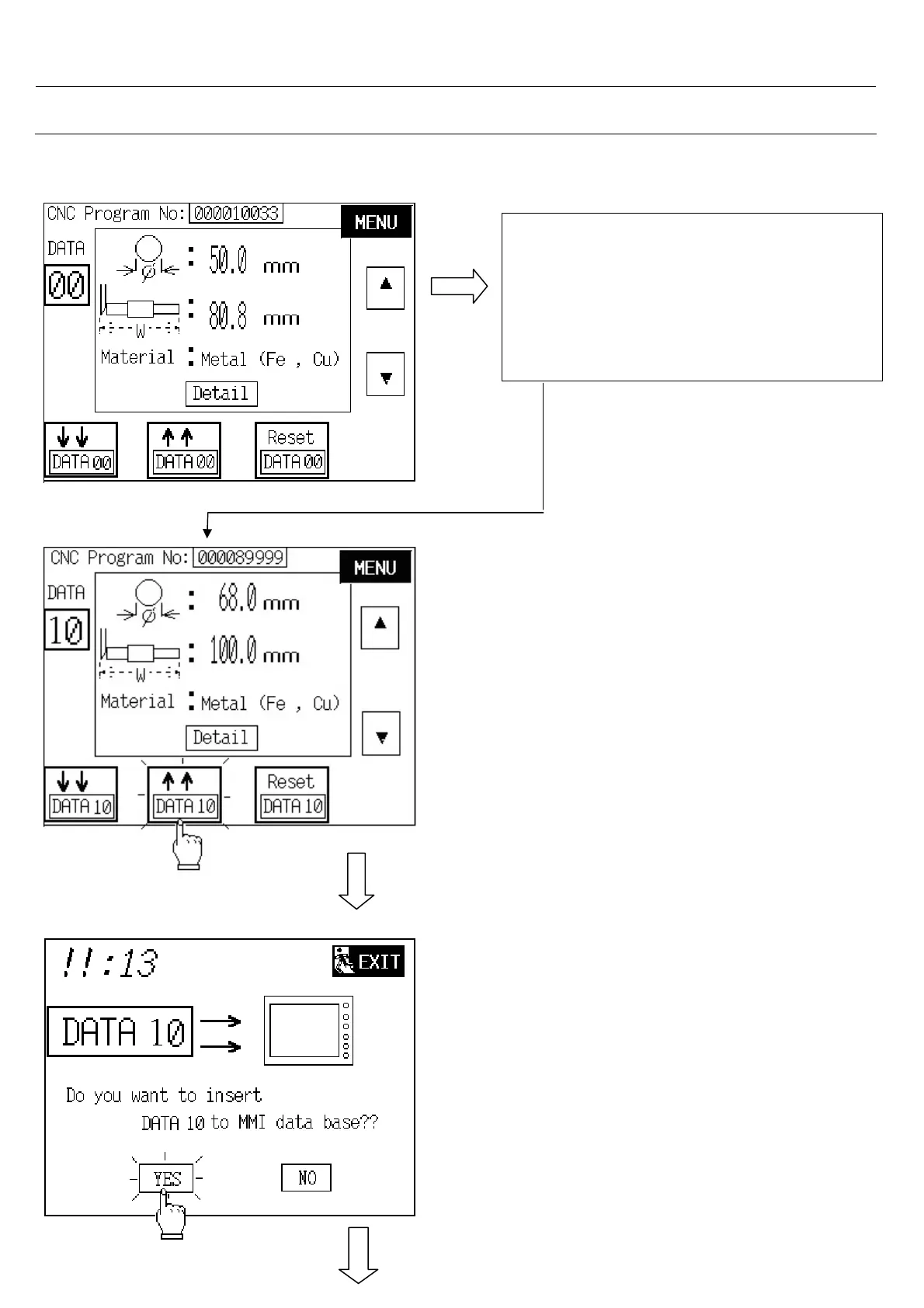
3.10.3. To Transfer DATA 10 to MMI Data Base
1. Touch “ up “ or “ down “ button to
DATA 10 .
or
2. Touch on DATA : numeric to insert 10
1. Counter check and confirm the CNC
program number is correct.
2. Touch on “ transfer “ button.
- Touch on YES button to transfer.
Note: If touch on NO or NEXT button will jump
back to last screen.



 To Next Page