61
3. User Setup
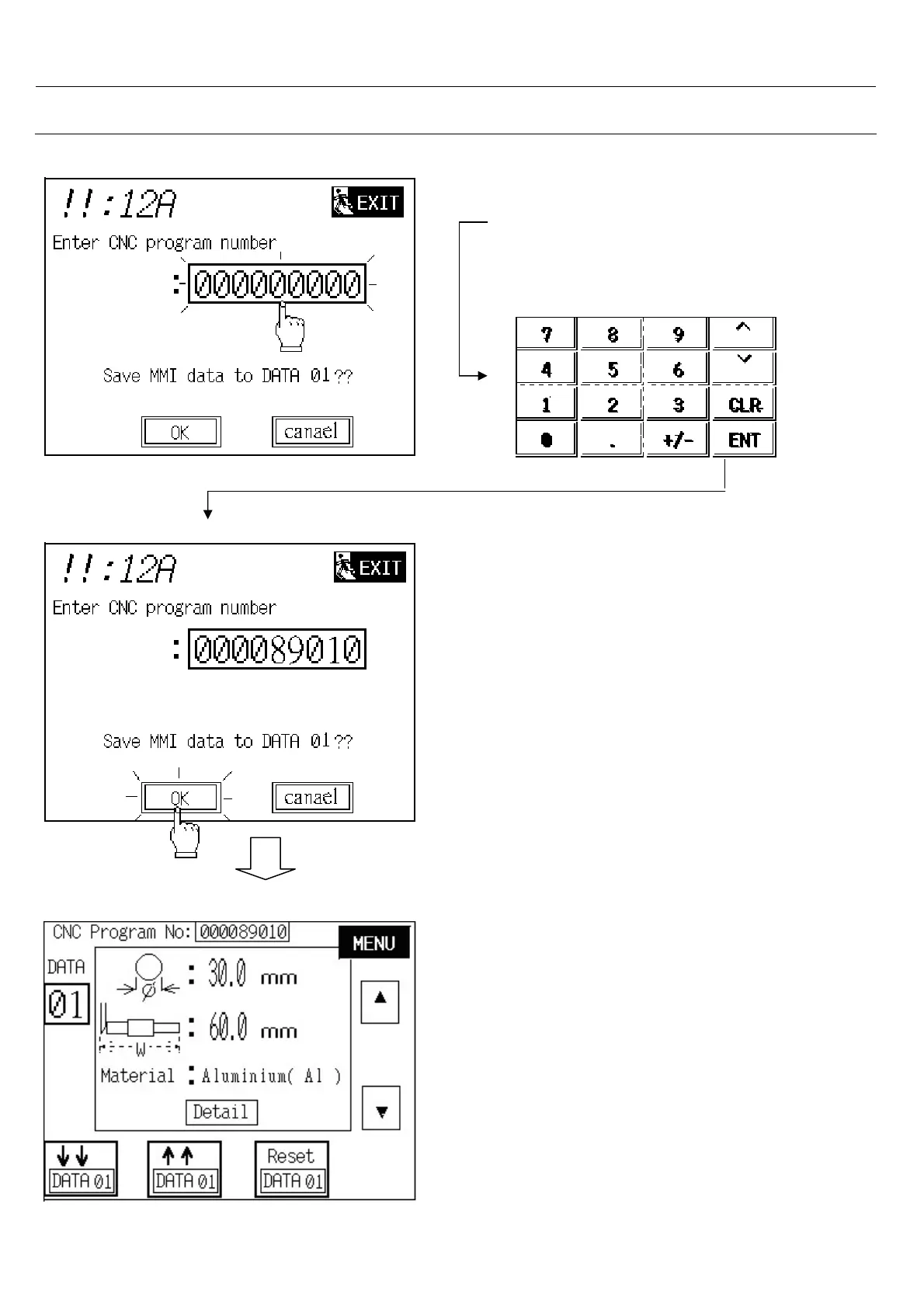
Step 4:
- Touch on CNC program: numeric
- Seems a numerical display.
- If CNC program number is 000089010
Write 000089010 and press<ENT>
Step 5 : Touch on OK button.
Note: If touch on cancel or NEXT button
will jump back to last screen but data
remain unchanged.
*** Setting Completed ***



 To Next Page