EasyManua.ls Logo

Hytera PD982 - User Manual

Hytera PD982
54 pages
Print Icon
To Next Page IconTo Next Page
Loading...
Preface
Thanks for your favor in our product. This manual provides guidance for you to quickly know how to use
the product.
This manual is applicable to the following product:
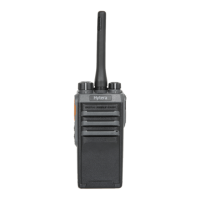
PD982 U(5) Digital Portable Radio

Questions and Answers

  • M
    Michelle LeachAug 19, 2025
    How to fix Hytera PD982 when it won't turn on?
    • L
      ljonesSep 12, 2025
      If your Hytera Portable Radio won't turn on, the battery might be improperly installed. Try removing and reattaching the battery. Alternatively, the battery may be drained, so recharge or replace it. Also, check for dirty or damaged battery contacts, and clean or replace the battery if necessary.
  • M
    Manuel MarshallAug 21, 2025
    What to do if voice is weak on Hytera Portable Radio?
    • L
      Laura RobinsonAug 21, 2025
      If the voice is weak or intermittent during receiving on your Hytera Portable Radio, the battery voltage may be low. Try recharging or replacing the battery. Also, the volume level may be set too low, so increase the volume. Ensure the antenna is properly attached; turn the radio off, then remove and reattach the antenna. Finally, check if the speaker is blocked and clean it if necessary.
  • T
    Tina BaileyAug 23, 2025
    Why can't I communicate with group members on Hytera Portable Radio?
    • T
      Teresa RogersAug 25, 2025
      If you cannot communicate with other group members on your Hytera Portable Radio, the frequency or signaling type may be inconsistent. Verify that your TX/RX frequency and signaling type are correct. Also, the channel type (digital or analog) may be set incorrectly, so verify that you are on the correct digital or analog channel. Finally, you may be too far away from other members, so move closer to them.
  • C
    carrie90Aug 26, 2025
    How to reduce noise and hiss on Hytera PD982 Portable Radio?
    • M
      Mark KingAug 27, 2025
      If you are unable to hear anyone because of too much noise and hiss on your Hytera Portable Radio, you may be too far away from other members; move towards them. You might also be in an unfavorable location, such as blocked by high buildings or in an underground area; move to an open and flat area, restart the radio, and try again. The issue may also be due to external disturbance (such as electromagnetic interference); stay away from equipment that may cause interference.
  • D
    Dustin JohnsonAug 28, 2025
    How to stop hearing unknown voices on Hytera PD982?
    • M
      menglishAug 28, 2025
      If you hear unknown voices or noise on your Hytera Portable Radio, you may be interrupted by radios using the same frequency. Change the frequency or adjust the squelch level. If the radio is in analog mode, it may be set with no signaling; request your dealer to set signaling for the current channel to avoid interference.
  • J
    Jonathan ScottAug 30, 2025
    What to do if Hytera PD982 cannot register?
    • P
      paullongAug 30, 2025
      If your Hytera Portable Radio cannot register, the radio may not be detecting signals from the BS. Make sure the radio is within the coverage of the BS. Also, the radio may not be authorized; contact the BS manager to check if the radio is authorized in the network management system.
  • K
    khernandezSep 2, 2025
    Why does my Hytera Portable Radio register repeatedly?
    • D
      Daniel FloresSep 2, 2025
      If your Hytera Portable Radio registers repeatedly, the signal may be intermittent. To resolve this, make sure the radio is within the coverage of the BS.
  • K
    Kathleen JonesSep 4, 2025
    Why does called party disconnect repeatedly on Hytera PD982?
    • J
      Jennifer PowellSep 4, 2025
      If the called party disconnects repeatedly during communication on your Hytera Portable Radio, the signal may be intermittent or weak. Make sure the radio is within the coverage of the BS.
  • B
    Brian RogersSep 6, 2025
    Why Hytera Portable Radio cannot establish a call?
    • J
      James LeblancSep 6, 2025
      If your Hytera Portable Radio cannot establish a call, the signal may be weak. Ensure the radio is within the coverage of the BS.
  • M
    michaelcunninghamSep 9, 2025
    How to improve voice clarity on Hytera PD982 Portable Radio?
    • M
      Michael RogersSep 9, 2025
      If the voice is unclear on your Hytera Portable Radio, the signal may be weak. Make sure call participants are within the communication range.

Hytera PD982 Specifications

General IconGeneral
Channel Capacity1024
Operating Voltage7.4 V
Audio Output Power1 W
Storage Temperature-40°C to +85°C
IP RatingIP68
GPSYes
BluetoothYes
Channel Spacing12.5 kHz/20 kHz/25 kHz
Battery Capacity3000 mAh
Operating Temperature-30°C to +60°C
Digital/AnalogBoth

Related product manuals