13
MOUNT TOOL ONTO THE APPLICATION
• Make sure tool is set up appropriately for TIGHTEN or LOOSEN with appropriate socket.
• Place the driver onto the socket, making sure socket is fully engaged.
• Position the reaction arm against an adjacent nut, flange or other solid reaction point.
IMPORTANT: Follow all safety instructions regarding reaction arms.
NOTE: If using rear-spline reaction arm, adjust arm as necessary to align with reaction surface.
• Make sure that hose connections are clear of obstructions and out of harm’s way.
• If needed, install back wrench or apply back wrench fixture.
• THEN, AND ONLY THEN, apply momentary pressure to the system to ensure proper tool placement. If it doesn’t
look or act right, STOP and re-adjust the reaction arm.
CONVENTIONAL TORQUE TIGHTENING
• Press and hold the advance button on the pump control until you hear a click – the piston is fully extended, and
the square drive will no longer turn.
• Release advance button to retract piston until you hear a click to signify tool is reset.
• Continue push-advance-click-release cycle until tool stalls and nut no longer visibly turns.
IMPORTANT: Always attempt one final cycle to ensure that “stall” point has been reached.
CONVENTIONAL TORQUE LOOSENING
• Set pump to the maximum pressure (10,000 PSI, 700 bar).
• Reverse the square drive and mount tool onto nut or bolt with “LOOSEN” visible.
• Repeat the same push-advance-click-release cycle outlined above until you can loosen the nut by hand.
RELEASING A LOCKEDON TOOL
• The MXT+ Tool has an automated release feature and does not require manual release.
• Continue advancing the pump until the tool loosens and frees itself from the application. Remove tool.
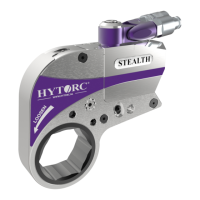
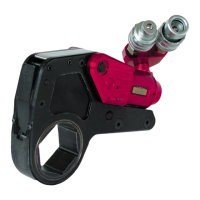
Bolting With Drive Spline Reaction Arm Bolting With Rear Spline Reaction Arm









 To Next Page