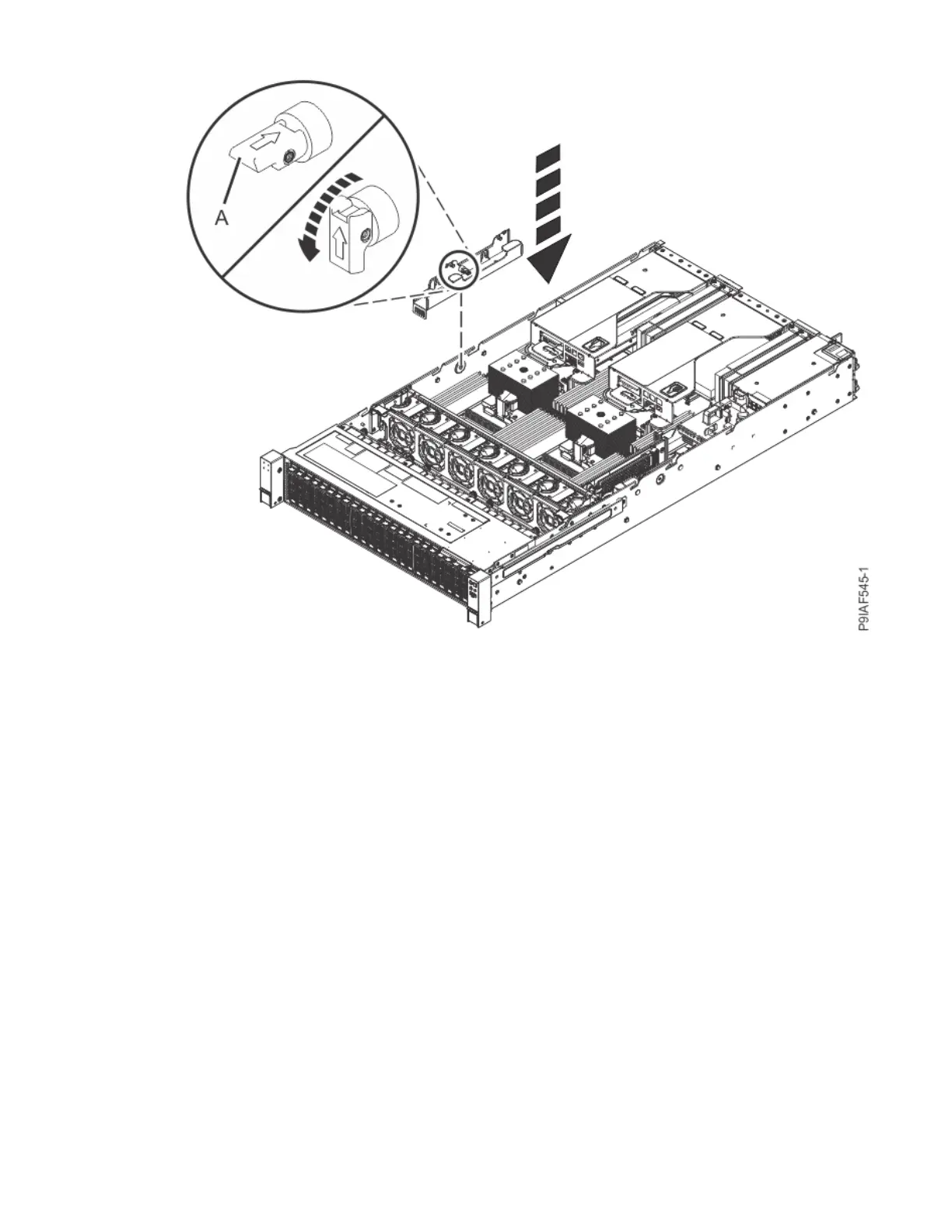
Figure 26. Replacing the left cable holder and resetting the retaining pin
c) Replace the drive cables into the drive cable holder.
12. If you removed the power distribution board from the right side of the system, replace the power
distribution board by using the following procedure.
a) Replace the power distribution board by plugging it into the system backplane, as shown in the
following gure. Use the alignment pins on the side of the chassis to ensure that the power
distribution board is placed properly. Ensure that tab (A) clicks into place to secure the power
distribution board.
Removing and replacing parts in the 9183-22X
33



 To Next Page