23
Returns to the previous screen or exits Auto Scan.
4.4.2 Manual
This option allows you to manually locate a required control system
for testing through a series of choices. Follow the menu driven
procedures and make proper selection each time; the program will
guide you to the diagnostic function menu after selections are made.
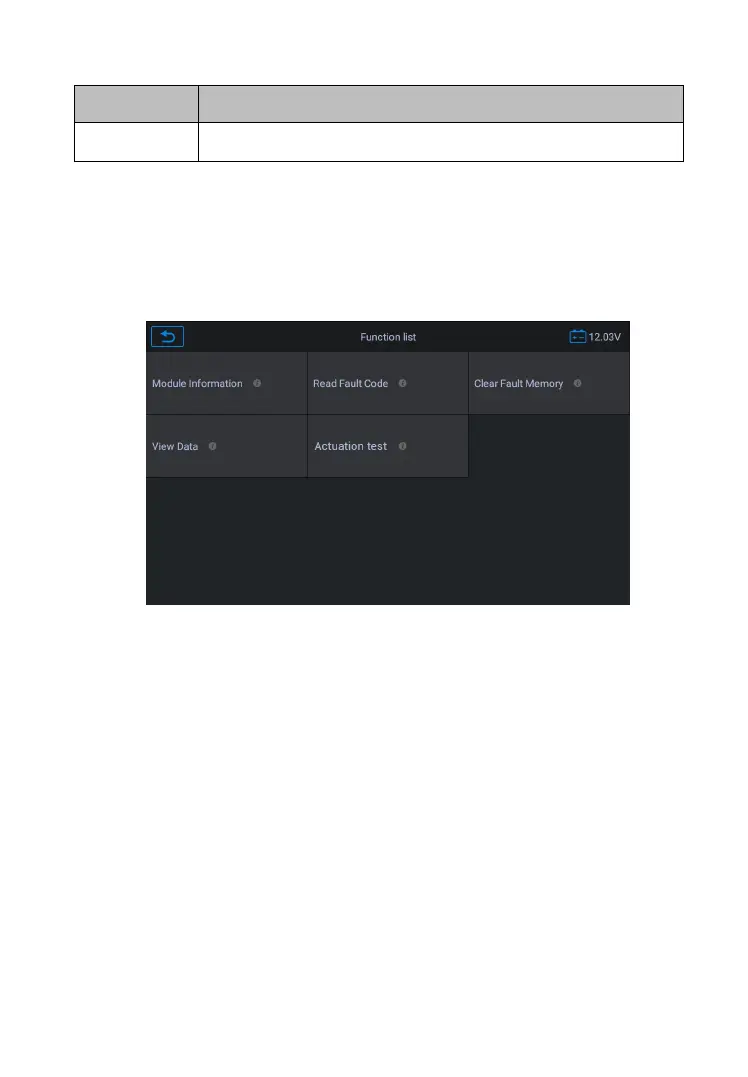
Figure 4-11 Sample Function Menu
The Function Menu options vary slightly for different vehicles. The
function menu may include:
Module Information – Read full electronic system module
information, such as VIN, part number, version, supplier,
Read fault code – Read full electronic system module fault
code, show state and description of fault code.
Clear fault Memory – Erase full electronic system module fault
code and diagnostic related freeze frame information.
View data – Read full electronic system module live data by text










 To Next Page