15
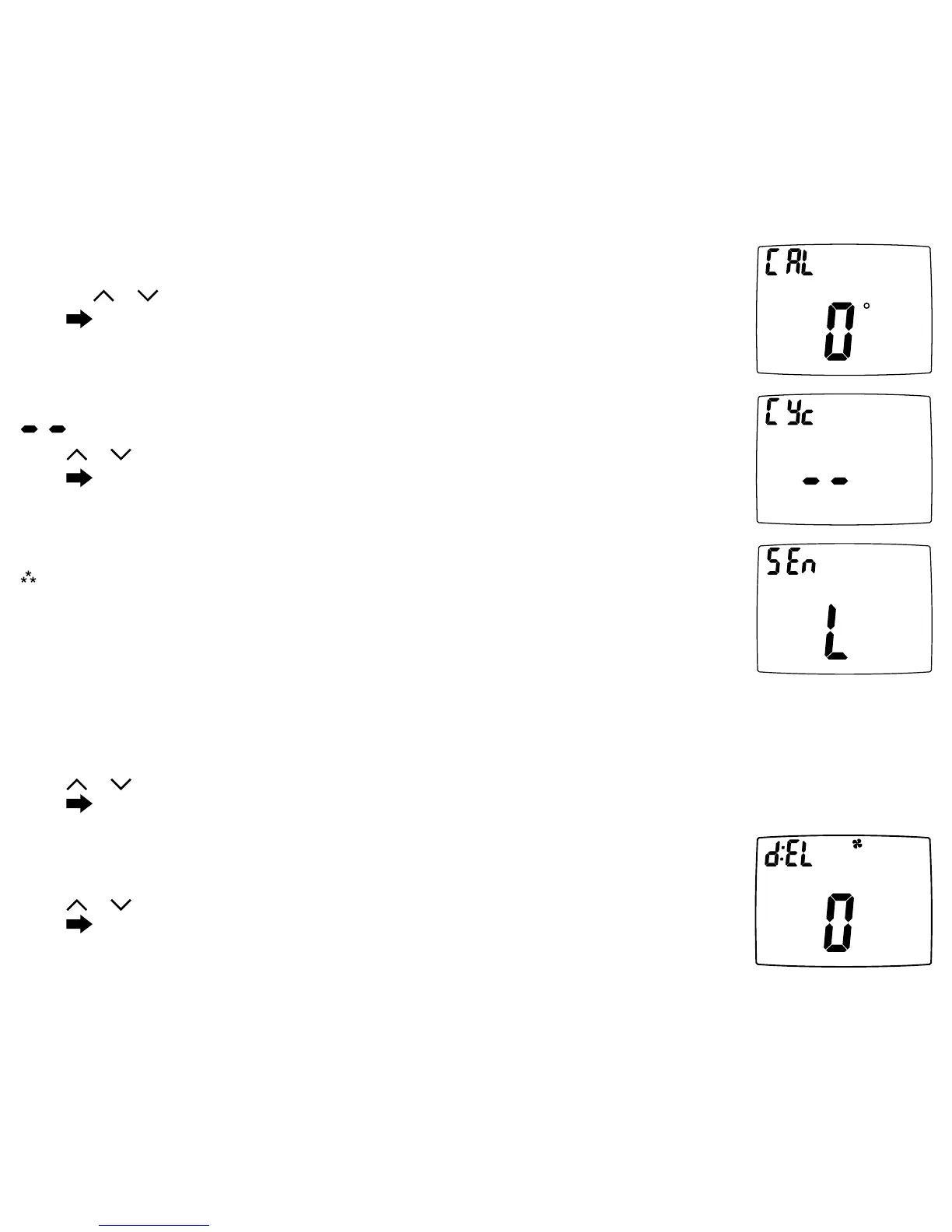
13.RoomTemperatureOffset(+9°Fto-9°F)(+4.5°Cto-4.5°C)
Adjusttocalibratedisplayedroomtemperaturetomatchactualroomtemperature.
Pressthe
or toselect.
Press
toadvancetothenextscreen.
CONFIG
CONFIG
14.MaximumCyclesAllowedPerHour(--,2-6)
=asmanyasneeded,2-6=maximumcycles/hour
Press
or toselect.
Press
toadvancetothenextscreen.
WARNING!
:
Incorrectsettingscandamagesystemand/orcausepotentiallydangerous
conditions.UsethecodedescribedinCongurationSafetyLocktoaccessthisscreen
setting
15.TemperatureSensor(L,r,A,rsleep)
Note:If there is no remote sensor, option 1 (L) must be selected. May only be used with remote
temperature sensor 1.
CONFIG
Appearsonlyfornon-heatpumpsystemsandheatpumpswithoutanoutdoorsensor.
1.L–Onlyon-boardsensordeterminesroomtemperature. 3.A–Averagetemperatureofon-boardandremotesensor.
2.r–Onlyremotesensordeterminesroomtemperature. 4.rSleep–Onlyon-boardsensorwillbeuseduntilSLEEPperiod,
andthenonlyremotesensorisusedforSLEEPperiod.
Press or toselect.
Press toadvancetothenextscreen.
16.FanDelayOffTime(0,30,60,90seconds)
Selecttheamountoftimethefancontinuestooperateafterthecool/heatdemandhasbeen
satised.Functionsforcooling,heatpumpsandelectricheat.
Press
or toselect.
Press toadvancetothenextscreen.
CONFIG







 To Next Page