17
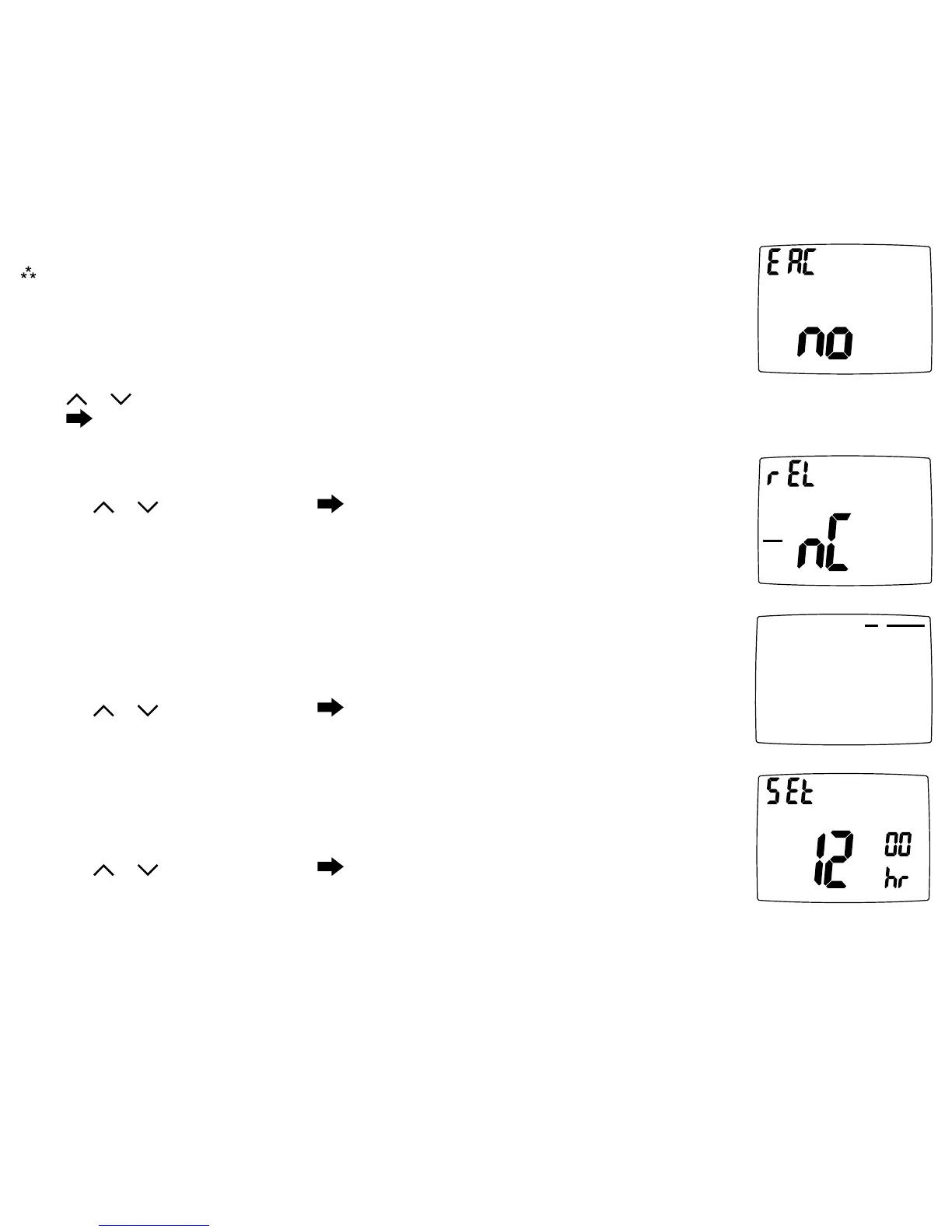
22.RelayOperation(dehumidicationonly)
Settherelayfunctiontomatchyoursystem(normallyopen,normallyclosed).
Pressthe
or toselect.Press toadvancetothenextscreen.
CONFIG
HUMIDITY
24.CheckFilterTimer(800-2500 hours)
Afterthenumberof(fanrunning)hoursspecied,(forexample,1200hours),thewords
“CHECKFILTER”willdisplaytoremindyoutocheck/changethesystemlter.Thenext
congurationscreeniswheretheelapsednumberofrunhourscanbereset.
Pressthe
or toselect.Press toadvancetothenextscreen.
CONFIG
Check
Filter
23.FanonSchedule(OFF,WAKE,LEAVE,RETURN,SLEEP)
ThefanwillruncontinuouslyduringthisscheduledperiodwhenthemodeisnotsettoOFF.To
turnonthefanduringoneofthescheduledperiods(WAKE,LEAVE,RETURN,SLEEP),please
dothefollowing:
Pressthe
or toselect.Press toadvancetothenextscreen.
CONFIG
ON
SCHEDULEFAN
OFF
CONFIG
HUMIDITY
21.ExtendedAC(no,COOL-2(Fahrenheit),COOL-1(Celsius))
Note:Only used for Dehumidication when condition is set to COOL-FAN.
SetanextendedtimeontheACtoincreasedehumidicationcapabilities.
no=NoextendedACtime.
COOL-2orCOOL-1= Coolingsystemwillcontinuetooperateafterthesettemperaturehas
beenreacheduntiltheroomtemperatureis3°F(1.5°C)belowtheset
temperatureifdehumidicationhasnotbeensatised.
Press
or toselect.
Press toadvancetothenextscreen.







 To Next Page