■ Programming after selection
q Select memory mode with [V/M].
w Set the memory channel to be programmed with [DIAL].
•Rotate [DIAL] while pushing [FUNC] to select a memory bank
(A–H) or programmed scan edge channel.
•Non-programmed channels cannot be selected.
e Push [V/M] to select VFO mode.
r Set the desired frequency:
➥ Select the desired band with [↔].
➥ Set the frequency using [DIAL].
➥Set other data (e.g. offset frequency, duplex direction,
tone squelch frequency, etc.), if required.
t Push [V/M] for 2 sec. to program the selected channel.
•Keep pushing for 2 sec. or more to automatically select the next
memory channel, if desired.
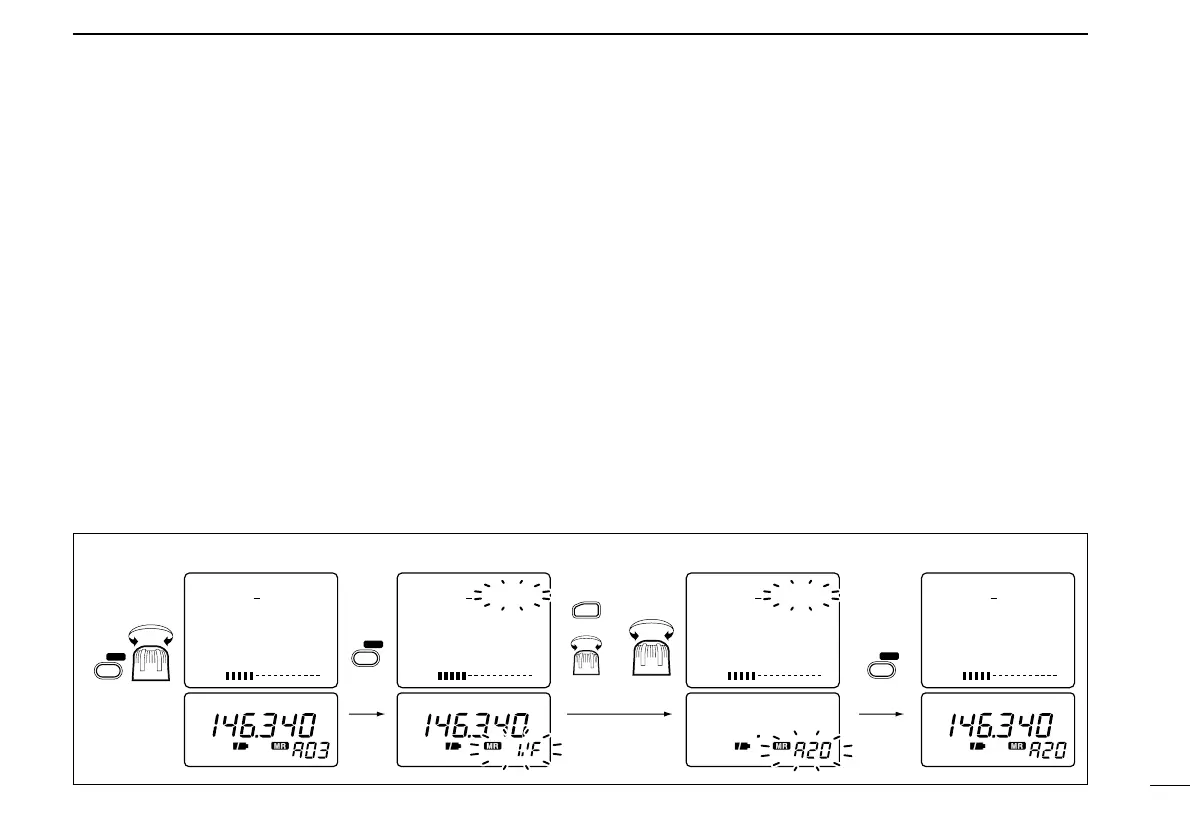
■ Transferring memory
contents to another memory
q Select memory mode with [V/M].
w Select the memory channel to transfer with [DIAL].
•Rotate [DIAL] while pushing [FUNC] to select a memory bank
(A–H) or programmed scan edge channel.
e Push [V/M] for 1 sec. to indicate memory channels.
•Do not hold [V/M] for more than 2 sec., otherwise the memory
channel contents will be transferred to VFO.
r Rotate [DIAL] to select the channel to transfer to.
•Rotate [DIAL] while pushing [FUNC] to select a memory bank or
programmed scan edge channel.
•VFO (VF), as well as regular memory channels, can be trans-
ferred in this way.
t Push [V/M] for 2 sec. to transfer.
15
5
MEMORY CHANNELS



 To Next Page
 Loading...