11
3
BASIC OPERATION
2
3
1
4
5
6
7
9
10
8
12
13
11
Setting weather alert function
■
An NOAA broadcast station transmits a weather alert tone
before any important weather announcements. When the
weather alert function is turned ON, the transceiver detects
the alert, and sounds a beep tone until the transceiver is op-
erated. The previously selected (used) weather channel is
checked any time during standby, or while scanning.
•
To turn ON the weather alert function, push , then hold
down [SQL•WX-ALERT] until “ ” is displayed.
•
To turn OFF the function, push , then push [SQL•WX-
ALERT]. (“ ” is displayed for 1 second).
Accessing the 121.5 MHz
■
emergency frequency
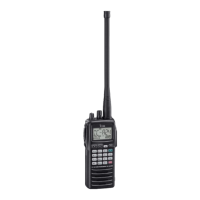
The IC-A24 and IC-A6 can set to the 121.5 MHz emergency
frequency quickly. This function can be activated even when
the key lock function is in use.
q Push [121.5] for 2 seconds to select the emergency fre-
quency.
w Push [CLR•DEL] to exit the emergency frequency.
Lock function
■
The lock function prevents accidental frequency changes
and accidental function activation.
q Push , then push [7• ] to turn the lock function ON.
• “ ” appears.
w To turn the function OFF, repeat step q above.
• “ ” disappears.
Side tone function
■
When using an headset (other manufacture’s products), the
transceiver outputs your transmitted voice to the headset for
monitoring. Connect the optional headset with the trans-
ceiver when using this function (OPC-499 HEADSET
ADAPTER and headset are required) (p. 33).
Setting the side tone level ï
q Push [PTT] to turn the transmit mode ON.
w During transmit mode, rotate [DIAL] to adjust the monitor-
ing level.
• ‘ST--0’ is OFF and ‘ST--10’ is maximum level.
R WARNING! NEVER operate the transceiver with a
headset at high volume levels for long period. A ringing in
your ears may occur. If so, reduce the monitor level or
discontinue use.
Setting beep tone
■
If desired, the beep tone, which sounds at the push of a
switch, can be set.
q Push
,
then push [8•BEEP] to enter the beep tone
setting mode.
w Rotate [DIAL] to set the beep level.
• ‘BEP-- 0’ is OFF and ‘BEP-- 9’ is maximum level.
• 2 beeps sound tone to verify set beep tone level.
e Push [CLR•DEL] to exit the beep tone setting mode.
IMPORTANT: Set the monitoring level to ‘ST--0’ when using
an optional HM-173 sPeaKer MicroPHone, otherwise,
your voice will be heard from the speaker during transmitting.
14



 To Next Page